Apple's privacy pages never use the phrase Personal Knowledge Graph. The daemons that build it are on every Mac. The gate in front of the store is Full Disk Access. Check that list first, trim what Siri learns second, then decide whether to look inside.
knowledgeconstructiond builds the graph from what is on your Mac
The closest thing to an official description is a man page. man 8 knowledgeconstructiond, dated June 6, 2022, says the daemon “analyzes the content on this device to help build a knowledge graph representing the device and the user” and works with intelligenceplatformd. We read it on a Mac running macOS 27.2 (build 26B123) on November 9.
The store is ~/Library/IntelligencePlatform. On that Mac, graph.db was about 1.9MB. A plain listing of the folder can return “Operation not permitted” without Full Disk Access.
Eighth Rank's October 28 breakdown counts fifty-one SQLite databases in the folder, in plaintext. graph.db is a triple store of 181 entity classes and 278 predicates. It takes in Contacts, Photos faces, Calendar, Family Sharing, the Medical ID contact, Siri Suggestions finds in Mail and Messages, app donations through App Intents, installed apps. The communication log records who, when, which app, which direction. No message content.
Full Disk Access decides who can read the store
Apple's Mac User Guide says apps on the Full Disk Access list can “access all files on your computer, including data from other apps (for example, Mail, Messages, Safari, and Home).” That covers the IntelligencePlatform folder: any listed app can open your graph.
So open System Settings → Privacy & Security → Full Disk Access and remove anything you do not use or recognize. Apple is adding a Full Disk Access warning flag in the macOS 27.3 beta, but on current macOS the cleanup is manual. FileVault is a separate layer: the login password for a lost or stolen Mac. It does not stop an app that already has Full Disk Access.
Trim what Siri and apps put into the graph
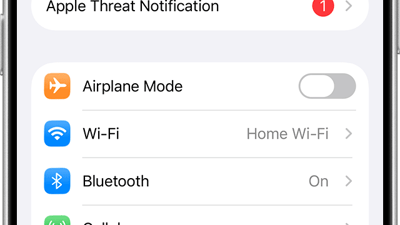
System Settings → Apple Intelligence & Siri (called Siri on some versions) holds the levers. Suggestions lists which apps can surface suggestions. Excluded Apps stops Siri and Search from using an app's data. The About Siri & Dictation & Privacy screen has per-app “Learn from this application” toggles. If you turned on Siri AI in macOS 27.2, these decide what it learns from.
Apple says excluding an app stops Siri from using what the app donates to personalize. Eighth Rank notes Apple does not document whether that also stops graph ingest. Reducing donations, not a kill switch. The iPhone keeps its own Apple Intelligence privacy controls.
For what left the device: System Settings → Privacy & Security → Apple Intelligence Report, pick 15 minutes or 7 days, Export Activity. Apple states data processed in Private Cloud Compute “is not stored or made accessible to Apple.” The report covers those requests only.
Deletion is partial too. Dropping a contact stops the live graph re-deriving that person, but a table named expired_stable_graph keeps retracted rows with confidence scores, up to around 48 hours in one Eighth Rank snapshot.
iKnow opens the graph on your own Mac, read-only
Eighth Rank also released iKnow, a free local viewer. One Python file, bound to 127.0.0.1 with a token link, every database handle read-only. Run git clone https://github.com/8rank/iKnow.git && cd iKnow && python3 server.py and open the printed link. The terminal needs Full Disk Access: add it, quit the app, reopen, run. Switch it off again when done.
Leave the optional AI-agent mode off. The agent manual sends what it reads to whatever model provider runs it. The authors tested iKnow on macOS 26.6.2 and 26.7.1, partially 27.0.1. Expect incomplete pages on some macOS 27 builds.
If you do one thing, clean up the Full Disk Access list. It is the only control over who reads the graph.
Photo: Apple
Source: Eighth Rank, Apple Support, AppleInsider