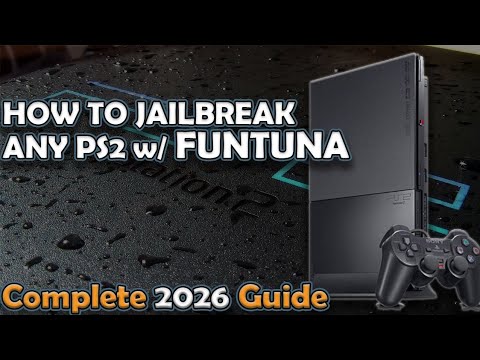
In this tutorial, we show you how to install and use FunTuna, update OPL, and properly load backup games using an exFAT HDD on PS2. This guide is ideal if you want modern storage support, faster transfers, and a more flexible PS2 setup without relying on outdated limitations.
We also cover common issues, including how to fix getting stuck on the FMCB logo, making this a complete start-to-finish guide.
⚠️ This tutorial assumes basic familiarity with PS2 homebrew. Follow each step carefully.
🛠️ Tools & Downloads Used
FunTuna (Latest Release)
https://github.com/israpps/Funtuna-Fork/releases/tag/latest
FAT32 Formatter
https://fat32-format.en.softonic.com/download
Latest Open PS2 Loader (OPL)
https://github.com/ps2homebrew/Open-PS2-Loader/releases
⏱️ Video Timestamps
0:00 Intro
1:29 Requirements
2:00 Downloading the latest FunTuna
2:25 Preparing the storage
3:13 Formatting storage to FAT32
3:45 Installing FunTuna
5:02 Loading FunTuna
5:45 Updating OPL to support exFAT HDD
6:18 Downloading the latest OPL
6:50 Preparing an exFAT HDD for backup games
7:37 Updating OPL and configuring FunTuna
11:10 Fix: Stuck on FMCB logo
📌 What This Setup Allows You To Do
• Use exFAT HDDs on PS2
• Load games with updated OPL
• Avoid FAT32 size limitations
• Faster game transfers
• Modern storage compatibility
• Fix common FMCB boot issues
⚠️ Common Issues & Fixes Covered
• PS2 stuck on FMCB logo
• OPL not detecting exFAT HDD
• Incorrect HDD formatting
• FunTuna not loading properly
These fixes can be reused anytime you encounter similar issues.
⭐ IMPORTANT — Please Support Our Other Channel
🙏 Please support Kamlon Corner
👉 https://www.youtube.com/@KamlonGamingCorner
This truly means a lot to us. Kamlon Corner helps fund the tools, storage devices, consoles, and time needed to create these free PS2, PS3, PS4, PSP, and jailbreak tutorials.
Even a subscribe, like, or watch directly supports future guides ❤️
🎥 Support Our Main Motivation Channel
Your support here allows us to continue supporting the gaming & jailbreak community:
Get Up and Fight for the Life You Want | Jordan Peterson Motivation
https://youtu.be/9h8L9YII-ro
Stop Saying Yes All the Time — Jordan Peterson on Self-Improvement
https://youtu.be/SkzzqgZy8lY
The Best Thing You Can Do to Become Truly Successful | Jordan Peterson
https://youtu.be/nukfgVBvKBQ
The Path to Self-Improvement — Discipline & Meaning
https://youtu.be/hl8MfWpZPVA
How to Rebuild Your Life — The Path to Self-Repair
https://youtu.be/0dxdPjv1HYU
💰 How to Donate / Support the Channel
PayPal
👉 aliakbarrkamlon@gmail.com
GCash / PayMaya
👉 09367034098
Every donation — big or small — goes directly into:
• New consoles & hardware
• Storage devices & tools
• Better and more tested tutorials
Thank you sincerely for your support ❤️
🔔 Related Guides You May Need
How to Use EXFAT HDD on PS2 and Load Games | Complete Guide
https://youtu.be/mtSZ8ovZopU
How to Use DualShock 3 & DualShock 4 on PS2
https://youtu.be/zGBFP3G4U_4
==
#ps2
#ps2homebrew
#retrogaming
#playstation2
#funtuna
#opl
Note: Kamlon Gaming Corner is the original author of this video, we just embed it, if you have any questions please contact him via Youtube.