![[HUAWEI Practical Classroom]Learn how to use GMS service with Hong Kong version of HUAWEI MatePad Mini in one minute!](https://iphonewired.pages.dev/wp-content/uploads/2026/05/MM1205261315-800x500_c.jpg)
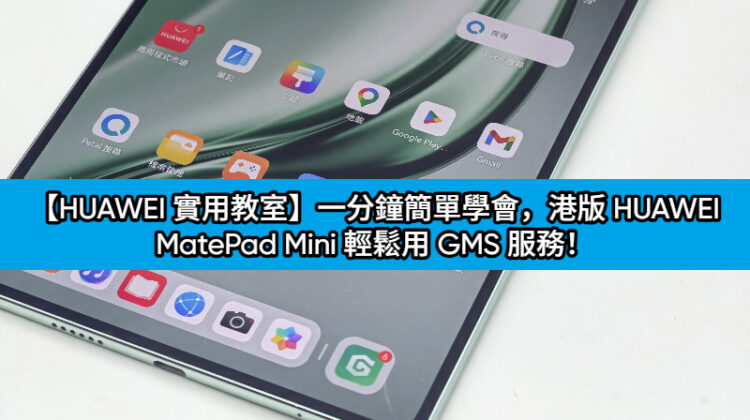
Earlier, HUAWEI launched the HUAWEI MatePad Mini tablet in Hong Kong. The tablet is mainly thin and light. It is also preloaded with the EMUI 15.0 system that is more suitable for Hong Kong users. According to actual tests, it can easily use GMS services, and commonly used apps such as Chrome, Gmail, Google Map and YouTube.
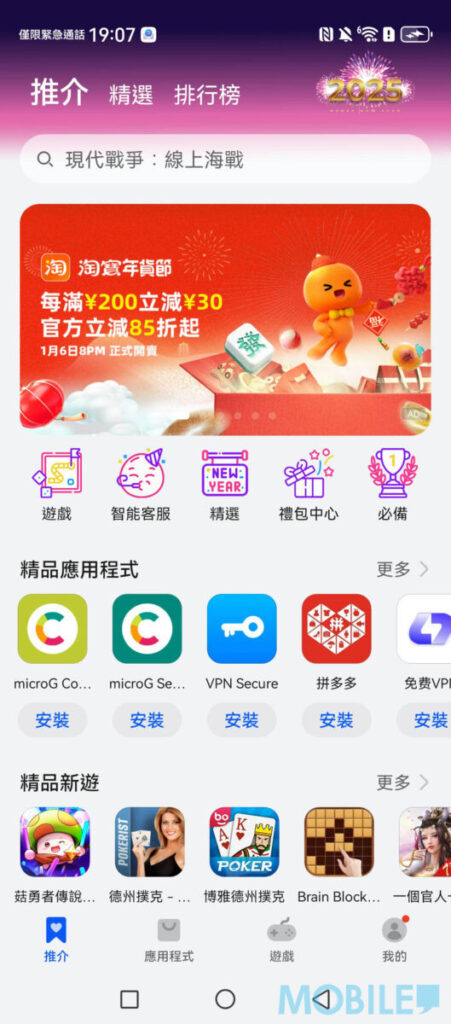
▲ Start the device and open the “App Store”, search for “microG Service” or “microG Companion”
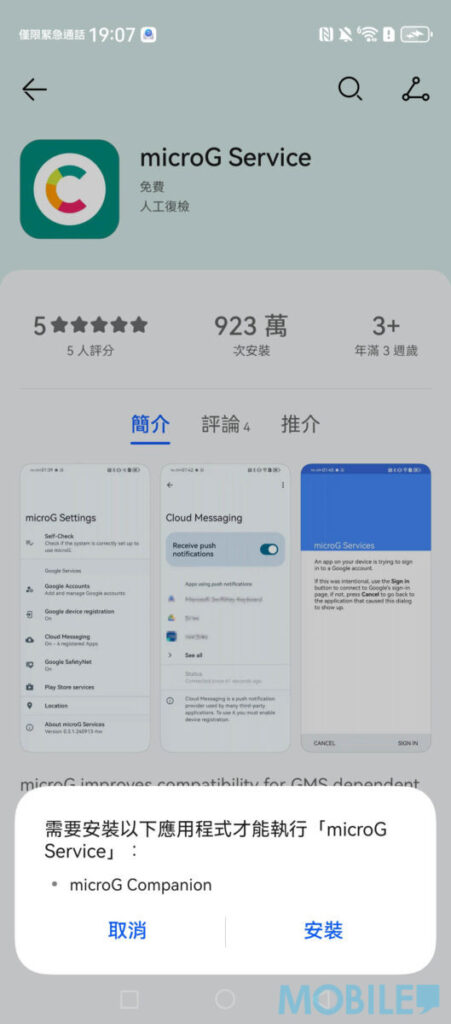
▲ Click Install, follow the prompts, and then select “Install”. The system will automatically download two programs.
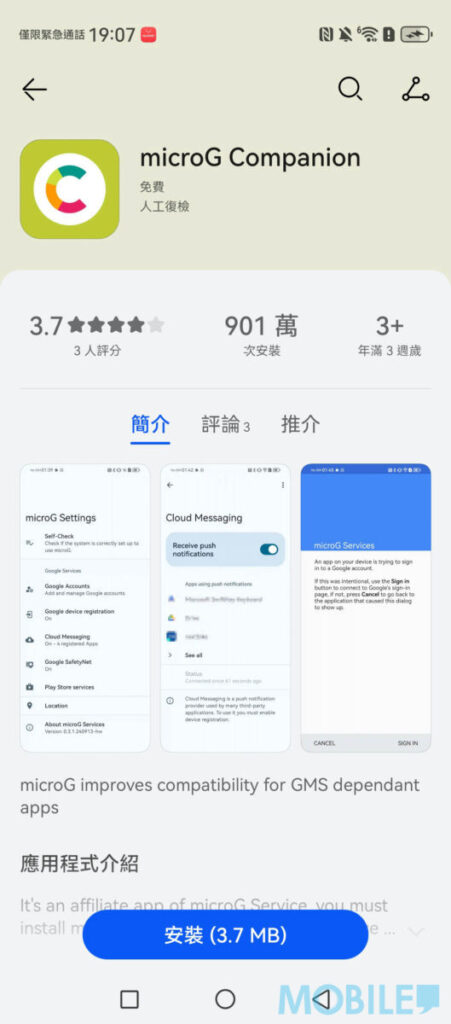
▲ No matter which microG tool you choose first, the system will prompt you to download another App. No need to worry.
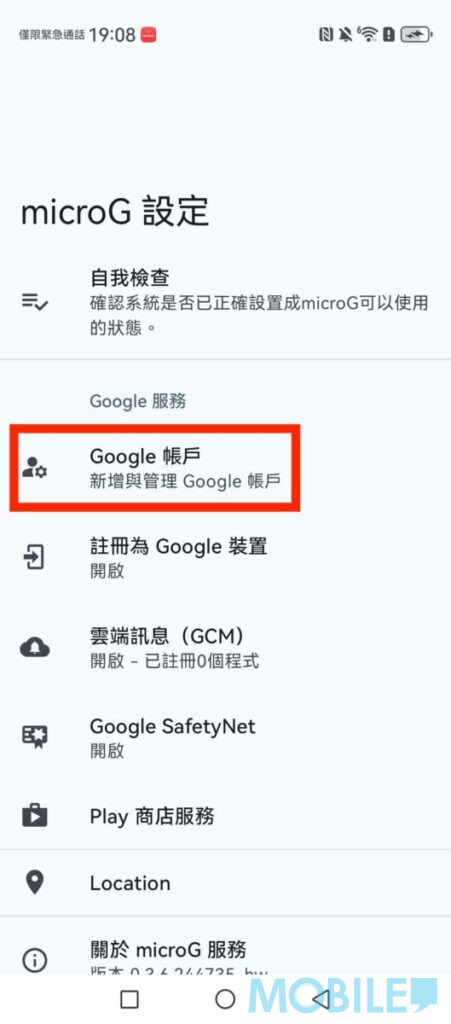
▲ After installation, open microG and click “Google Account”
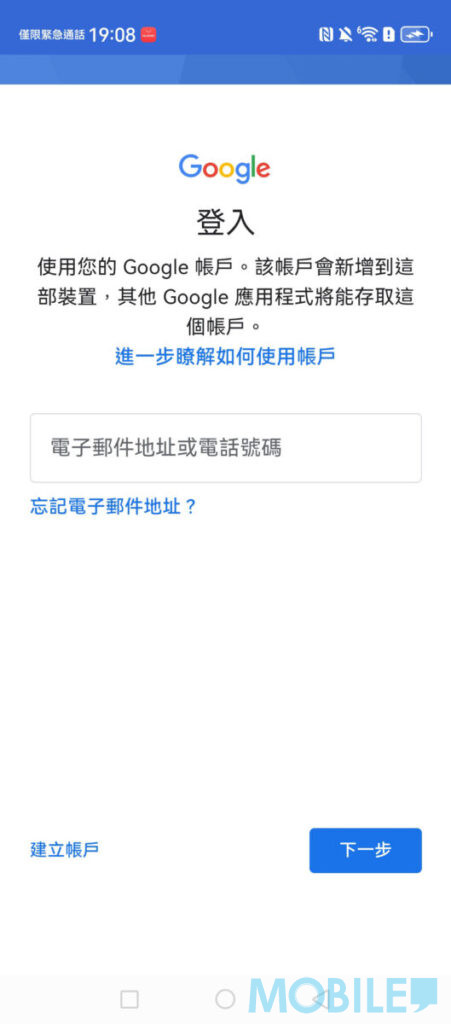
▲ Select “Add Google Account” to log in to your Google account normally
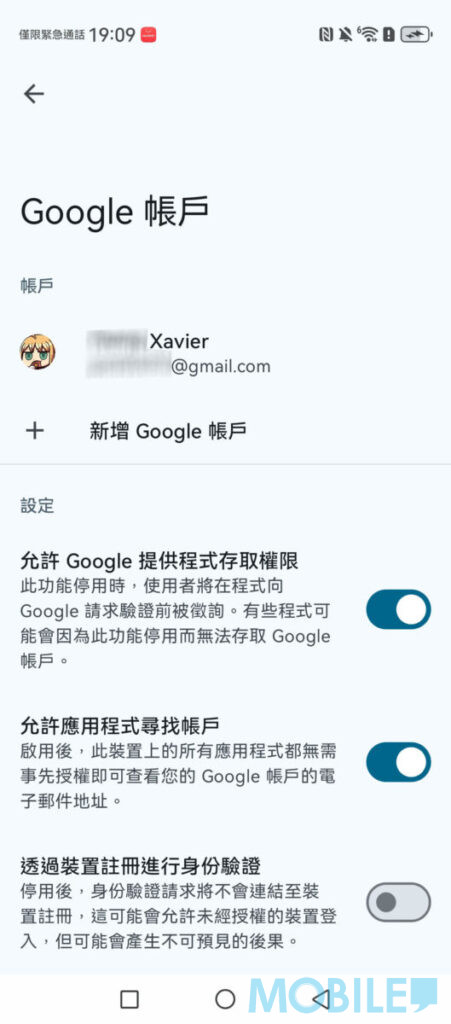
▲ After successful login, the interface display is the same as that of ordinary Android phones.
After completing the underlying account connection, if you want to further obtain the complete Google ecosystem experience, it is recommended to search for and download “GBox” through the “App Store”. Through the GBox launcher, users can directly download and install the official version of “Google Play Store”. After logging into the Play Store, whether it is Gmail, which is essential for daily work, Google Maps, which is preferred for navigation, or the video and audio streaming platform YouTube and Chrome browser, all can be downloaded and executed normally with one click.
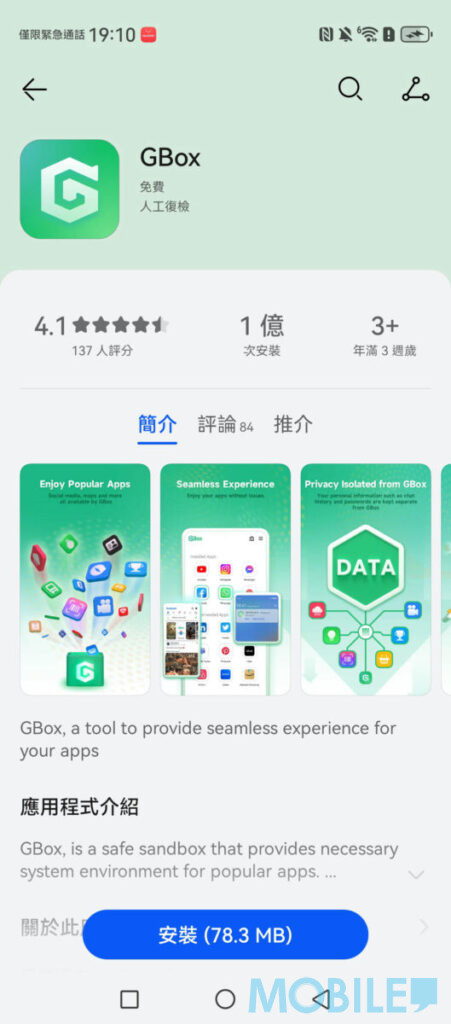
▲ To install various Google tools, you need to search and download “GBox” through the “App Store”
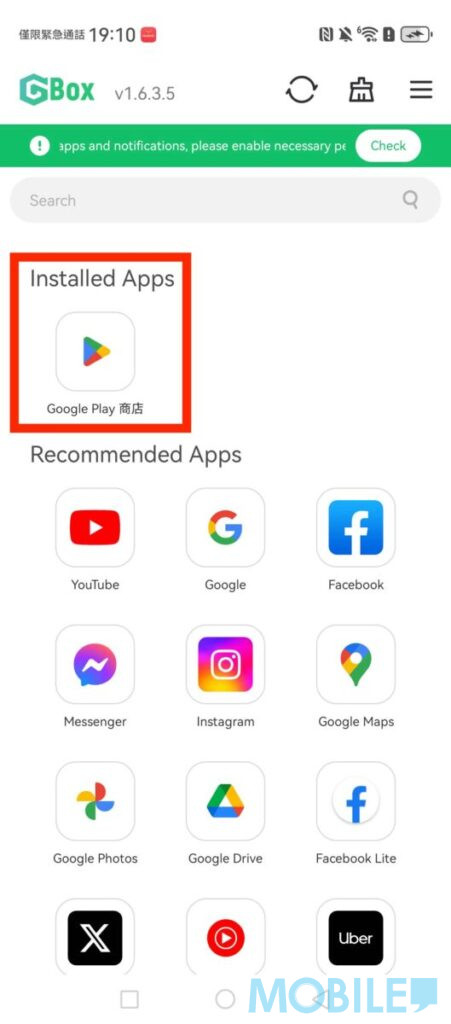
▲ After installing GBox, download “Google Play Store” first
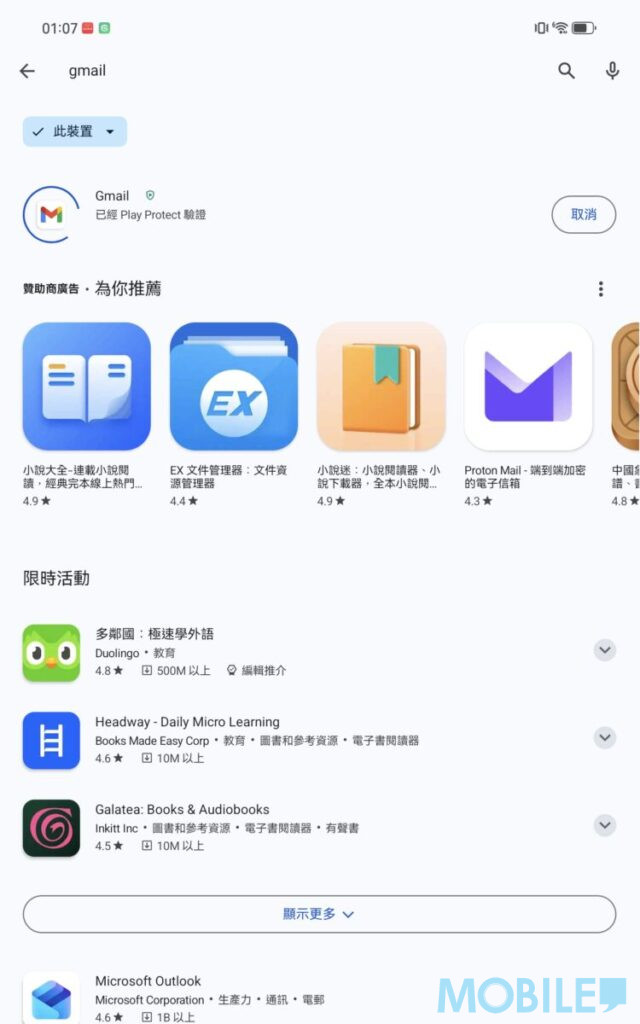
▲ Download and install the Google Play Store and log in to your account to download various Google tools normally
In the actual test, the HUAWEI MatePad Mini can log in and use the Google Play Store normally, as well as common tools such as Gmail, Google Maps, Chrome, YouTube, etc. The process is quick and easy, and there is no need to reinstall the phone.
If you want to know more tips on using HUAWEI mobile phones, you can browse the articles in[HUAWEI Practical Classroom]: