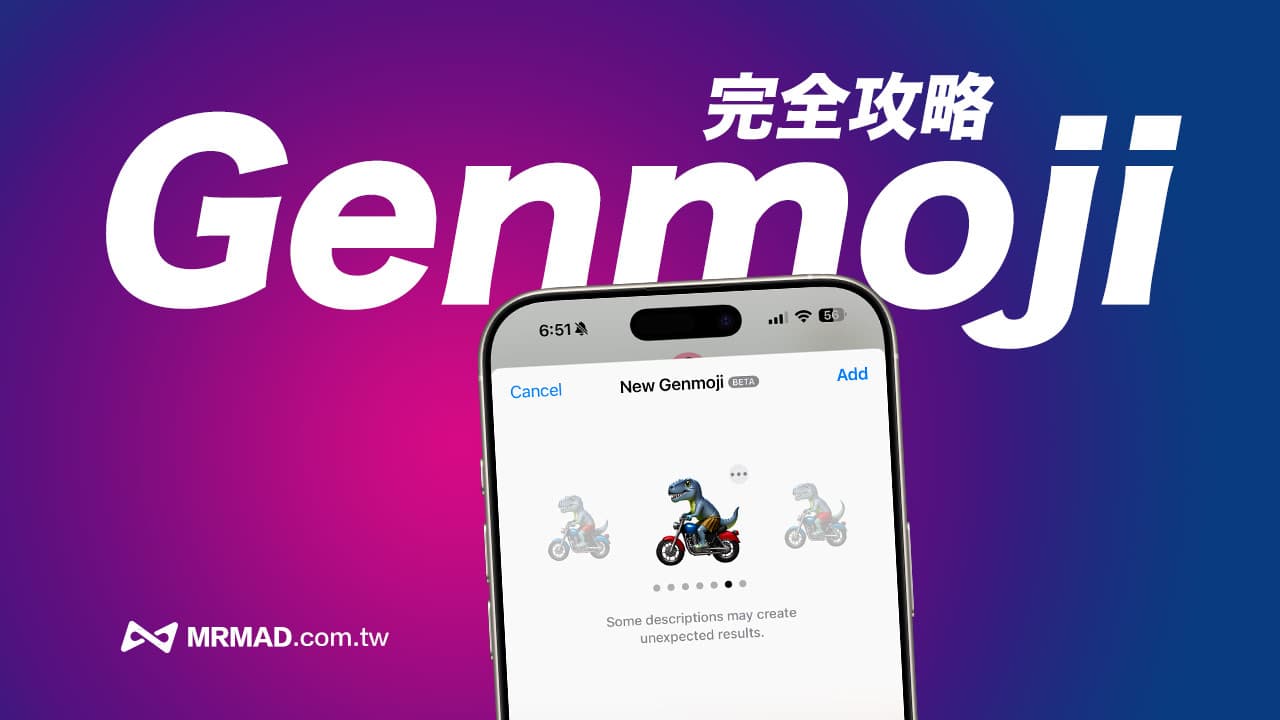
The new Genmoji feature launched by Apple in iOS 18 allows users to use Apple Intelligence artificial intelligence to create exclusive personalized emoticon stickers, making message exchanges more interesting. But many people are still curious about how to use iOS 18 Gemoji? This article will share how to create your own emoticons through Gemoji, from basic operations to advanced techniques, so that you can easily become an expert in emoticon creation.
What is Apple Genmoji?
Genmoji is an emoji generator based on Apple’s AI technology Apple Intelligence. It allows users to enter simple text descriptions, and the system can automatically generate unique high-quality emojis. These Emoji emoticons can not only be used in messaging applications , and can also be shared as stickers on other social platforms.
How to generate images with iOS 18 Genmoji?
1. Confirm iOS / iPadOS system version
To use Apple’s latest Genmoji feature to generate emoticons, you first need to ensure that your iPhone or iPad device has been updated to iOS 18.2, iPadOS 18.2 or above, and the device needs to support Apple Intelligence to use it.
2. Switch the system and Siri to the American language
Currently, Apple’s Genmoji emoticon generation function only supports the English version. You must first change the system language and Siri language to “English (United States)” before it can be used.
- System language modification location: Go to “Settings” > “General” > “Language and Region” and pull “English” to the top.
- Siri language modification location: Go to “Settings” > “Apple Intelligence and Siri” > “Language” to “English (United States)”.
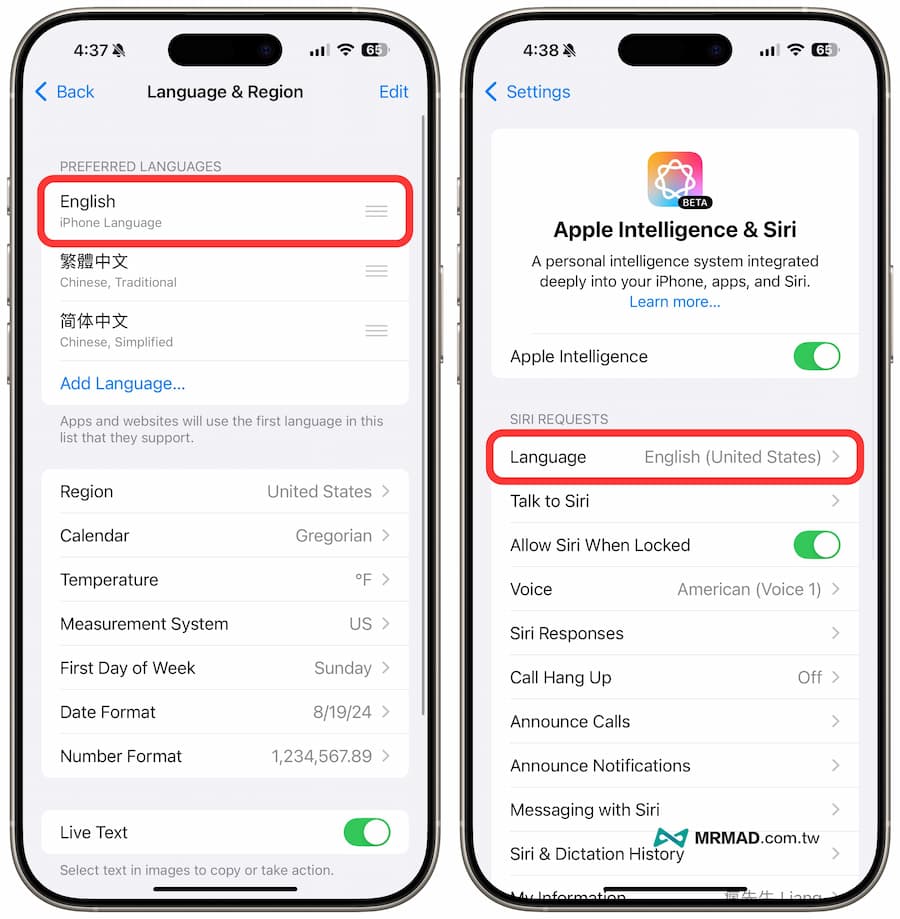
3. Enable message Genmoji emoticon generator
After upgrading the device to iOS 18.2 or later, and changing the system language and Siri to the United States, you can directly open the iPhone’s built-in “Messages” app, and in any conversation, first switch to the Emoji input method state, and then You can click the “Genmoji” function menu, and click to enable the Genmoji function.
Don’t see the Genmoji function? It means that Apple Intelligence is not enabled on the device, or the iOS system has not been changed to English. This function only supports the iPhone 15 Pro series or iPhone 16 and above.
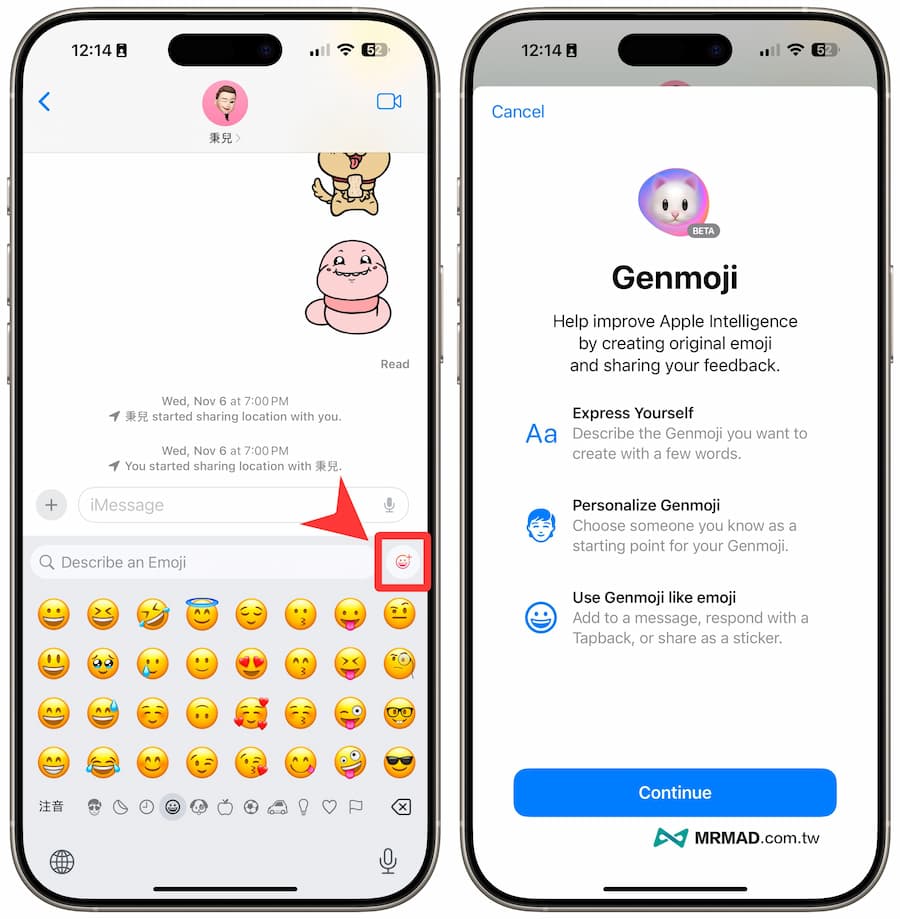
How to use iOS 18 Genmoji? Completely homemade emoticon sticker techniques
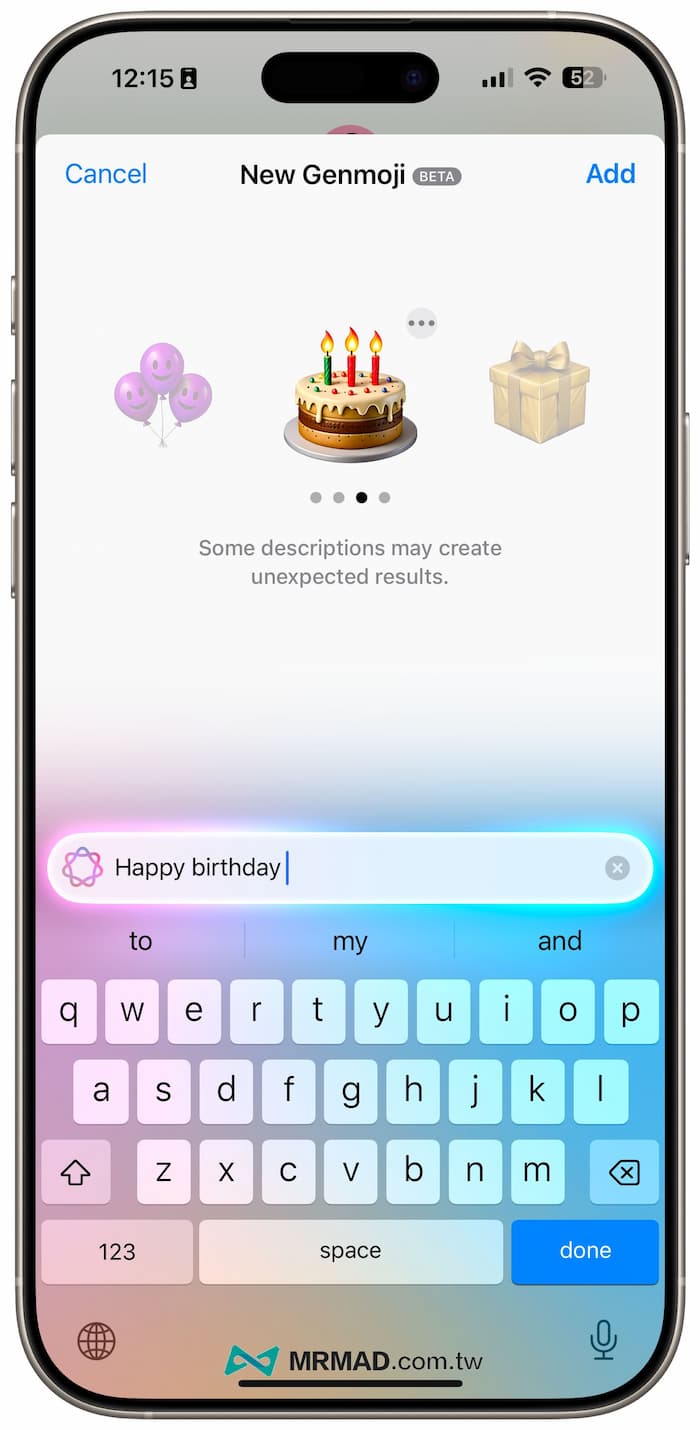
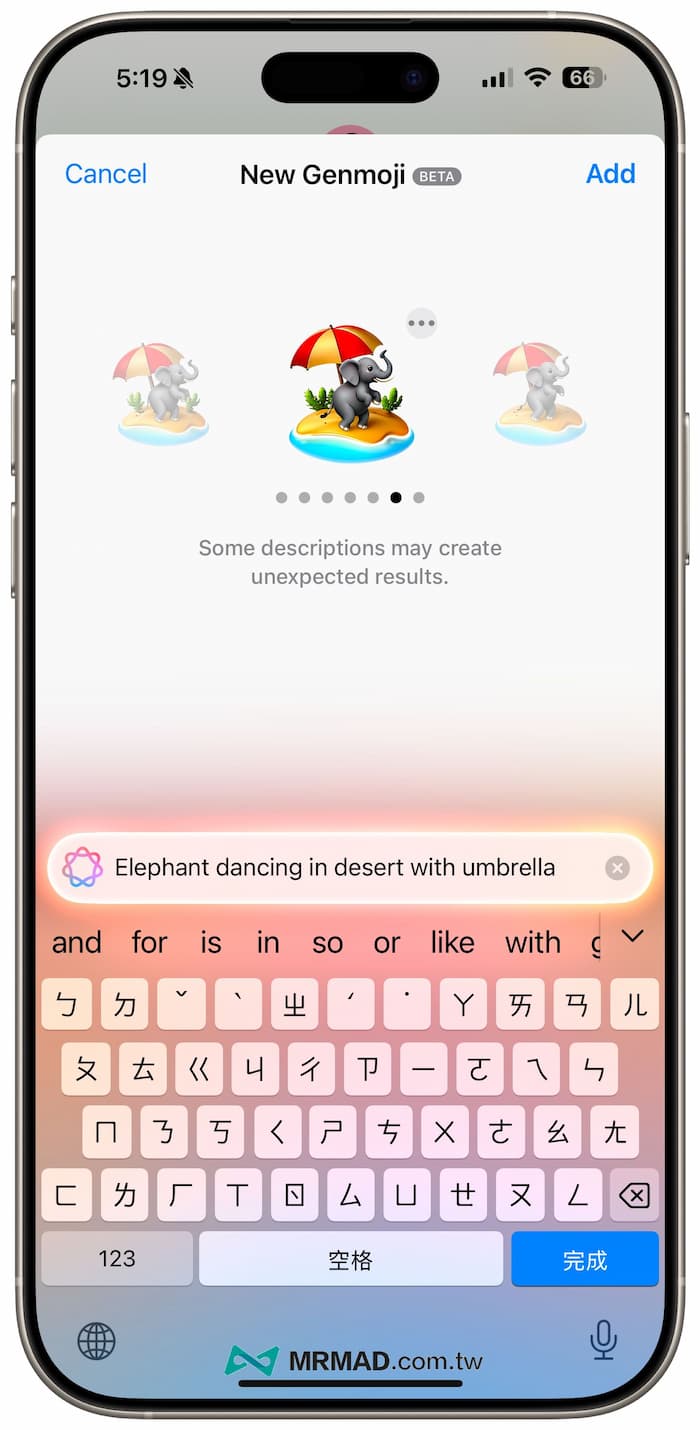
Using Genmoji to generate personalized emoticons is very simple. Just enter the emoji description you want in the text field, such as “happy birthday”, and then wait a few seconds. The system will generate multiple options based on the description. You can swipe through and choose your favorite emoji.
For example, during the Spring Festival, you can also enter “Happy new year firecrackers scene (Happy New Year firecrackers scene)”, and various firecracker celebration Emoji stickers of different styles will be generated.
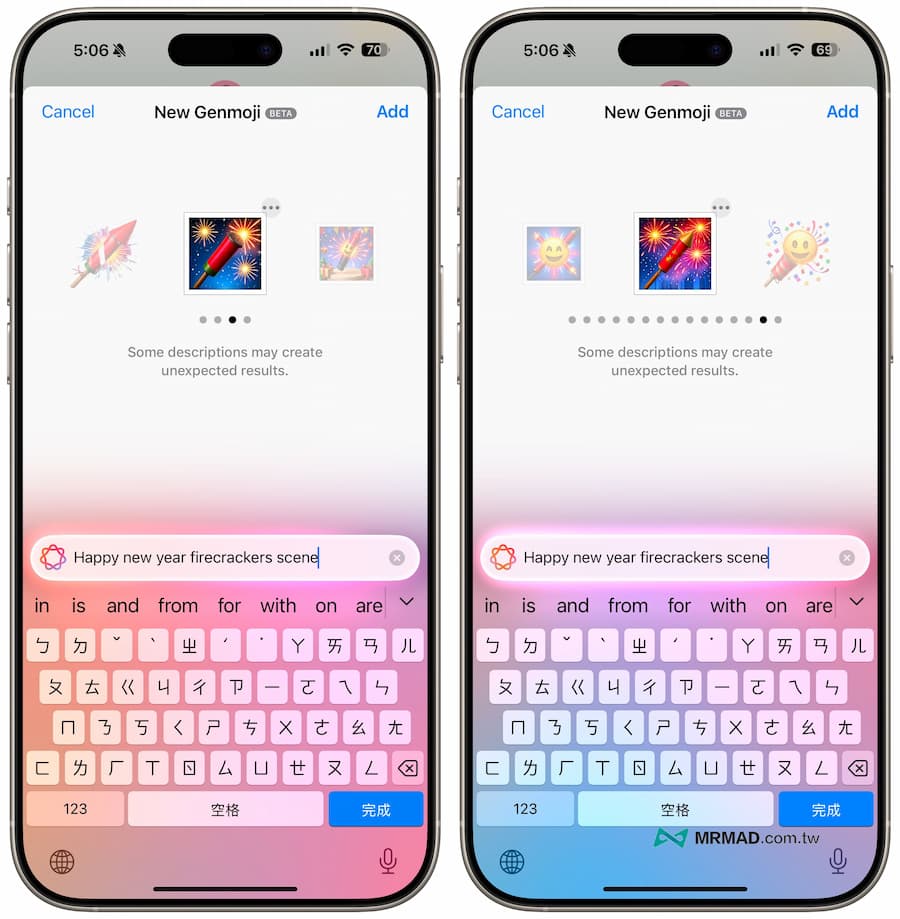
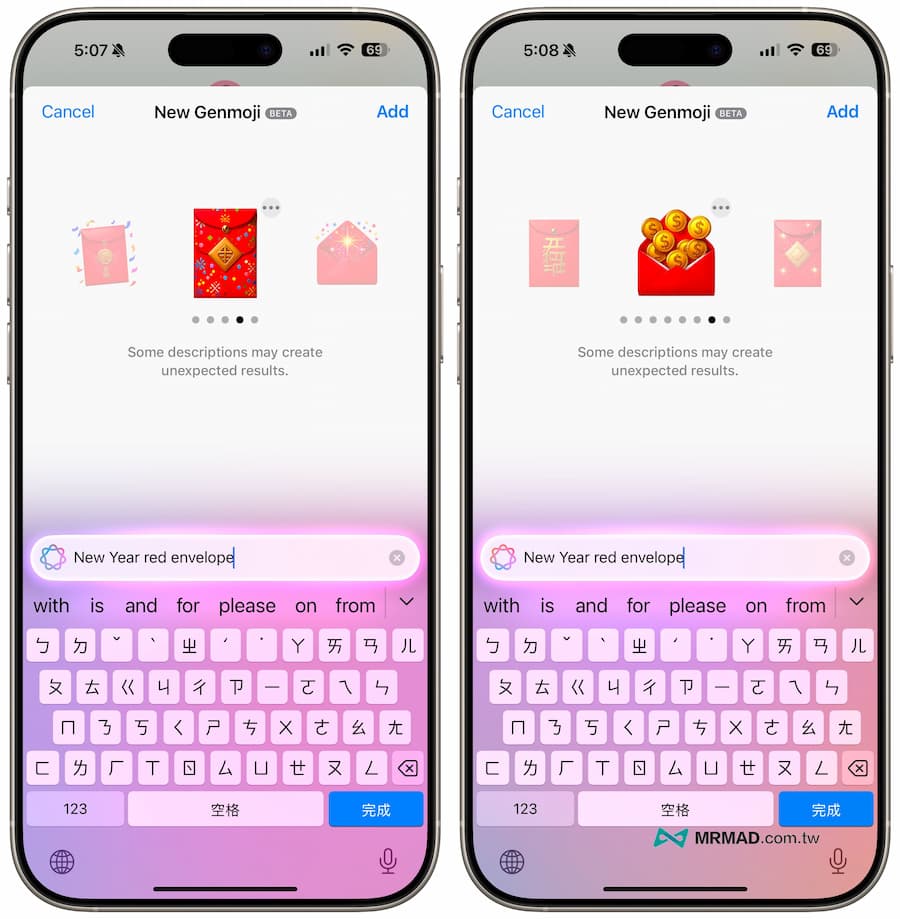
Of course, you can also use Genmoji to create a variety of red envelope Emoji styles by simply entering “New Year red envelope”.
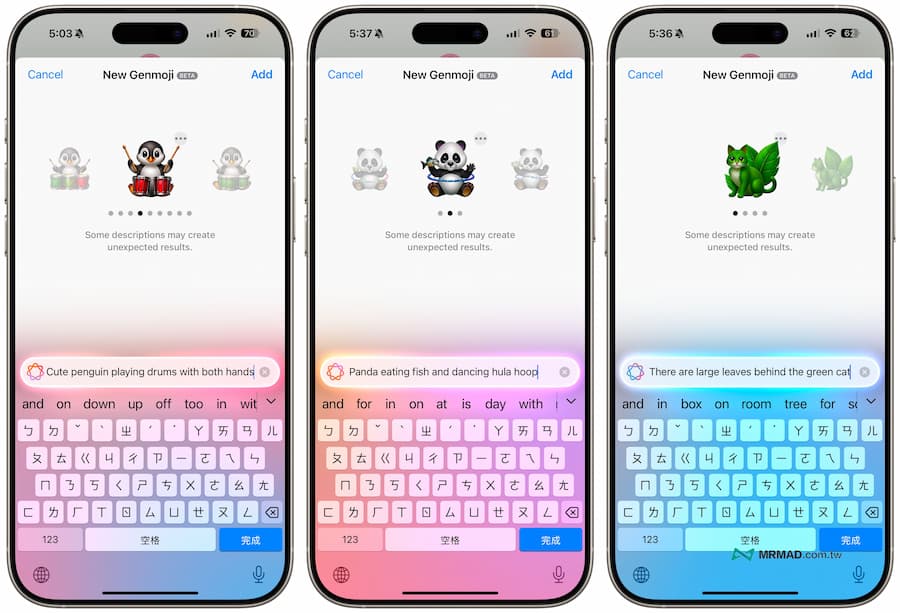
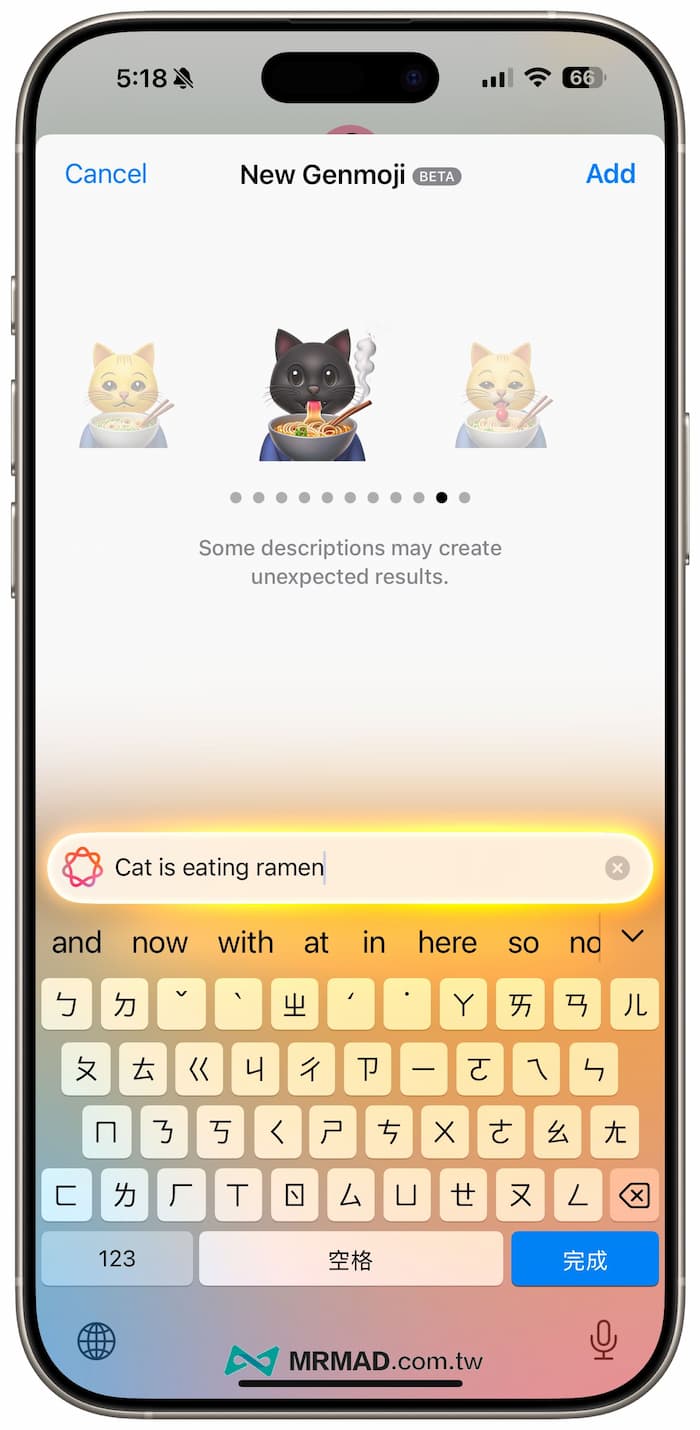
Genmoji’s emoticon generation function can also make good use of narrative words in text descriptions. For example, you can say in detail “Cat is eating ramen”, and different styles of cat eating ramen emoticons will be generated.
How to use Apple Genmoji advanced to generate emoticon pictures
Add action text description
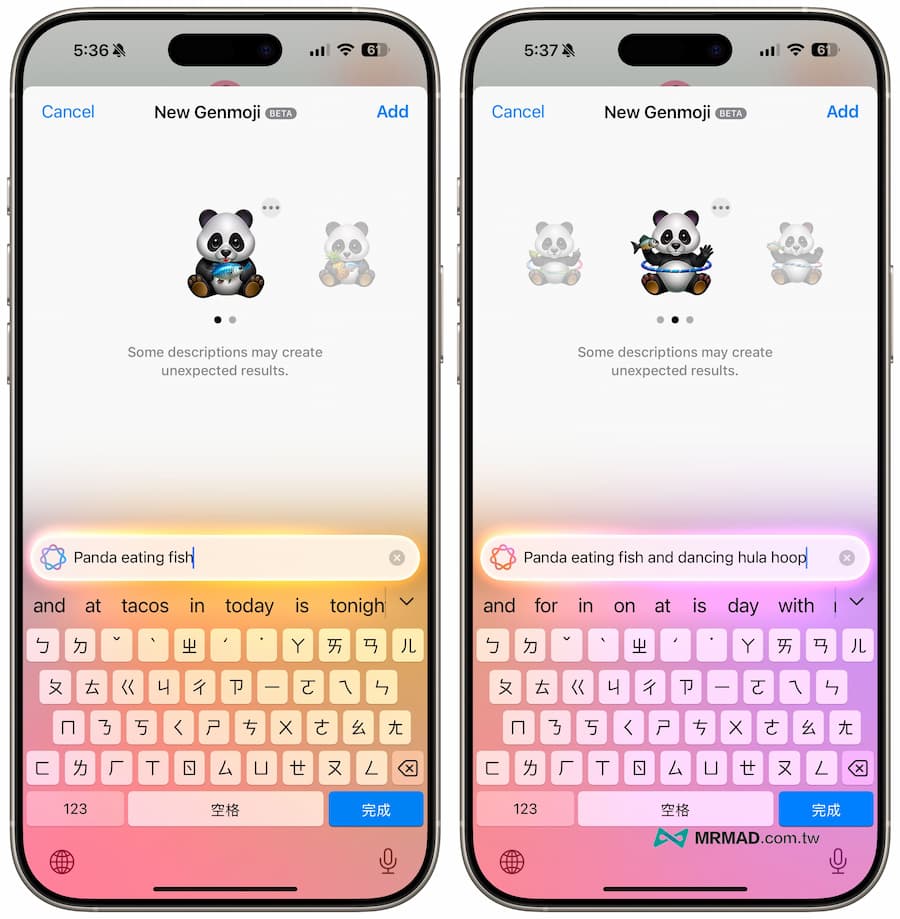
Of course, you can also use more advanced Genmoji text description and correction methods. For example, you can first enter “Panda eating fish (Panda eating fish)”. If it feels too simple, you can continue to add “Panda eating fish, while “Panda eating fish and dancing hula hoop”, you can see that Genmoji will show a super cute picture of a panda eating fish and dancing hula hoop according to the description.
Use text descriptions of characters and scenes
Genmoji also supports the ability to customize Emoji expressions to synthesize characters. For example, you can enter “A boy is playing on the computer in a cafe”, and then the screen will pop up asking you to customize it. For character Emoji expressions, click “Choose a Person” and press “Emoji” to select.
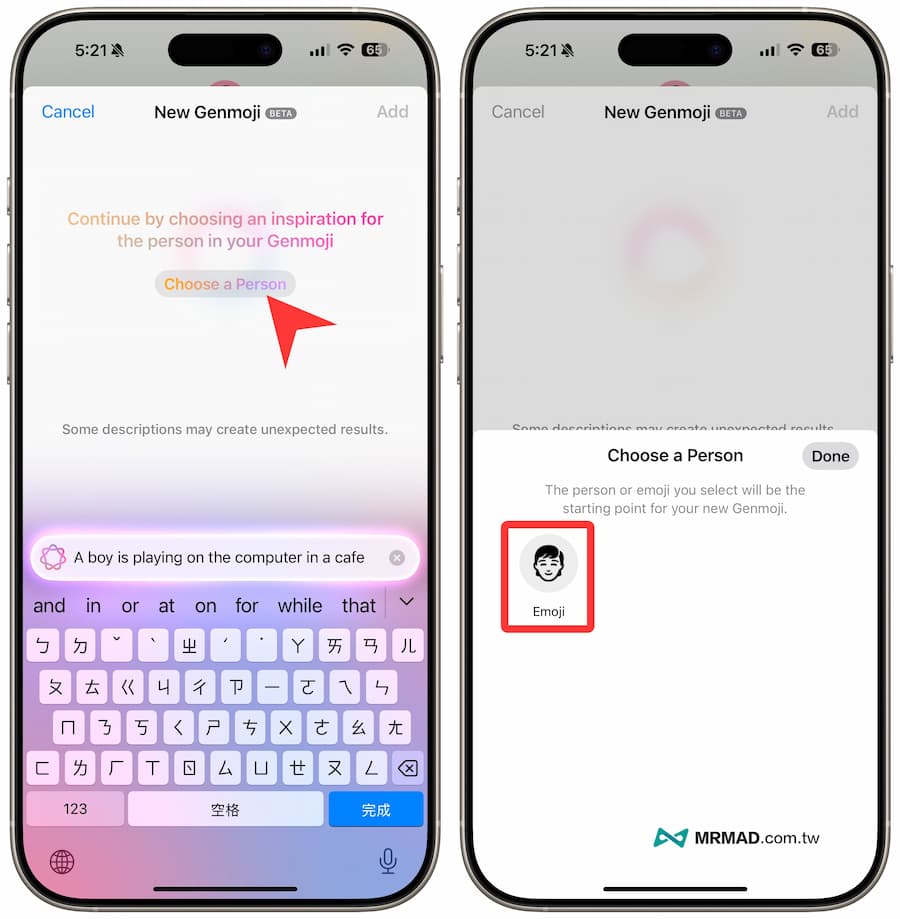
You can customize the headshots and skin colors of Emoji characters of different genders. After setting, you can click “Done” in the upper right corner to return to Genmoji and you will see that the newly generated narrative words will be integrated into the customized Emoji character screen.
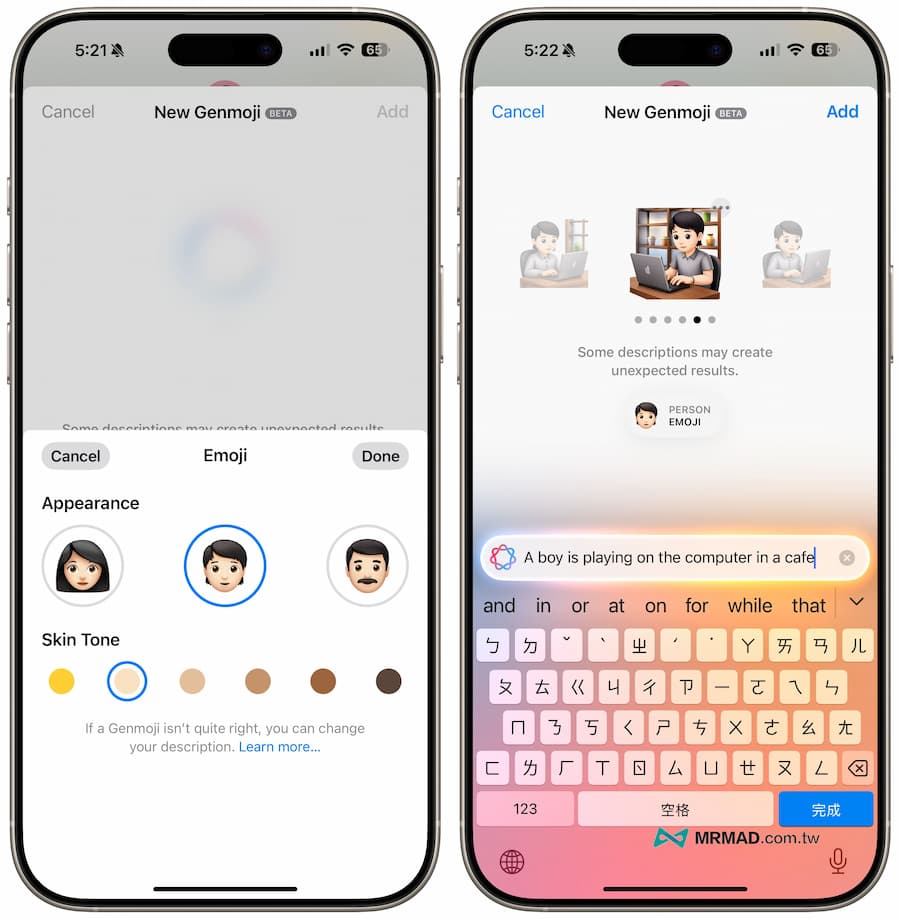
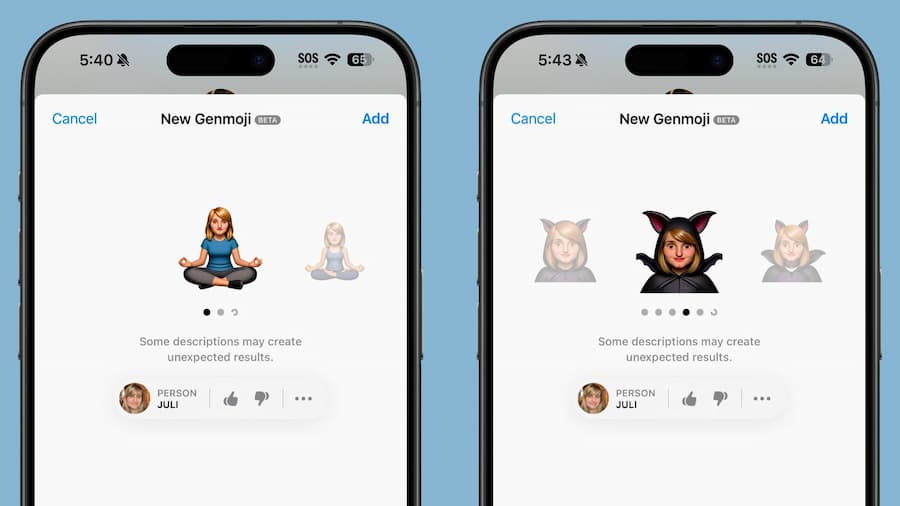
Of course, you can also directly specify friends or family members to perform certain actions through text descriptions, and Genmoji will automatically read the person’s photo from the album and convert it into a 3D photo sticker. When the person is combined, a unique photo can be generated. Emoji character stickers.
Browse Genmoji sticker text descriptions
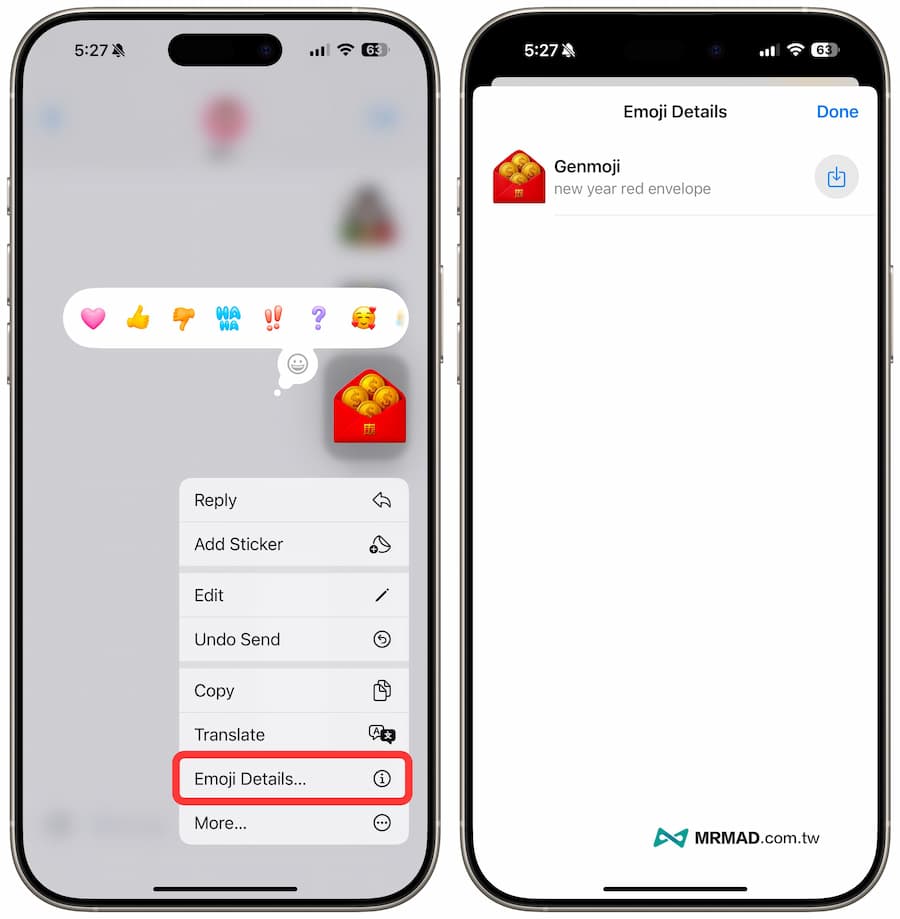
If someone else sends you a Genmoji sticker through a message, you can also directly long press and select “Emoji Details” to browse the detailed information of the emoji. You can see what kind of text description the other person used to generate it. Of course, you can also directly The other party’s Genmoji is directly downloaded and stored.
What is the difference between Genmoji and Emoji?
Traditional Emoji are newly added after review by the Unicode Consortium. Platform manufacturers (such as Apple) are only responsible for designing corresponding patterns to present these pictograms. However, Emoji updates are very slow and have many restrictions, so Apple designed a new Genmoji system to allow users to By generating Emoji symbols yourself, you don’t need to wait for iOS updates to use them.
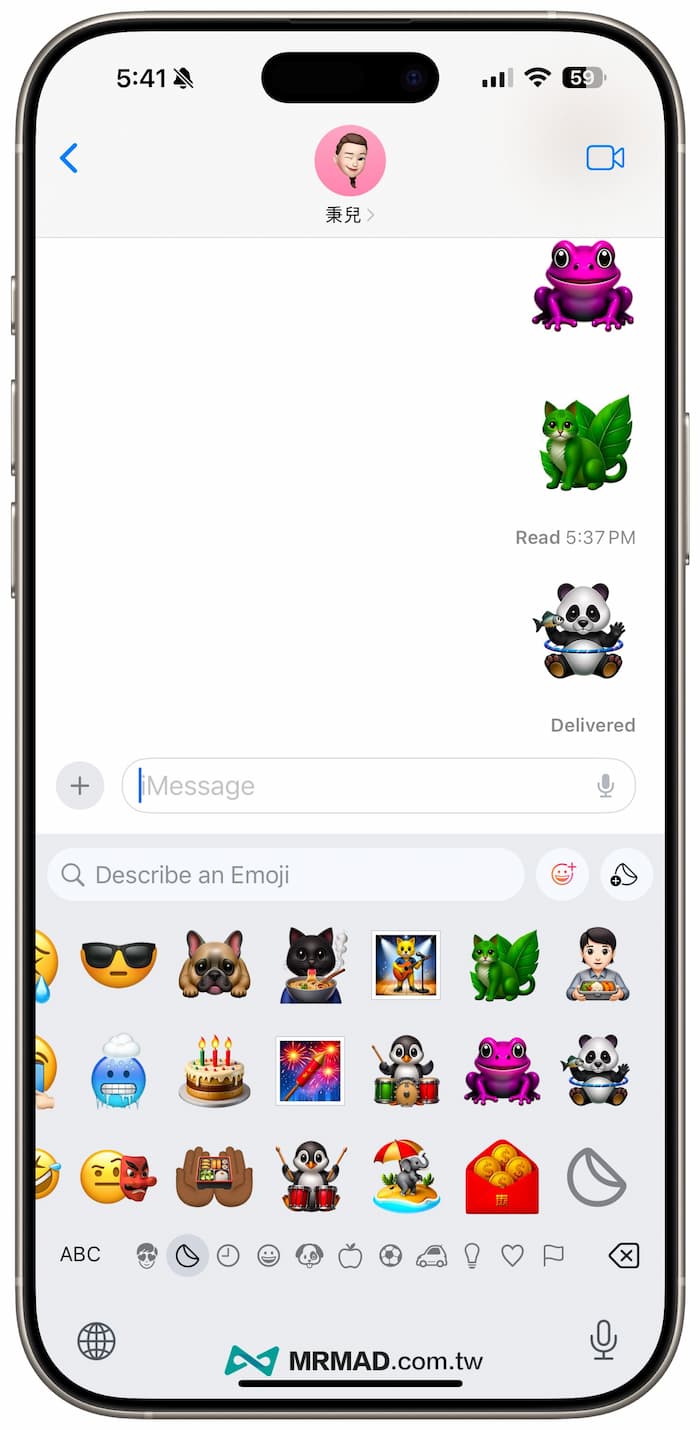
It is understood that Apple uses the new NSAdaptiveImageGlyph API, a square-proportion standard image format that supports multiple resolutions, allowing Genmoji to be used and typeset with ordinary text like Emoji and equipped with metadata. This API not only supports Genmoji, It can also be used in stickers, Animoji and Memoji and can also be used as Emoji characters.
Key Feature Highlights of Genmoji
- Flexibility: Like Emoji, Genmoji can be copied, pasted, and even sent as stickers.
- Text integration: Genmoji can be embedded in text and automatically adapt to line height and formatting.
- Broad support: Genmoji can be used anywhere rich text is supported.
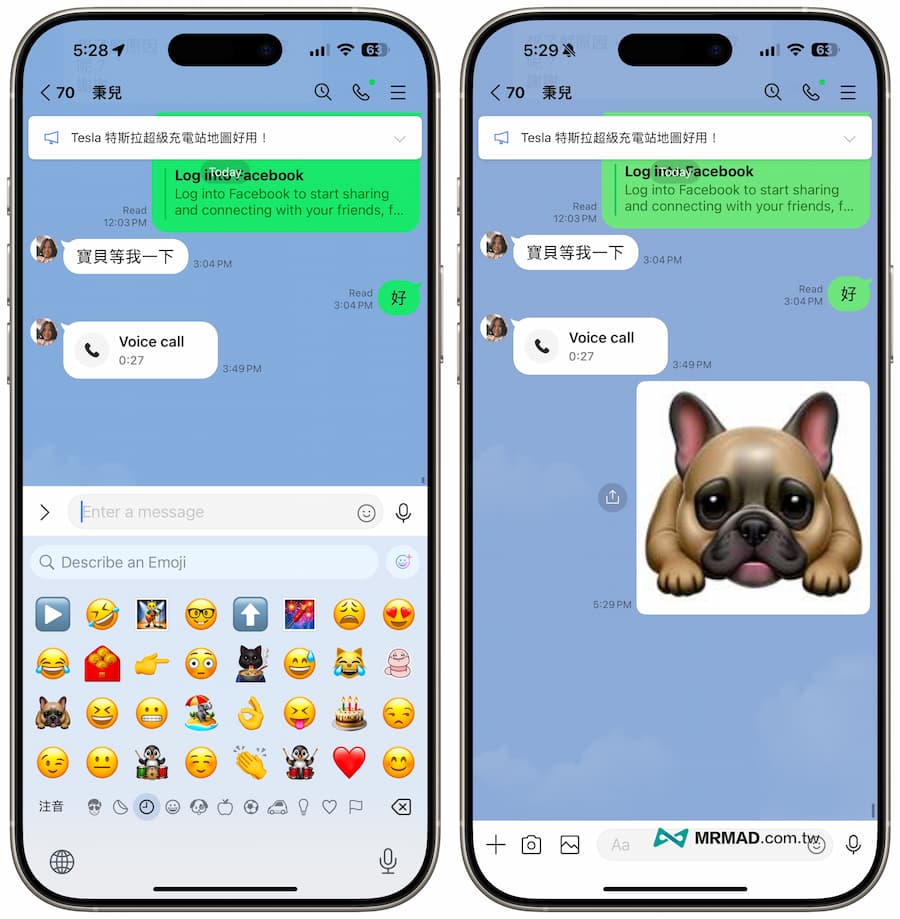
Can Genmoji be used in LINE chat rooms and older versions of the system?
Genmoji is currently tested and can be displayed normally as long as it is in the iOS 18 version. As for older iOS, iPadOS and macOS versions, or when third-party apps such as LINE do not support it, Genmoji will be automatically sent directly as an image for display.
Summary of Genmoji functions
After Apple released the Genmoji function, now everyone can create their own creations through AI generation tools. This means that everyone can become an Emoji sticker designer. Different emoticons can be quickly generated through simple text descriptions, which is also a breakthrough. In the past, you could only select a few Emoji patterns. Now, through Genmoji, you can create more different emoticons according to your own preferences. If you have upgraded to iOS 18.2 or iPadOS 18.2, it is recommended that you open Genmoji in the message to play with it. .
More must-see practical iOS 18.2 new feature tips: