Many people are curious about how to change LINE ID? Especially when you first applied to set up a LINE ID account, you may have accidentally used an inappropriate name, and now you cannot modify it directly through the system. However, recently LINE officially revealed that each group of accounts has an opportunity to reset their ID. Below, I will share the steps to apply for a LINE ID modification and related precautions, so that you can change your account without deleting it.
Officially shared that the number of LINE ID changes is only once
According to LINE officials, this will cause users to be unable to change their LINE ID settings. This is because LINE ID is closely related to personal privacy. If your LINE ID contains personal information (such as phone number or birthday), there may be a reset. The opportunity to set an ID means that users can apply to change their LINE ID through official customer service without deleting the original account.
Will changing LINE ID cause data loss?
Many people are also worried that changing their LINE ID will result in the loss of LINE chat conversation records or friend information? Based on experience sharing, the official change of LINE ID will not affect existing chat history, photo albums, friends, stickers, themes and other information. Only the LINE ID account will be updated, so users can operate with confidence.
How to apply to modify LINE ID account?
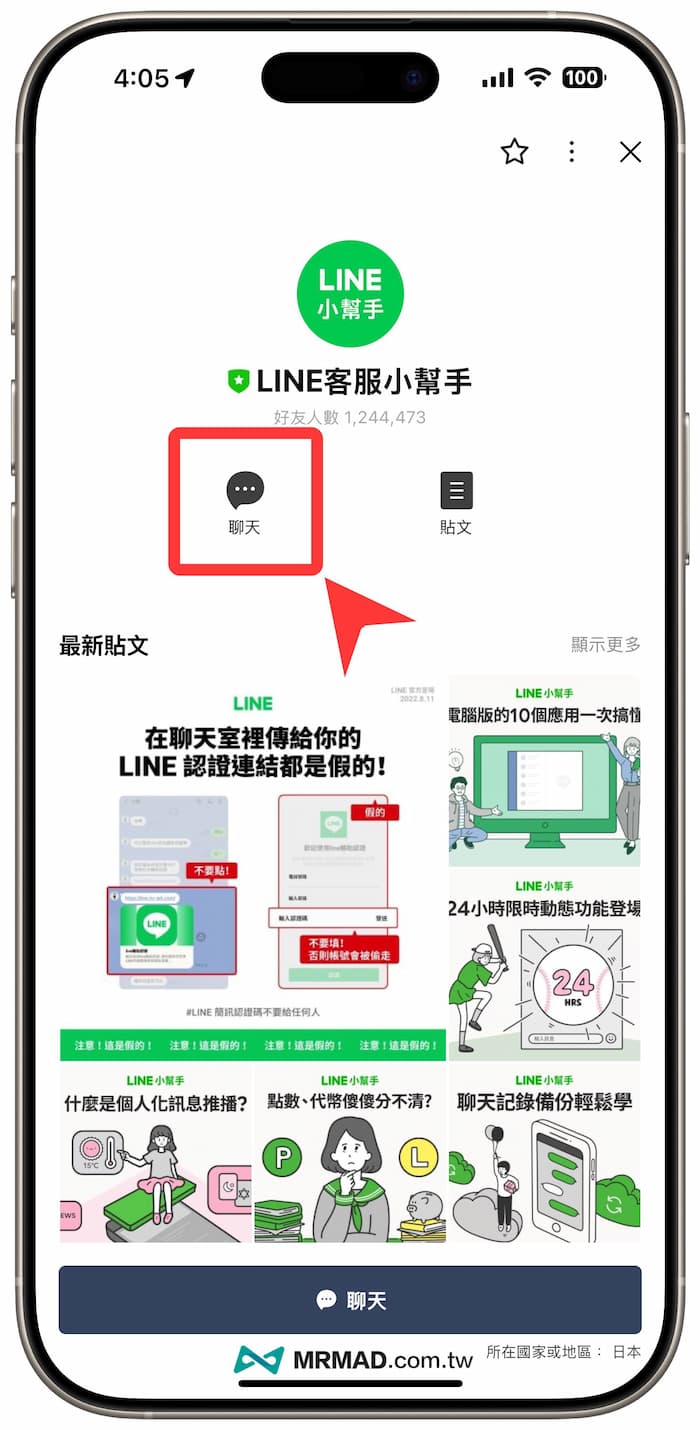
Join LINE customer service assistant
Open the LINE app and directly search @linehelptw to join the customer service assistant account, or through “LINE customer service assistant“Official account to join directly.
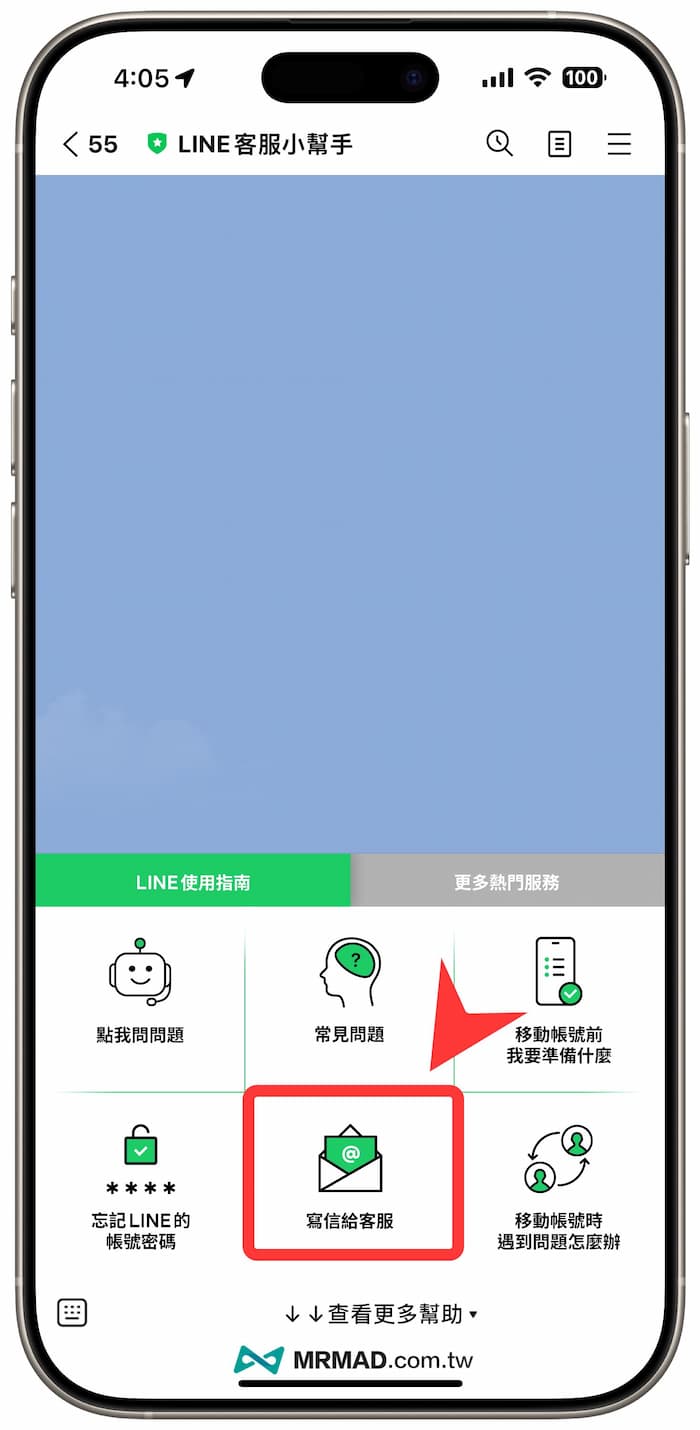
Send contact customer service request form
Click “View more help” at the bottom of the LINE customer service assistant chat room to expand the menu, and then select “Write to customer service”.
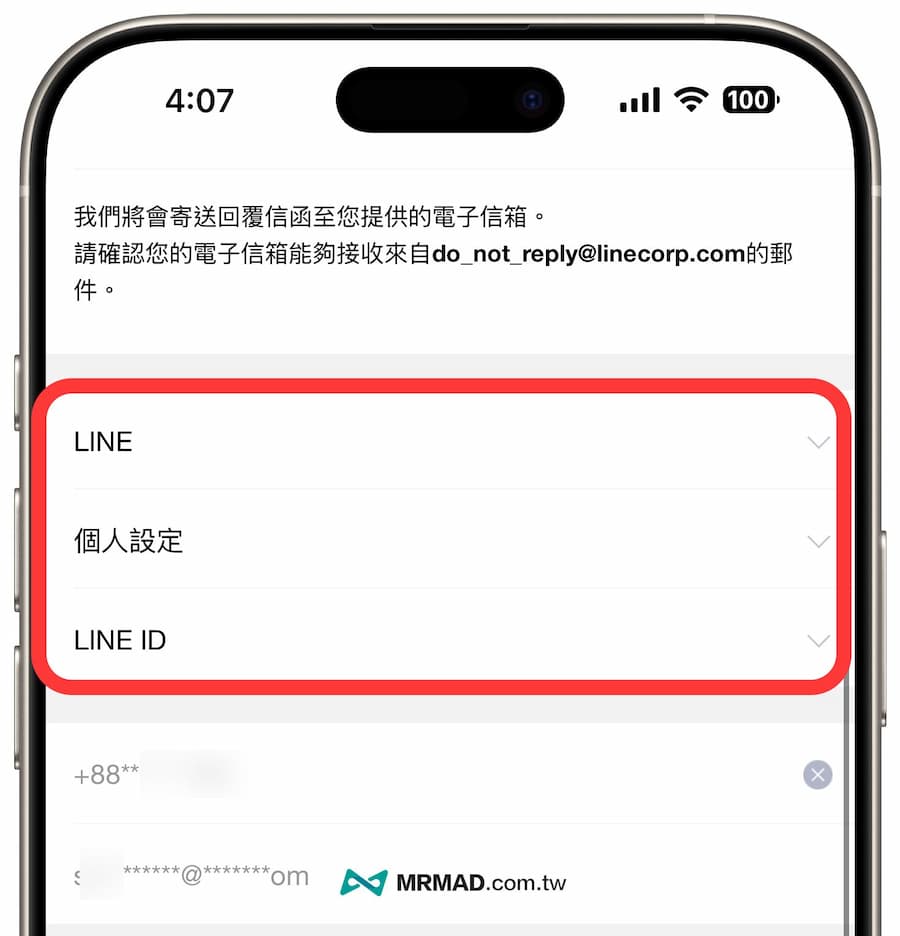
Fill in the LINE ID change application and reasons
When the system automatically pops up the webpage, first fill in the contactable email address, select the service category as “LINE”, the question category as “Personal Settings”, and the details as “LINE ID”.
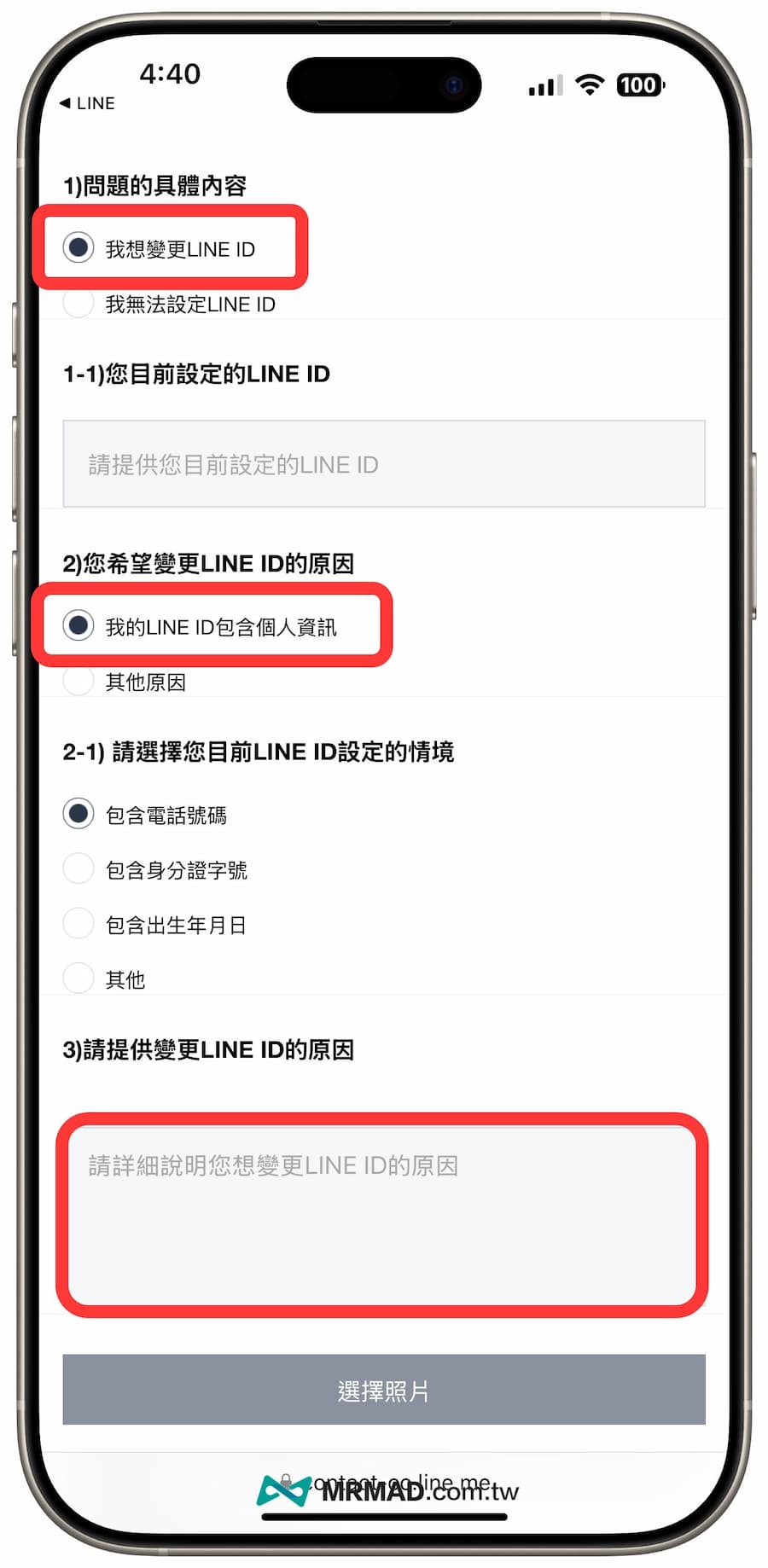
Select “I want to change LINE ID” for the specific content of the question, select “My LINE ID contains personal information” for the reason for the change, and directly select “Includes phone number” to set the situation. Finally, fill in the new LINE ID account you want to change, and Explain the reason for the change and submit the request.
Waiting for LINE official reply to process LINE ID account modification
Usually, you only need to wait for 1 to 3 days to receive an official reply. The letter will first say that it cannot change or cancel the LINE ID settings for the user, but considering the user’s problem, it will also help you modify it to a customized new LINE ID account. Usually each group of accounts only has one chance to reset, and it cannot be modified unless it does not meet the conditions. (Official reminders may take up to 30 working days)
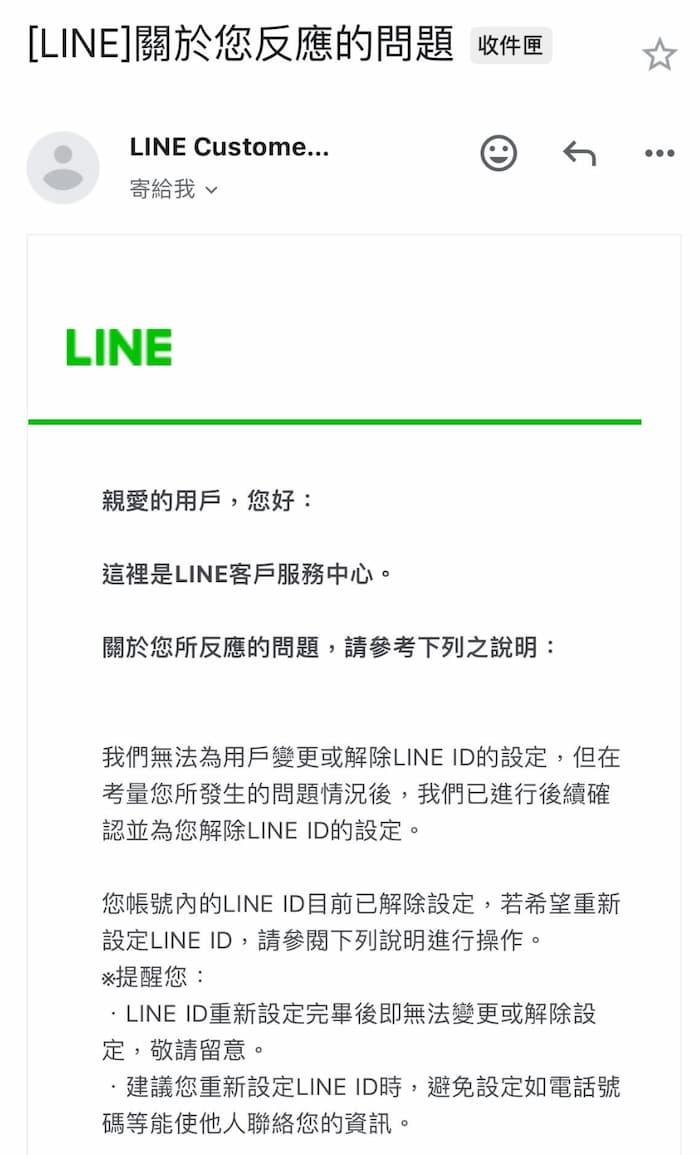
Many netizens also reported that this method can indeed change to a new LINE ID, and all chat records and friend lists remain unchanged.
What is the reason why LINE ID cannot be changed?
- Eligible conditions: Not all users can successfully change their IDs. They can only apply for modification if they provide legitimate reasons and when the original LINE ID involves personal information.
- Review process: After the request is submitted, it needs to be officially reviewed, so it is recommended to describe the reasons for the change in detail to increase the chance of passing.
- Avoid repeated applications: Frequent applications may cause the review to become more stringent, so it is recommended that users confirm that changes are needed before applying.
Through the above simple 3 steps, users can successfully modify their LINE ID without deleting their LINE account. It can improve personal privacy protection and avoid embarrassment caused by improper settings.
Further reading: