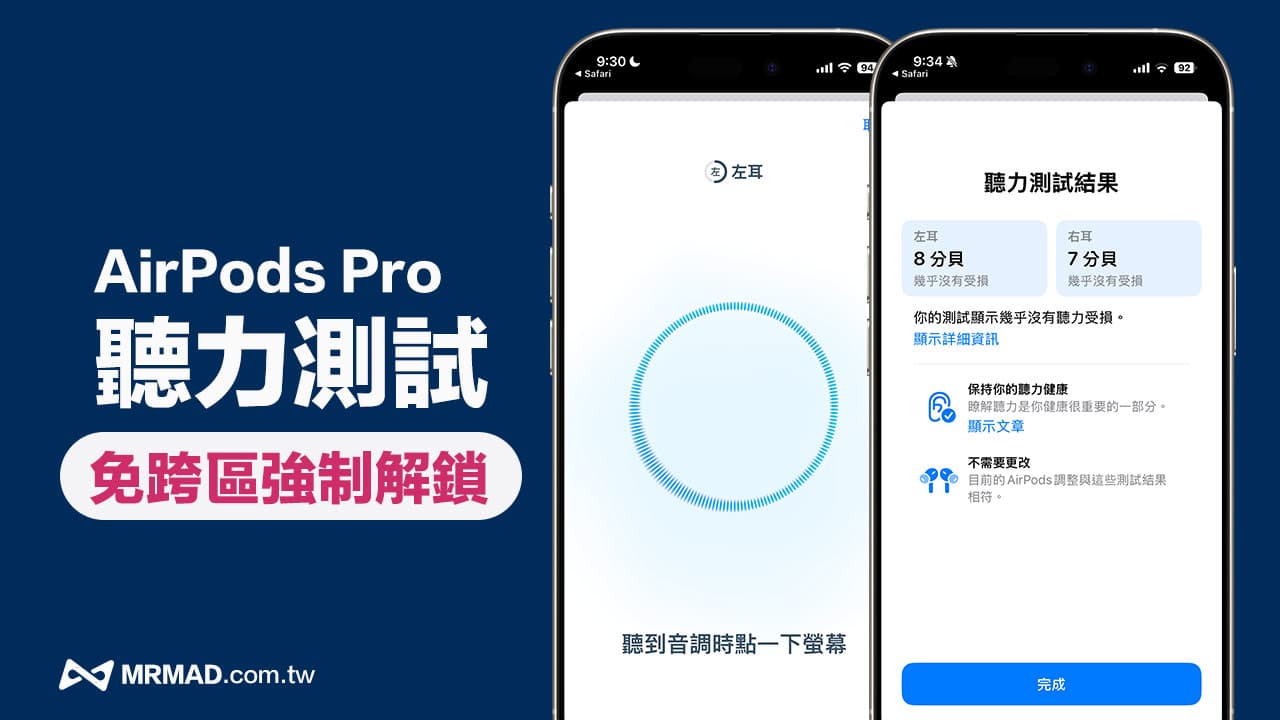
Since Apple launched a revolutionary new “hearing aid” feature for AirPods Pro 2, users with mild to moderate hearing loss can also use AirPods Pro as a hearing aid, but AirPods can only be used in open countries. Pro hearing aids and hearing test features.
If you want to confirm your hearing, there is now a way to force the hearing test function of AirPods Pro to be turned on. It can also be used even in non-open countries. This article will teach you how to turn on this function so that you can be at home at any time. Easily and quickly check your hearing status and detect potential hearing problems early.
Tutorial on forced unlocking of AirPods Pro listening test function in the free zone
Although Apple has not officially opened hearing testing in countries and regions where AirPods Pro hearing aids have not been released, you can still force the AirPods Pro hearing function test to be turned on without crossing regions, so that you or your family can test your hearing at any time and detect hearing loss early. signs and take relevant measures.
Confirm iOS 18 system version
The current test can bypass and force the AirPods Pro hearing test function to be turned on. It can only be used in iOS 18.1 and iOS 18.1.1. If the iPhone has been upgraded to the iOS 18.2 beta version, this vulnerability has been officially fixed by Apple and it cannot be used normally.
Wearing and connecting AirPods Pro
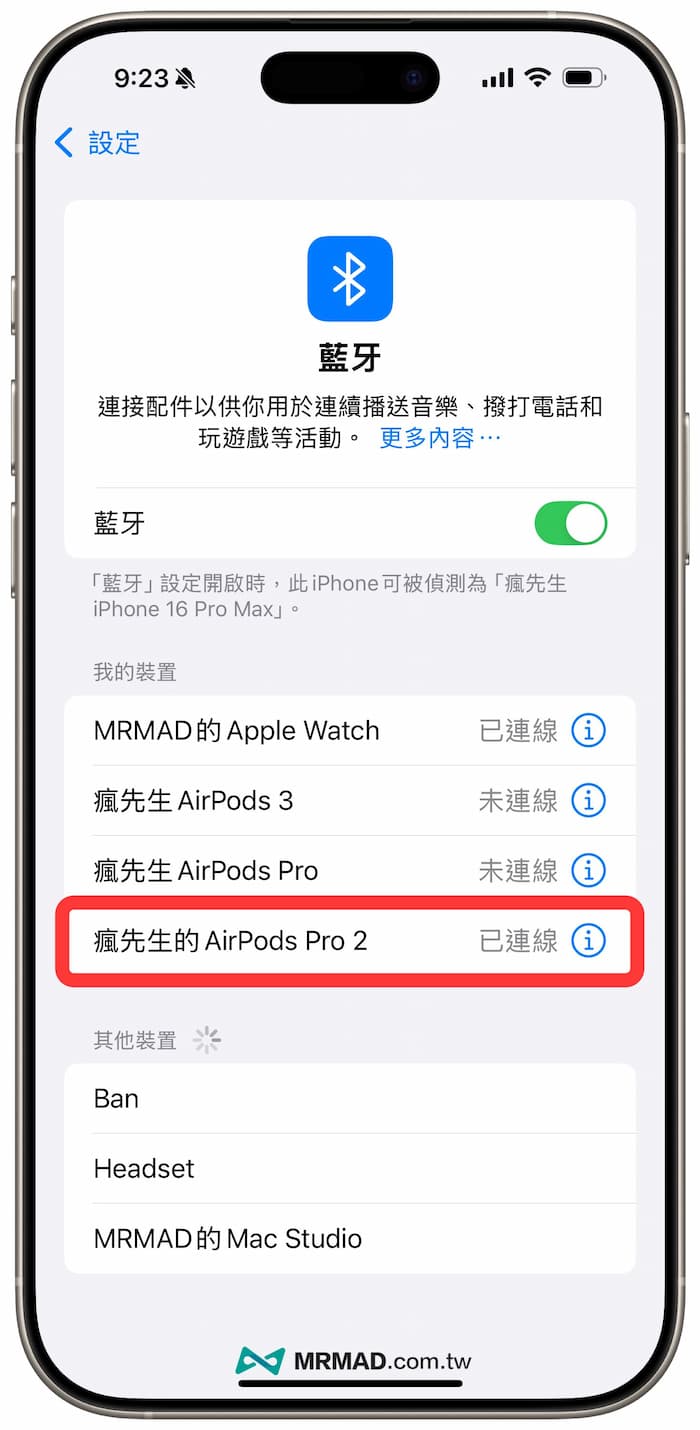
The hearing test function can only be used with AirPods Pro 2. After putting on the AirPods headphones, use the built-in “Bluetooth” setting of iOS to confirm whether there is a connection before continuing.
Enable AirPods Pro hearing test via URL
Due to Apple’s restrictions on non-open AirPods hearing aid countries and regions, the hearing function cannot be enabled through the menu, but you can still use the “Hearing Test Function URL” to enable this function. Just paste the “Enable AirPods Pro Hearing Test URL” below into the iPhone built-in After opening the Safari browser, you can enable the listening test function.
x-apple-health://HearingAppPlugin.healthplugin/HearingTest

Fill in basic details
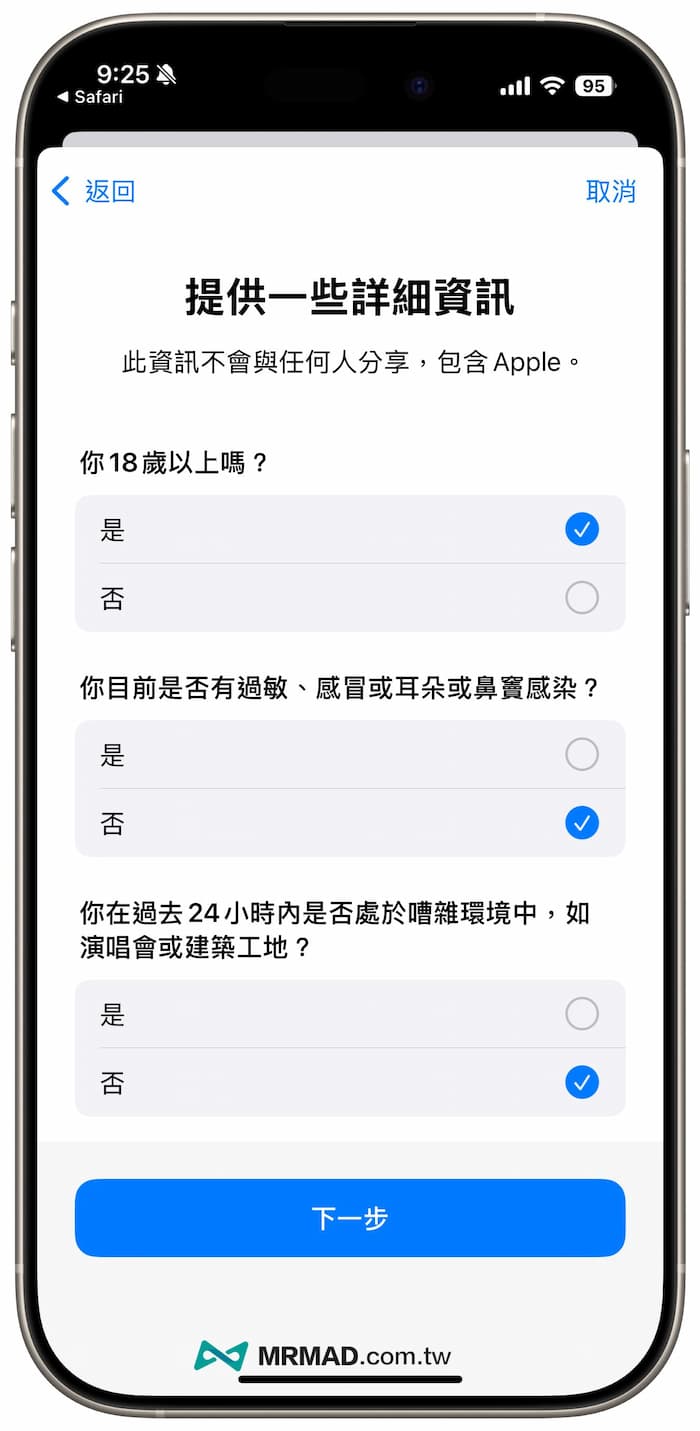
To start the hearing test process, you will first be asked to fill in basic information, such as whether you are over 18 years old, whether you have allergies or cold symptoms, and whether you have been in a noisy and high-volume environment in the past 24 hours, such as at a concert or construction site. After confirming that you have not, You can proceed to the next step.
Check the ear fit of AirPods and check the surrounding noise
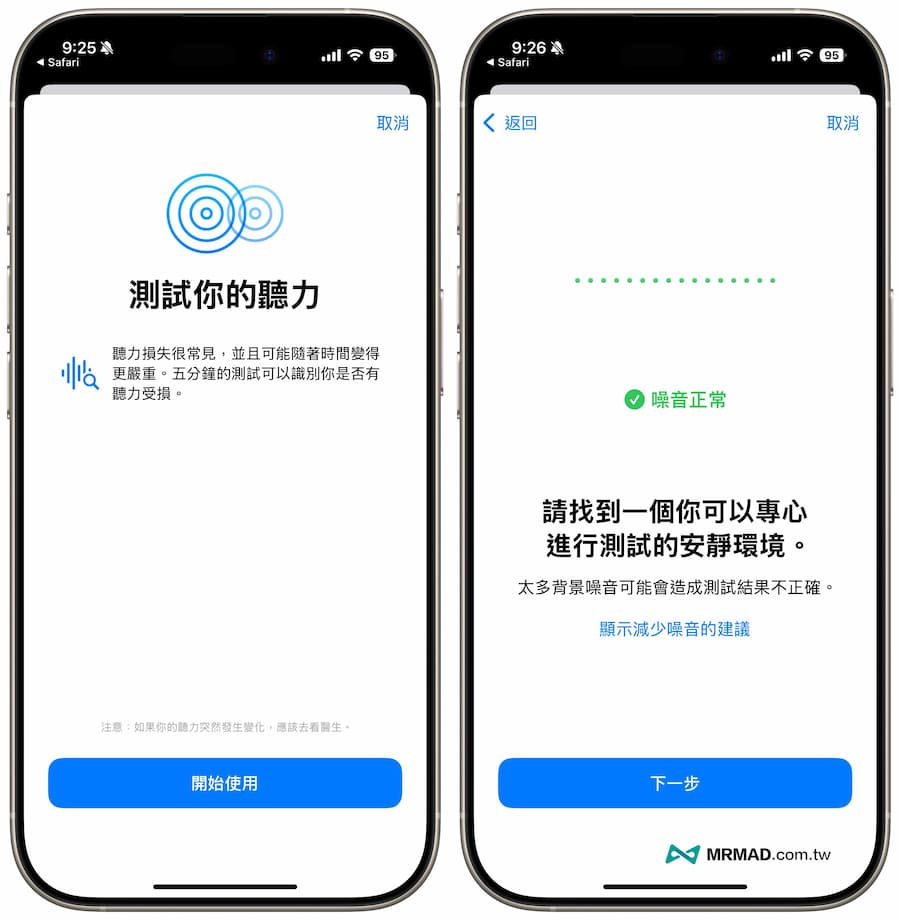
When using the AirPods hearing test function, you need to go to a relatively quiet place. It is recommended to be in a closed room with no noise. You can temporarily close the windows, fans or devices that make noise. Then the system will check the ear fit of AirPods. , and whether the surrounding environment is quiet enough.
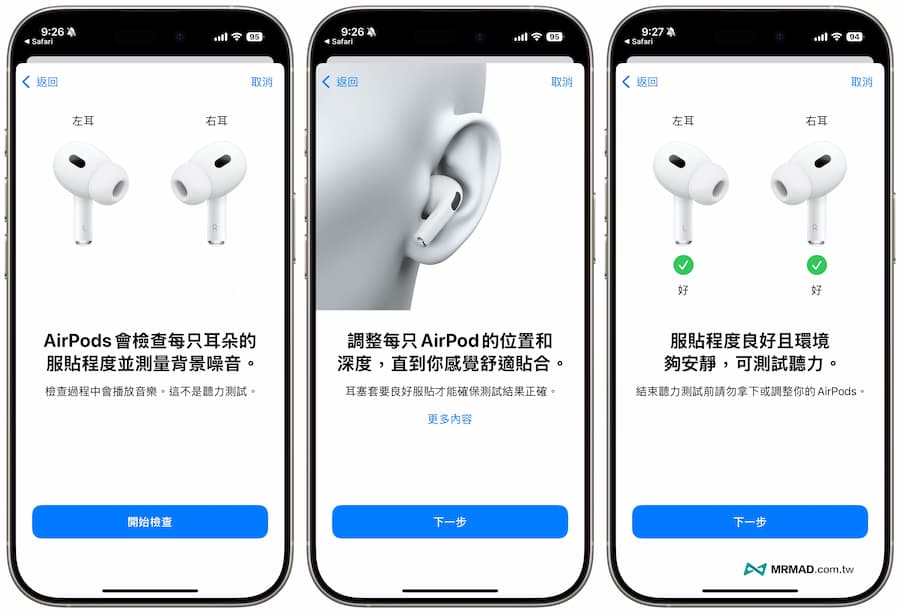
It is recommended to check the ear fit of AirPods to confirm whether AirPods are worn tightly. At the same time, the noise reduction effect will be turned on to confirm that there will not be too noisy sounds in the surrounding environment to avoid external interference, which may cause the hearing test to be inaccurate.
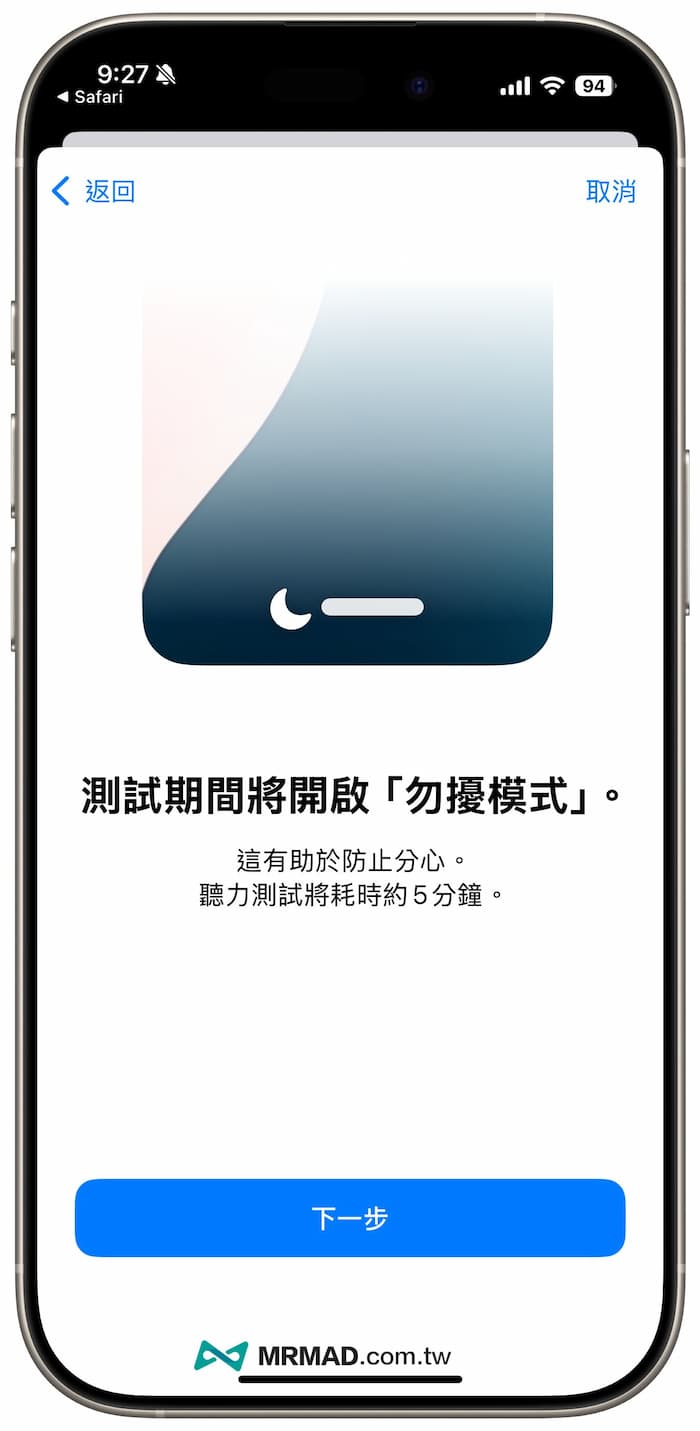
Automatically enable Do Not Disturb mode to avoid distractions
The system will then remind you that in order to avoid distraction caused by notification messages, the hearing test process will take 5 minutes. The test will automatically turn on the “Do Not Disturb Mode” to prevent interruptions. Simply click “Next” to continue.
Test playback volume and frequency
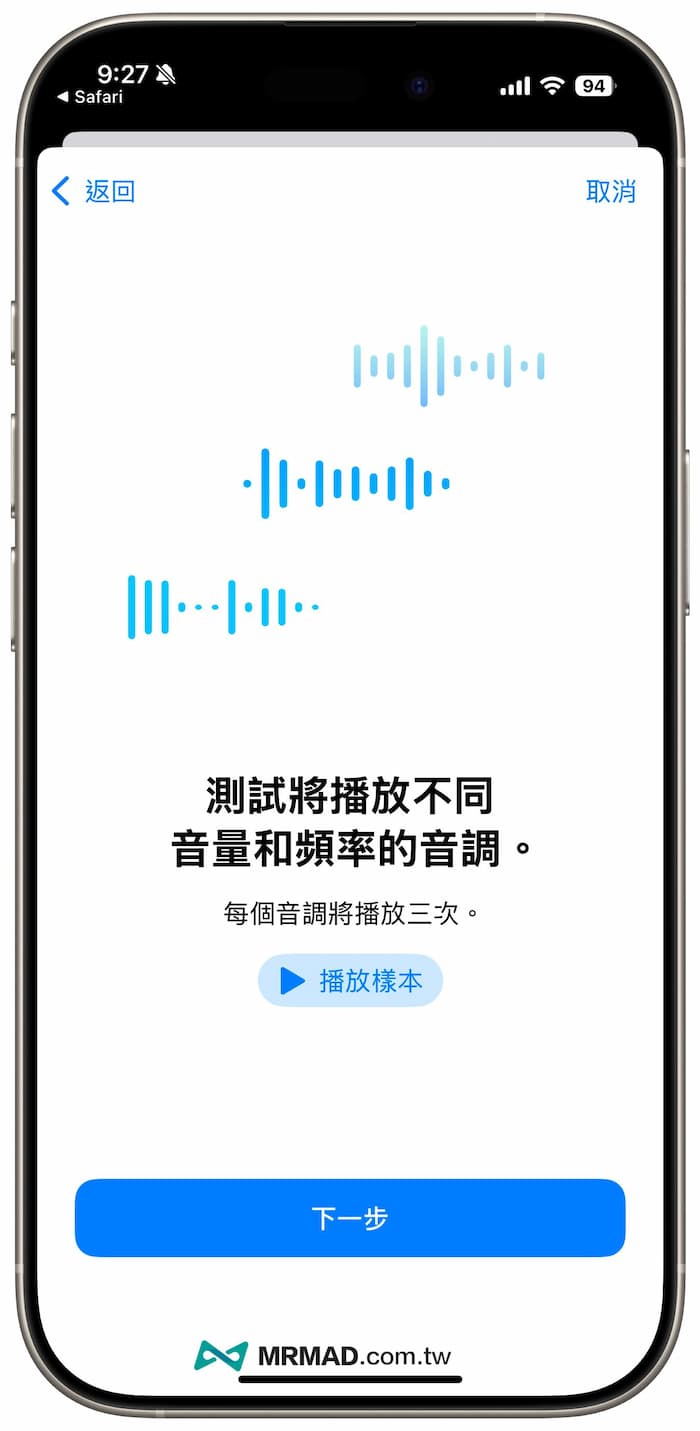
Before formally checking your hearing, you can try to listen to the sound test samples that will be emitted at different volumes and frequencies. This is mainly to ensure that the environment you are in is quiet enough to hear these sounds. Click “Play Sample” three times to listen and confirm before continuing. test.
Start checking the hearing of left and right ears
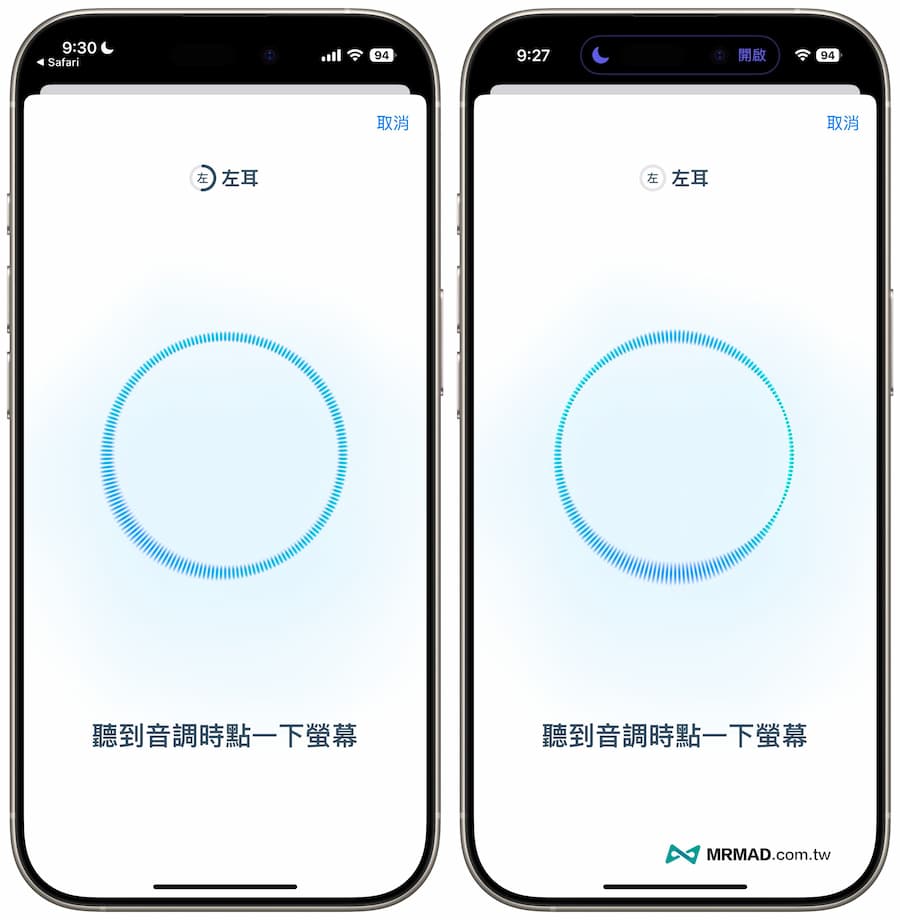
Next, you will enter the “Interactive AirPods Hearing Test” interface. The single-ear test takes 3 minutes, so it will take 6 minutes to complete the test for both ears.
When AirPods performs a hearing health test on the left and right ears, the earphones will emit sounds of different volumes and frequencies. When you hear the sound, just click the blue circle on the iPhone screen to indicate that you have heard the sound. You can record the response to different tones and confirm the hearing of the left and right ears. .
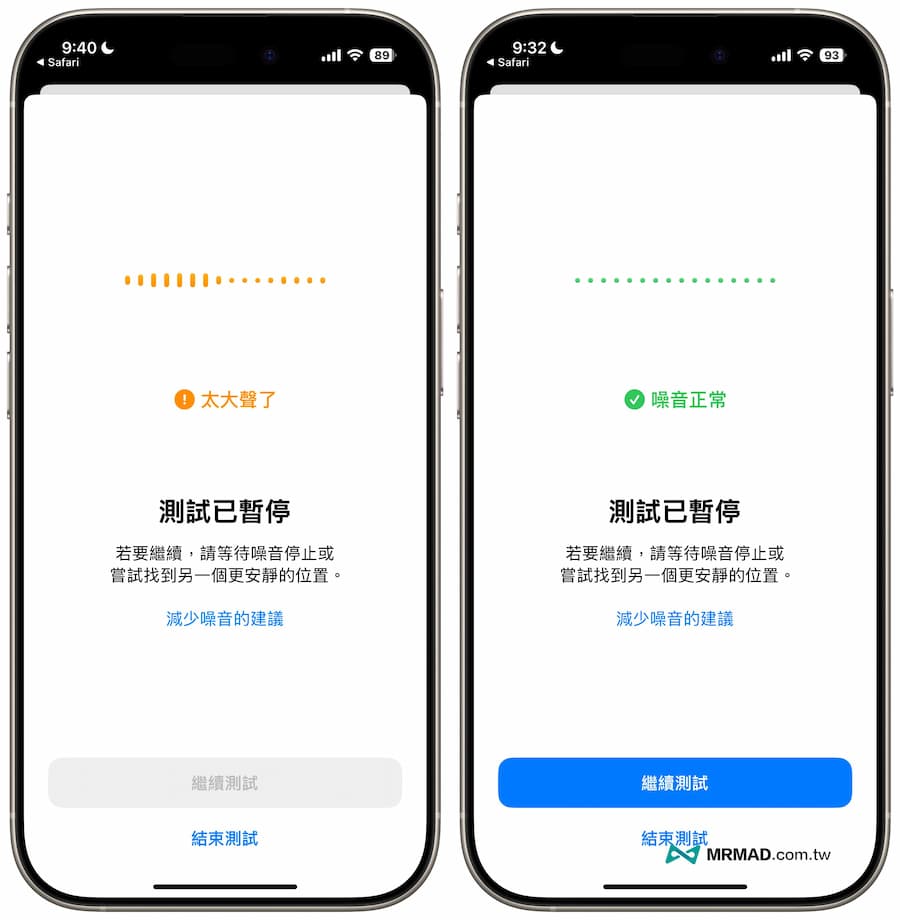
If there is premature noise during the hearing test, an orange pause warning screen will pop up, indicating that it will not continue until the noise ends.
View AirPods hearing test results
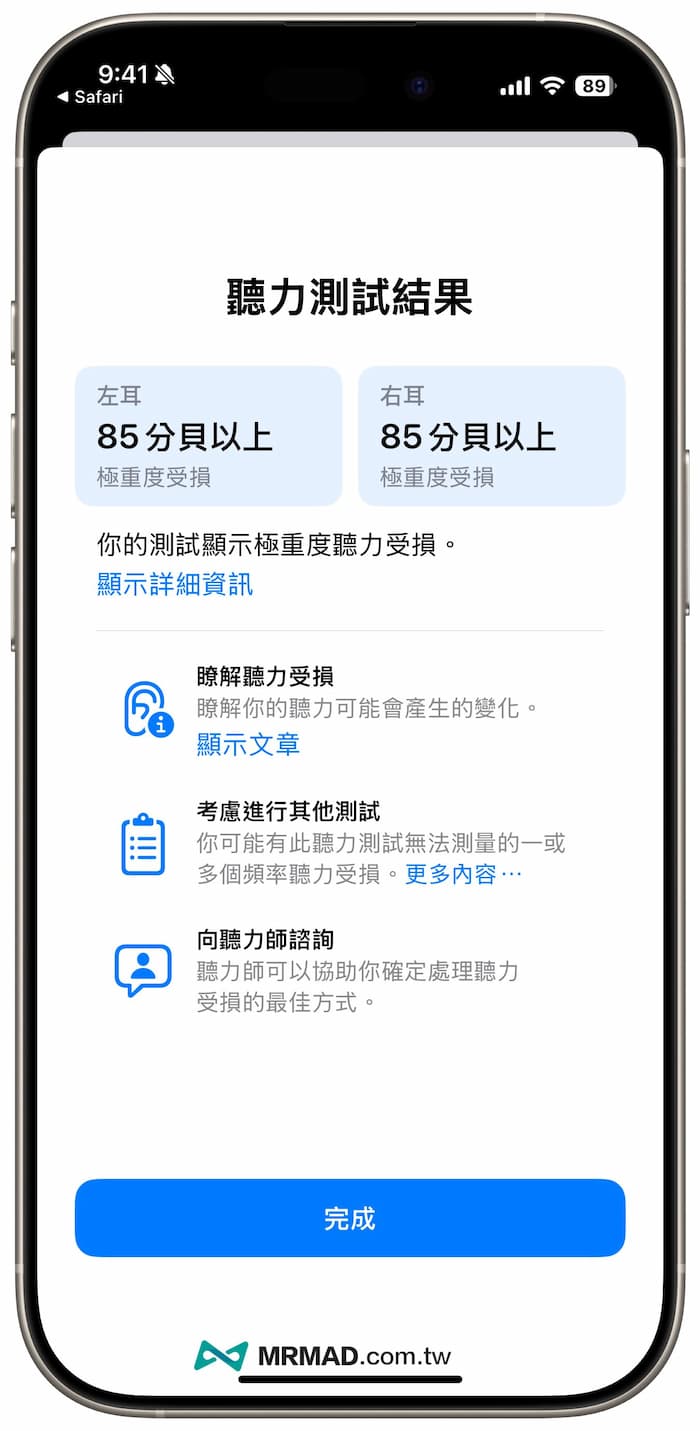
Finally, the AirPods hearing test is completed, and the “hearing test” results of the individual’s left and right ears will be given. Now the problem of hard of hearing does not only happen to the elderly, as long as you often listen to music in noisy environments or at excessive volumes. All will cause hearing loss, and the hearing detection system will also tell you whether you have hearing loss.
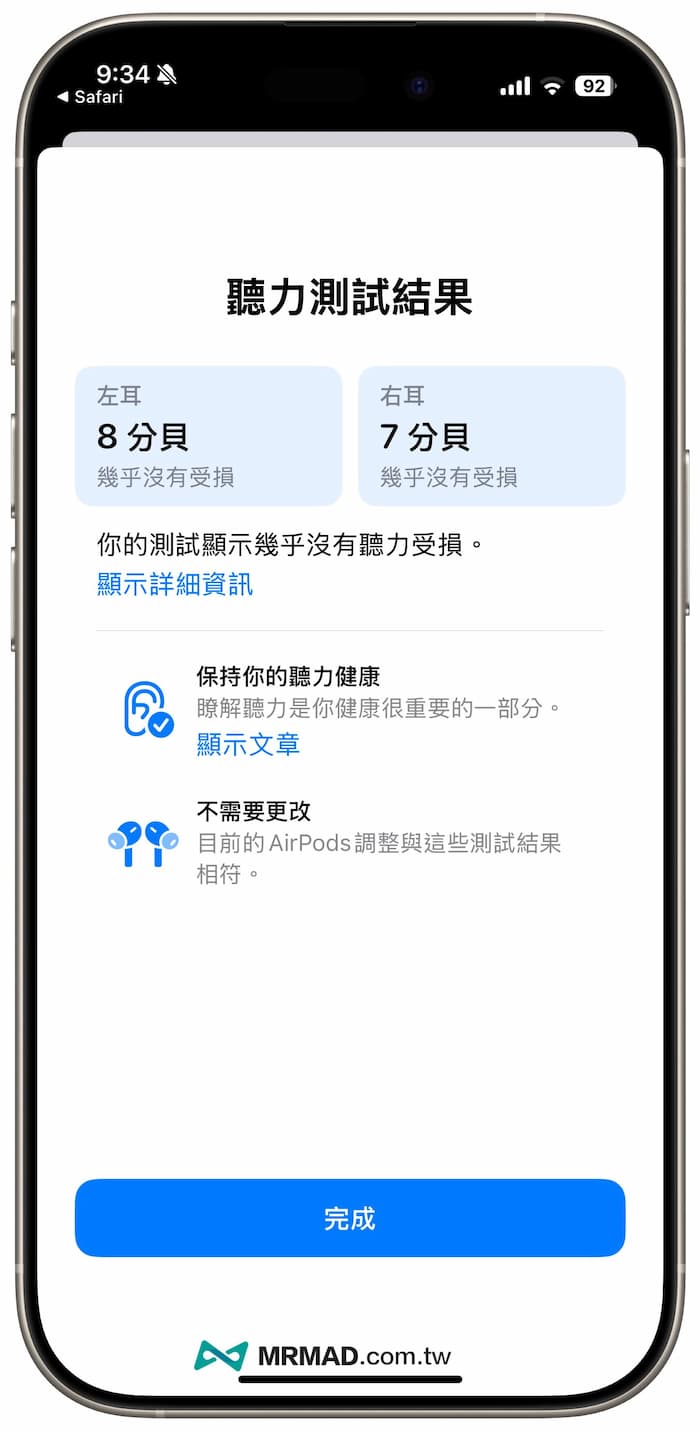
The following is the decibel data from the hearing test. Usually, as long as it is higher than 26 decibels, it can be judged as mild impairment. If it reaches more than 41 decibels, it is considered moderate impairment. In these cases, you may need to wear the AirPod Pro 2 hearing aid function as an auxiliary .
- Virtually no loss: up to 0–25dBHL
- Mild loss: 26–40dBHL
- Medium loss: 41–60dBHL
- Severe loss: 61–80dBHL
- Severe loss: above 80dBHL
Can AirPods Pro hearing aids be turned on?
Currently, this method can only be used to force the hearing test function of AirPods Pro to be turned on, and it cannot be unlocked together with the “hearing aid” function of AirPods Pro 2. The actual activation time of the AirPods Pro hearing aid function in Taiwan must wait for approval by the Food and Drug Administration before it can be unlocked in Taiwan. Locally enabled, other countries also need to be reviewed by relevant agencies before being opened, or you can refer to the Indian microwave oven cracking method of hearing aids.
Even if the AirPods Pro hearing aid function cannot be enabled yet, you can still use the hearing test function to confirm whether you or your family members have hearing damage. If you buy AirPods Pro 2, come and experience it and test it.
As for whether the hearing measured by AirPods Pro is accurate? As for how to turn on the AirPods Pro hearing aid function later, you can refer to another article with a complete introduction “AirPods Pro 2 hearing aid settings and hearing test. Can it be used in Taiwan?” A comprehensive analysis of accuracy.