Share the latest YouTube video shortcut script for iOS 17, free of third-party app tools or web pages, allowing iPhone to easily download up to 8K YouTube videos with one click, and also supports iPhone to download YouTube to MP3 music, regardless of YT videos or MP3 through this This Yutube shortcut download script is easy to implement.
Youtube video download shortcut iOS 17
- Script support: iOS 16, iOS 17 or newer versions
- Supported models: iPhone, iPad, iPod touch
- It must be downloaded and installed from the App Store first.shortcut“App
- YouTube download shortcut script support:
- Support up to 8K YouTube high-resolution video download
- Support YouTube video to music format (MP3, M4A, WEBM, AAC, FLAC, OPUS, OGG, WAV)
- Script status: Available normally ✅
At present, this one-click download shortcut script for YouTube videos, the biggest feature can support the latest iOS 17 version, and it can also be used with the old version of iOS 16. The process can be executed without relying on the a-Shell tool. Currently, the test is to download YouTube videos through the iPhone Or MV music can basically be used, and it will not cause failure to download.
How to use iPhone YouTube video download shortcut script?
1. Copy YouTube link URL
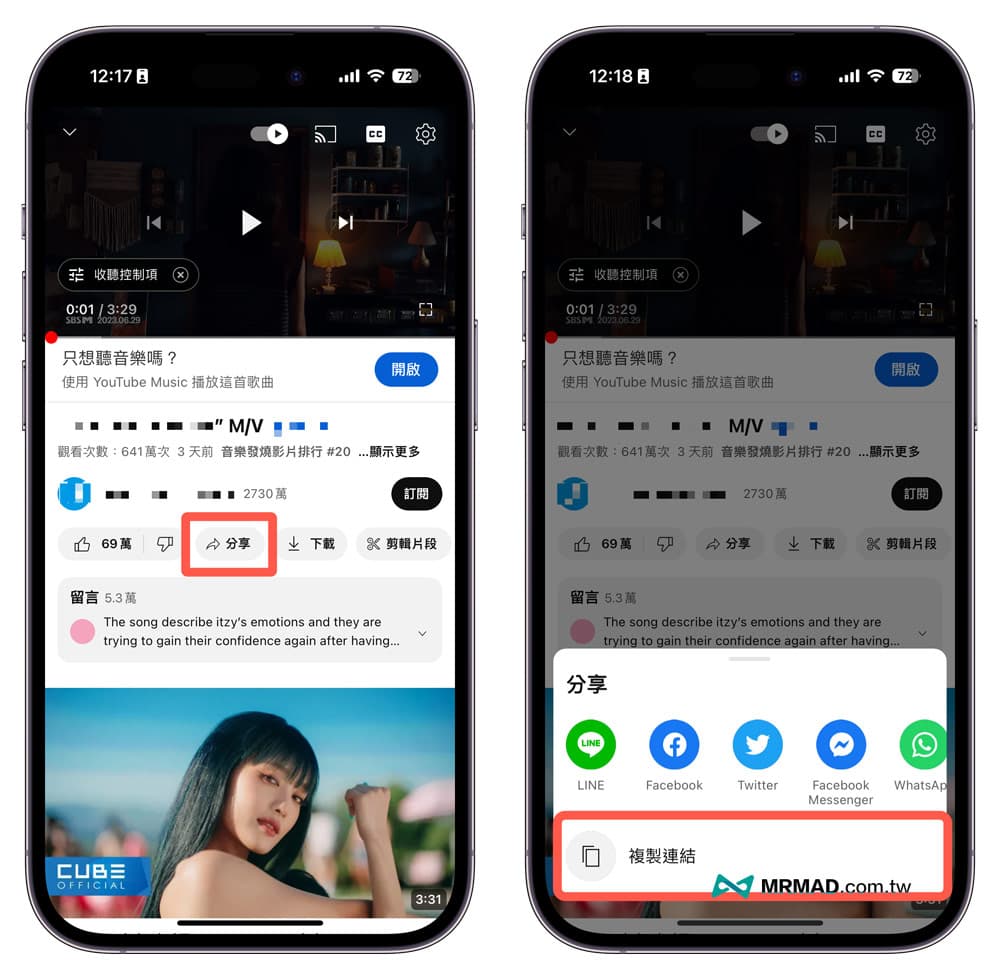
First use the iPhone to open the YouTube video you want to download, click the “Share” button, and then select “Copy Link” to copy the YouTube video URL.
2. Execute the iPhone one-click download YouTube shortcut script
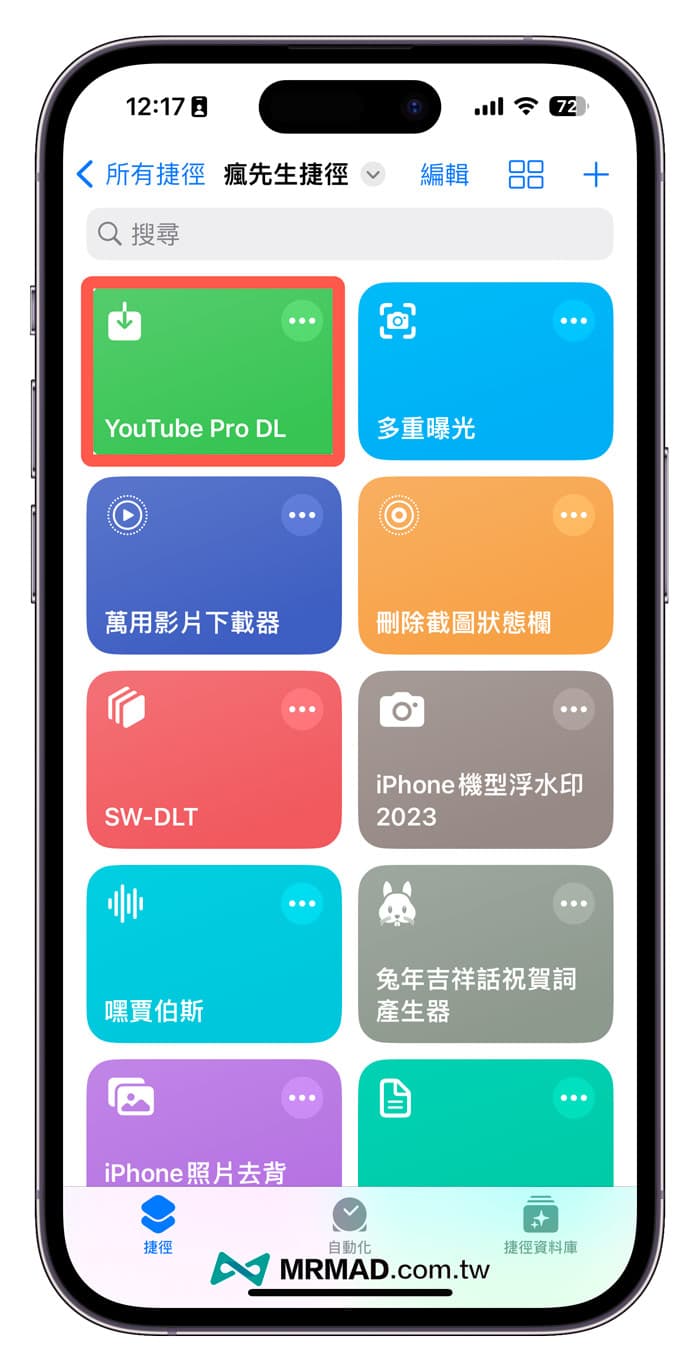
Download YouTube video shortcut script “YouTube Pro DL” (download location) via iPhone.
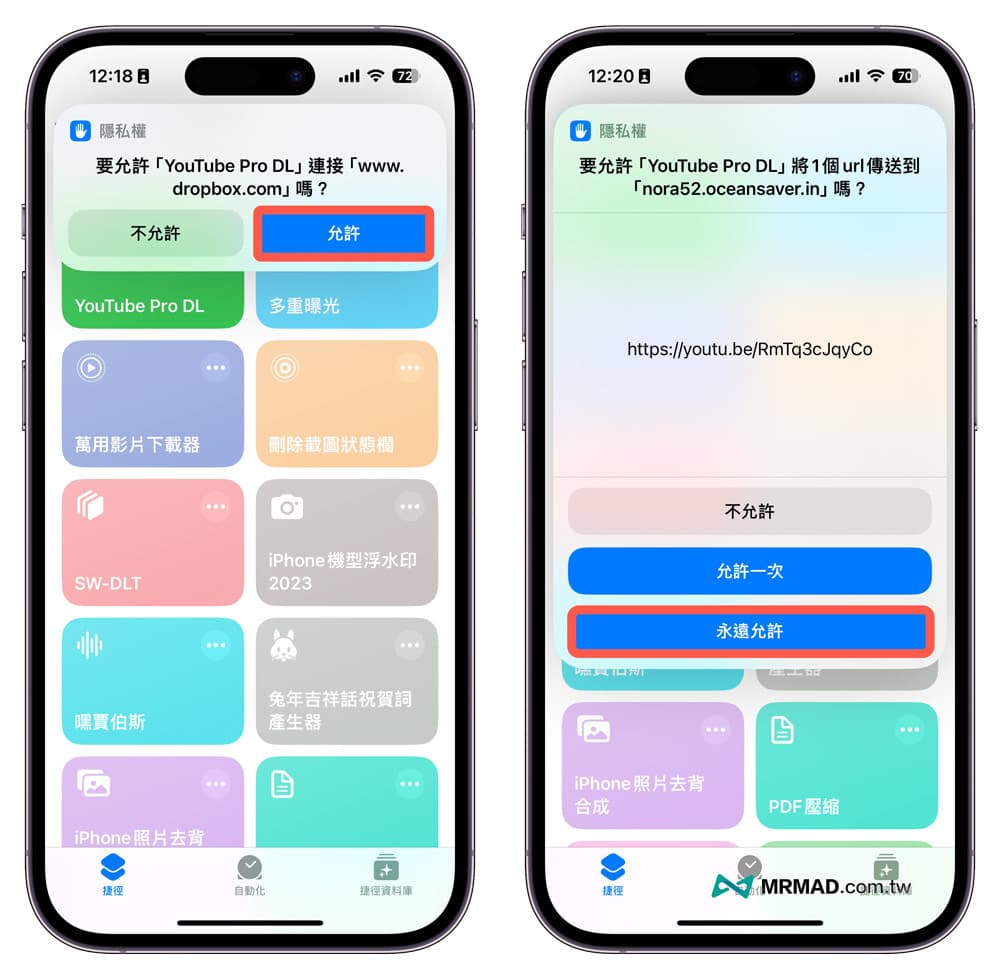
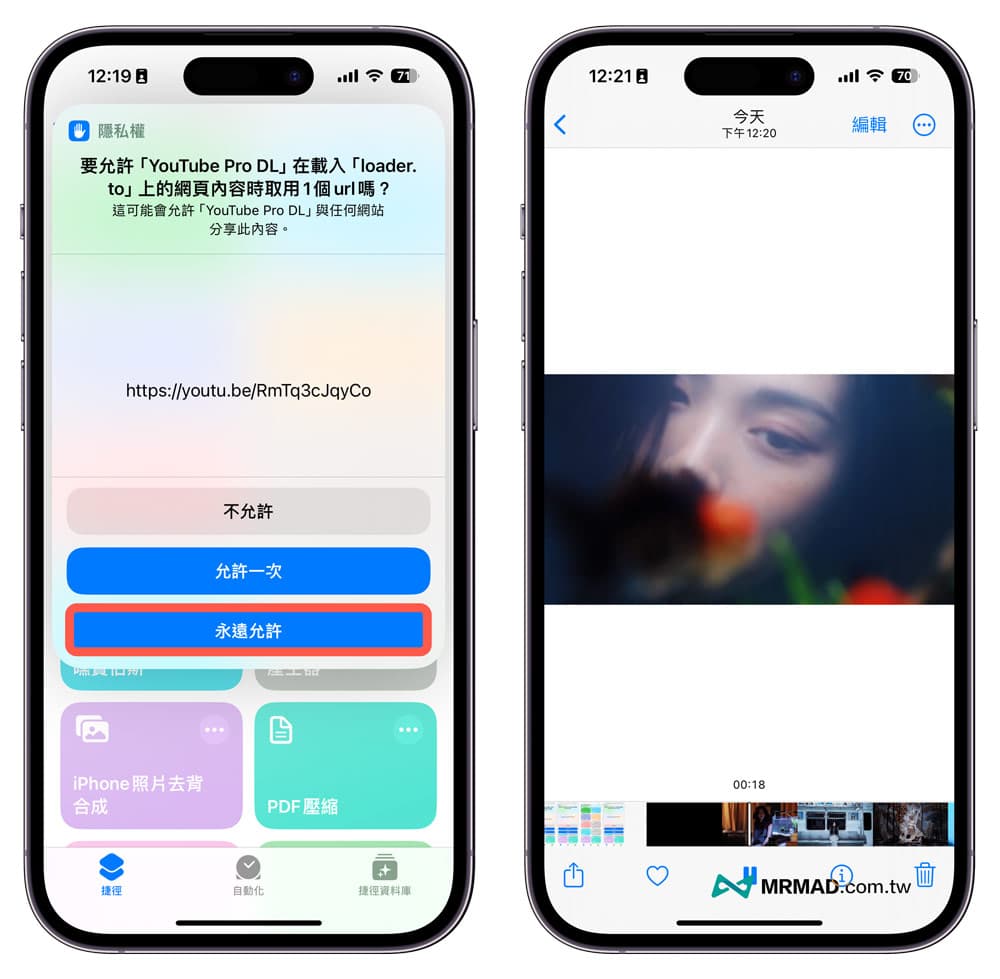
When running the YouTube download shortcut script for the first time, a request to link to privacy will pop up, and the normal operation can only be achieved by clicking the “Allow” and “Always Allow” buttons.
3. Select YouTube video resolution
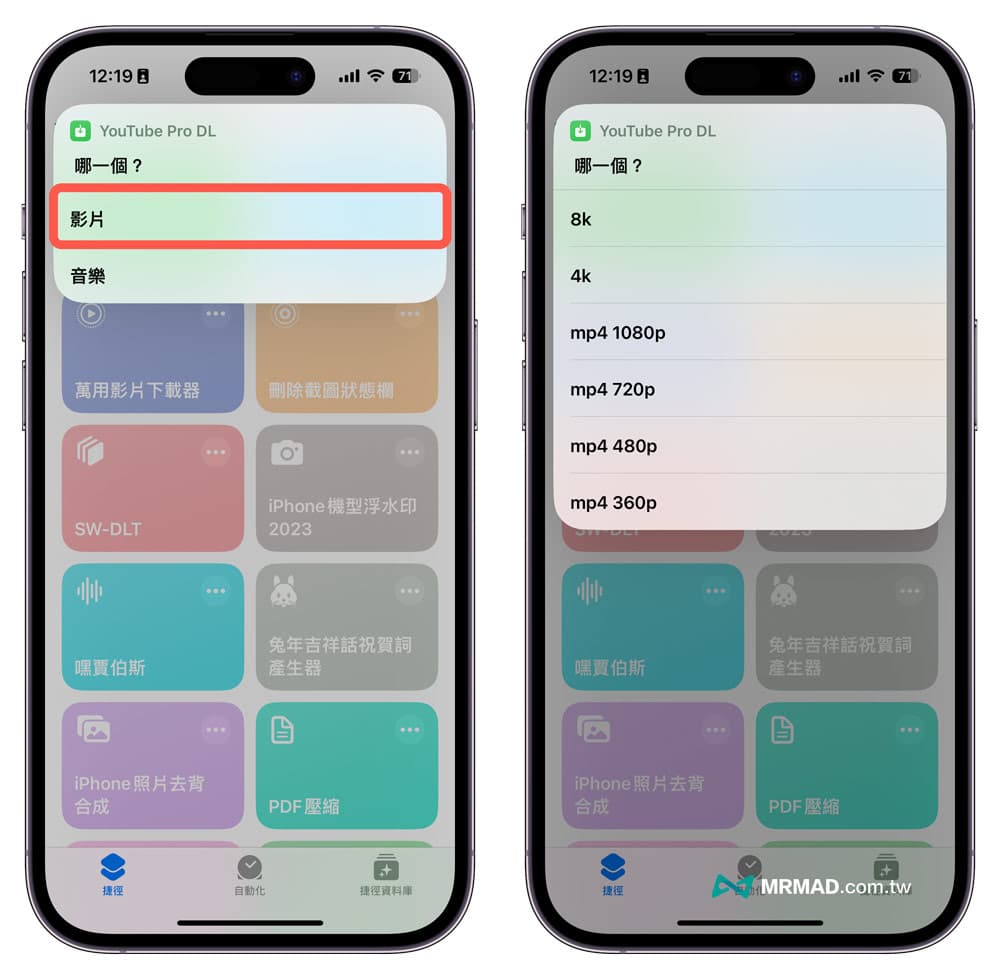
If you want to download YouTube videos, click the “Video” option, and select the resolution of the YouTube videos you want to download. The script can support 4K and 8K YouTube video quality downloads at most, and you can choose according to your needs.
⚠️ Reminder for resolution selection: YouTube video sources do not provide 1080p, 4K or 8k high-resolution videos. If you force the download to be selected, an error that cannot be downloaded will directly pop up.
4. Complete the download
Next, during the YouTube shortcut script download process, you have to wait for the video script to finish running, and finally a privacy prompt will pop up. Also click “Allow”, and then open the iOS built-in “Photos App”, and you can see the just-released photos in the album. Downloaded YouTube video files.
How to use iPhone YouTube video to music MP3 shortcut script?
If you want to convert YouTube videos directly into MP3 music format after downloading through iPhone, you can also use this shortcut script to achieve it. The teaching steps are as follows:
1. Copy the YouTube link URL
First use the iPhone to open the YouTube video to music you want to download, click the “Share” button, and then select “Copy Link” to copy the YouTube video URL.
2. Execute YouTube shortcut to download music script
Download YouTube video shortcut script “YouTube Pro DL” (download location) via iPhone.
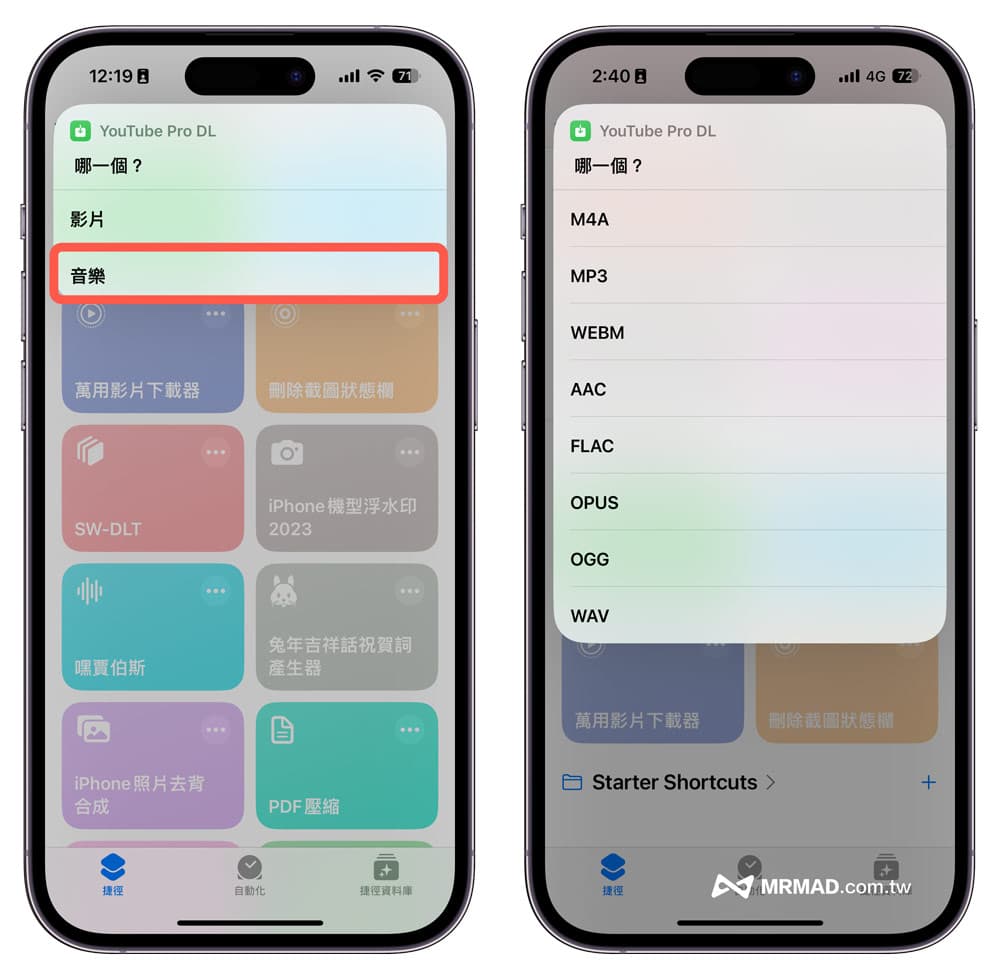
And click the “Music” option, choose to download YouTube videos to convert music formats, the script has a total of 8 music formats to choose from, namely MP3, M4A, WEBM, AAC, FLAC, OPUS, OGG, WAV, you can choose according to your needs, common Both MP3 and M4A formats will be selected.
3. The download is complete and saved to a file
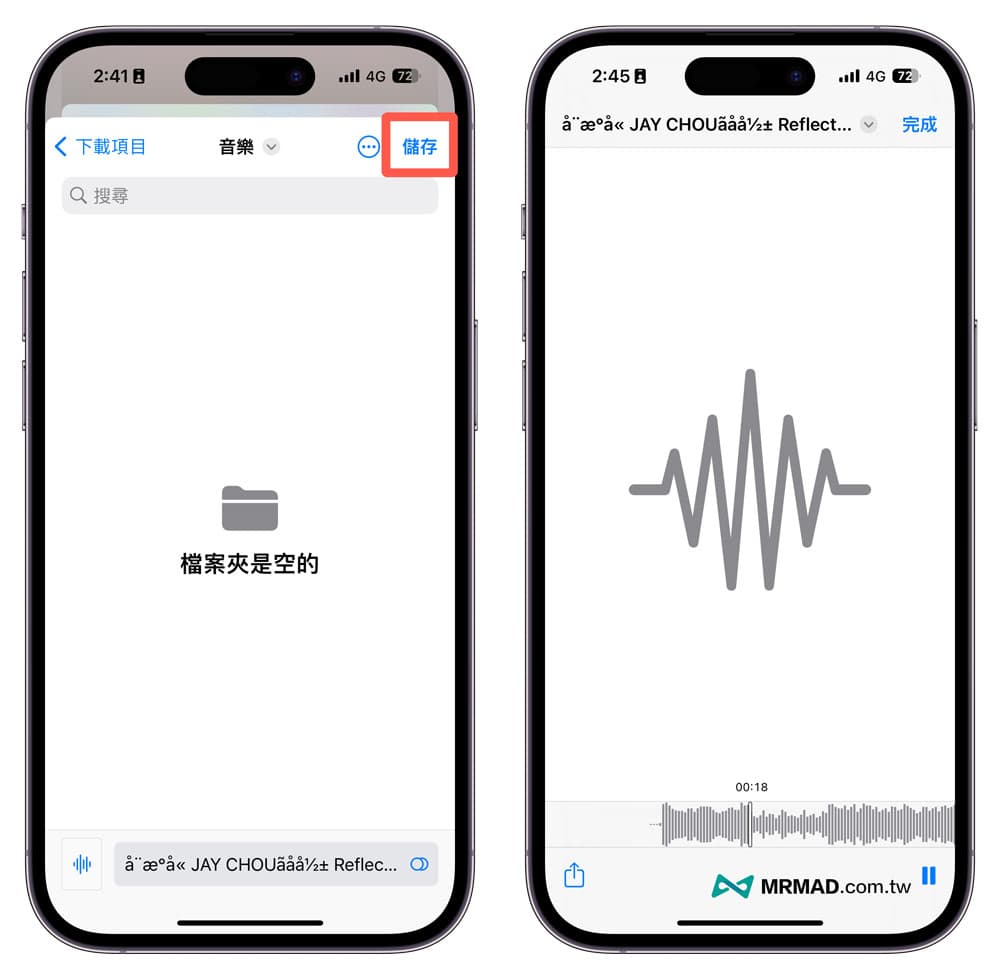
Finally, after waiting for the YouTube shortcut script to convert the video to music format, the browsing and playing screen will pop up, click play to confirm that the music is ok, then click “Finish” in the upper right corner and select “Save to file”.
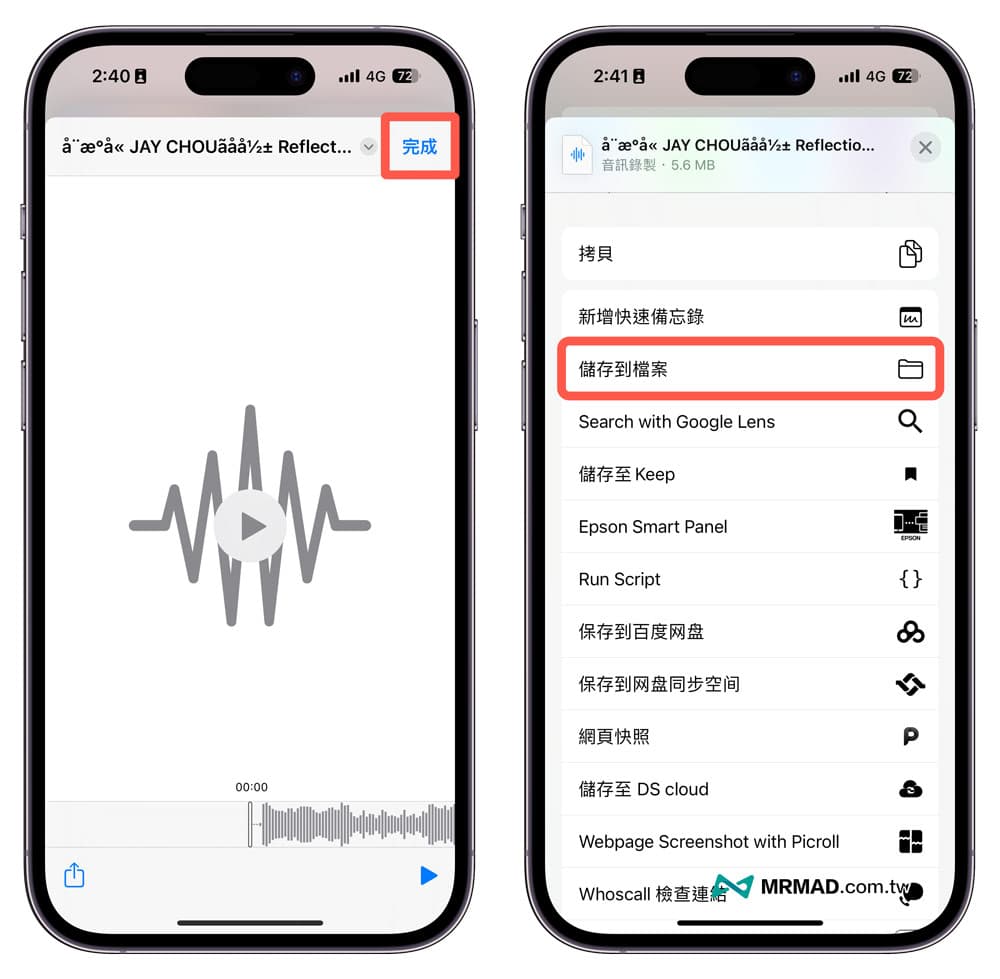
It is recommended to open a special folder for storing music in the file app, which can avoid being too messy. It can also be used with other third-party music apps to read and play later. After confirming everything, press “Save”, and YouTube music will be saved In the built-in “File App” folder.
In addition, downloaded YouTube music files can also be turned into iPhone ringtones. For detailed operations, please refer to “The Secret of Making iPhone Ringtones! 4 Ways to Make It Easy for You”.
Youtube video one-click download shortcut script share
Directly click on the link of the latest “Youtube Video One-Click Download Shortcut” (YouTube Pro DL) provided by Mr. Crazy for iOS 17 below through the iPhone or iPad, and then click the “Add Shortcut” button to download and install the shortcut script to the iPhone shortcut database Inside.
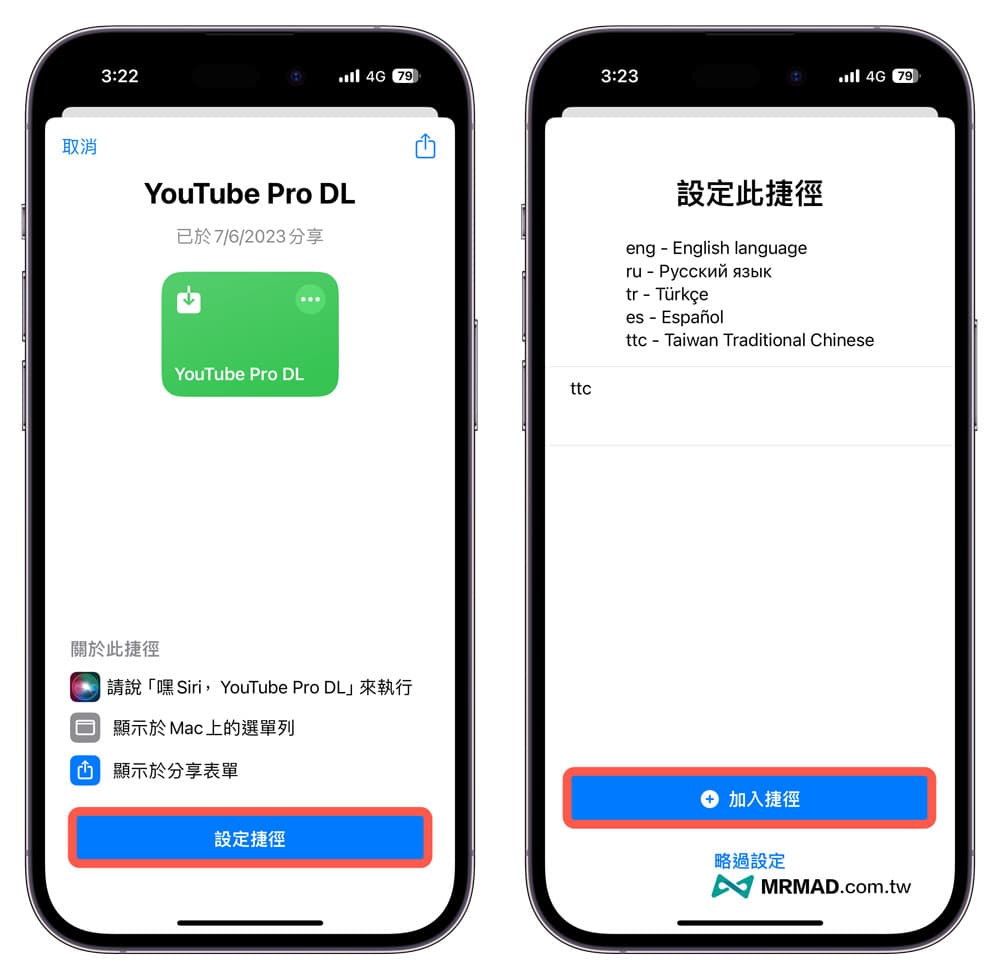
⛔️ If the error message “This shortcut cannot be opened because your shortcut security settings do not allow untrusted shortcuts” appears when the iOS shortcut script is downloaded, you can use “Another method to solve it (click me)”; if the shortcut opens the download “Unable to connect to the shortcut database” pops up on the page, click the rearrange button below and it will display normally.
iPhone Youtube video one-click download shortcut FAQ
What should I do if the shortcut YouTube cannot be downloaded?
If you find that the YouTube video shortcut script cannot be downloaded, you can confirm the update time of the script and download it again. If it fails, you can write to Mr. Crazy. (or via another YouTube video shortcut script)
Is iPhone YouTube shortcut script download safe?
It is 100% absolutely safe, and it is safer and faster than downloading through the webpage. After all, the download function of the web version of YouTube may pop up various advertising traps, but the YouTube shortcut script has no such concerns.
Does YouTube Shortcut also support downloading MV music videos?
Can! Almost all YouTube videos can be downloaded, and there will be no download failure caused by MV music copyright.
Why can’t 4K and 8K YouTube videos be put into albums?
Due to format support issues, if you download 4K or 8K YouTube videos, you must save them in the “File App” and play them through a third-party video player.