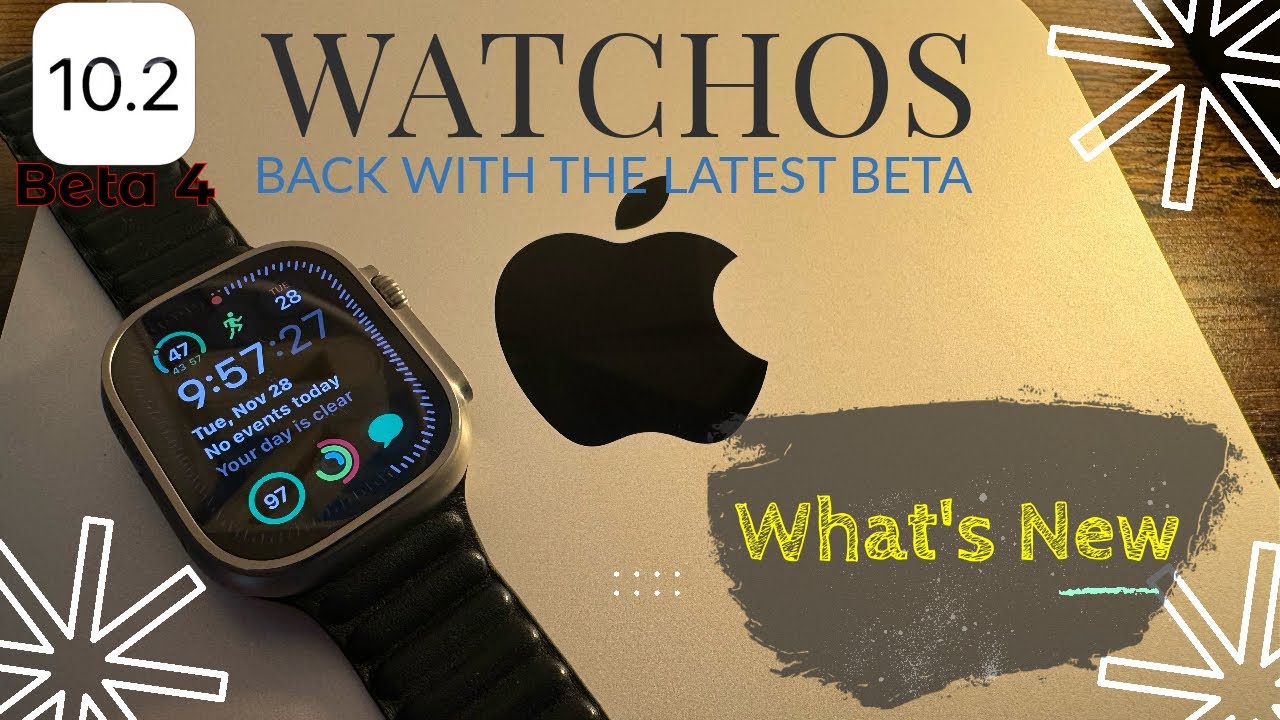
If you want to realize iPhone stealing video, standby video recording, or want to continue video recording under black screen, although you can download a third-party background video app through the App Store, but there are too many free restrictions and the payment is too expensive, the screen has to be turned on all the time, then Is there a faster way?
If you want to realize iPhone standby recording/secret recording, iOS lock screen recording function, you don’t need to install an app or jailbreak, you can also realize the secret recording function through the iPhone’s built-in camera, so that the iPhone can be turned off and the screen is black without displaying the screen. Continue to continue recording in the background to save power, and you can also trigger the stealing video function to protect yourself when it is in danger. This article will teach you how to achieve it.
How to set the iPhone screen to turn off the secret video recording?
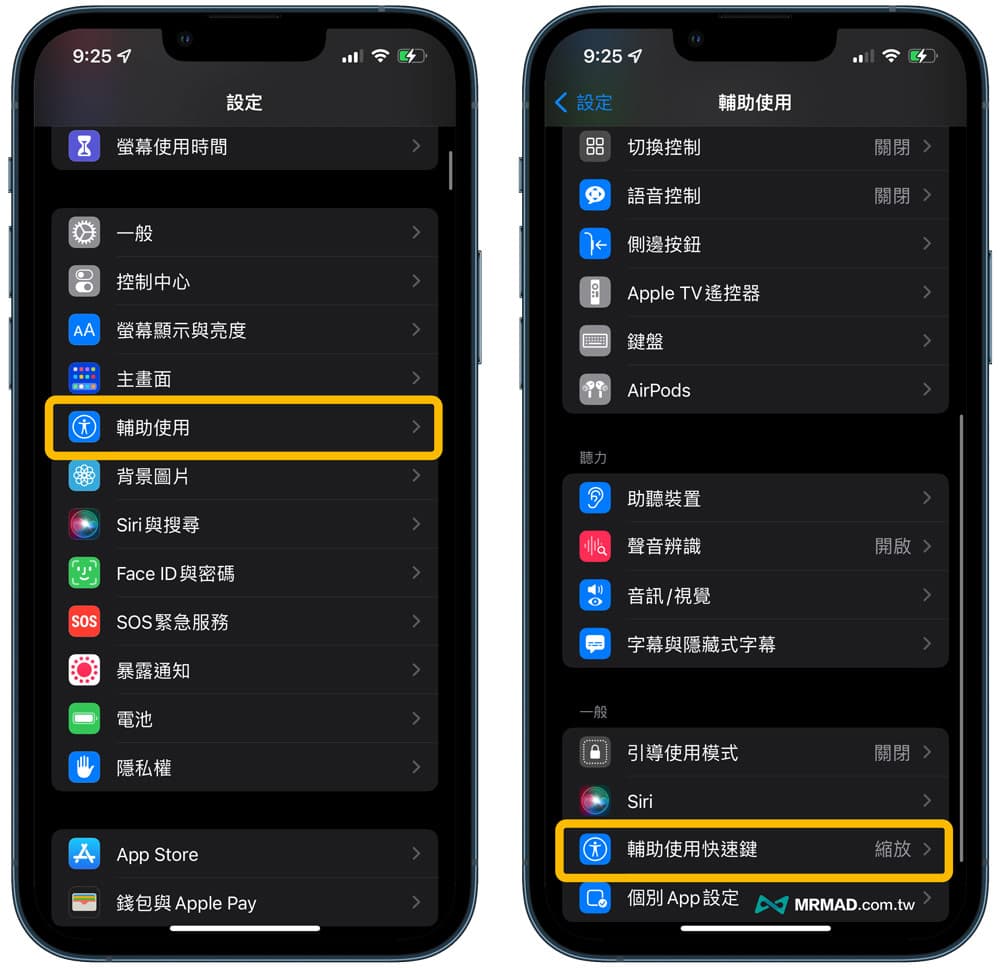
If you want to realize that the camera app continues to record secretly in the background when the iPhone does not open the screen, you need to enable the auxiliary use of VoiceOver before it can be achieved. First, set according to the auxiliary use shortcut keys below.
Go to iOS “Settings”, click “Accessibility”, and scroll down to enter “Accessibility Shortcuts”.
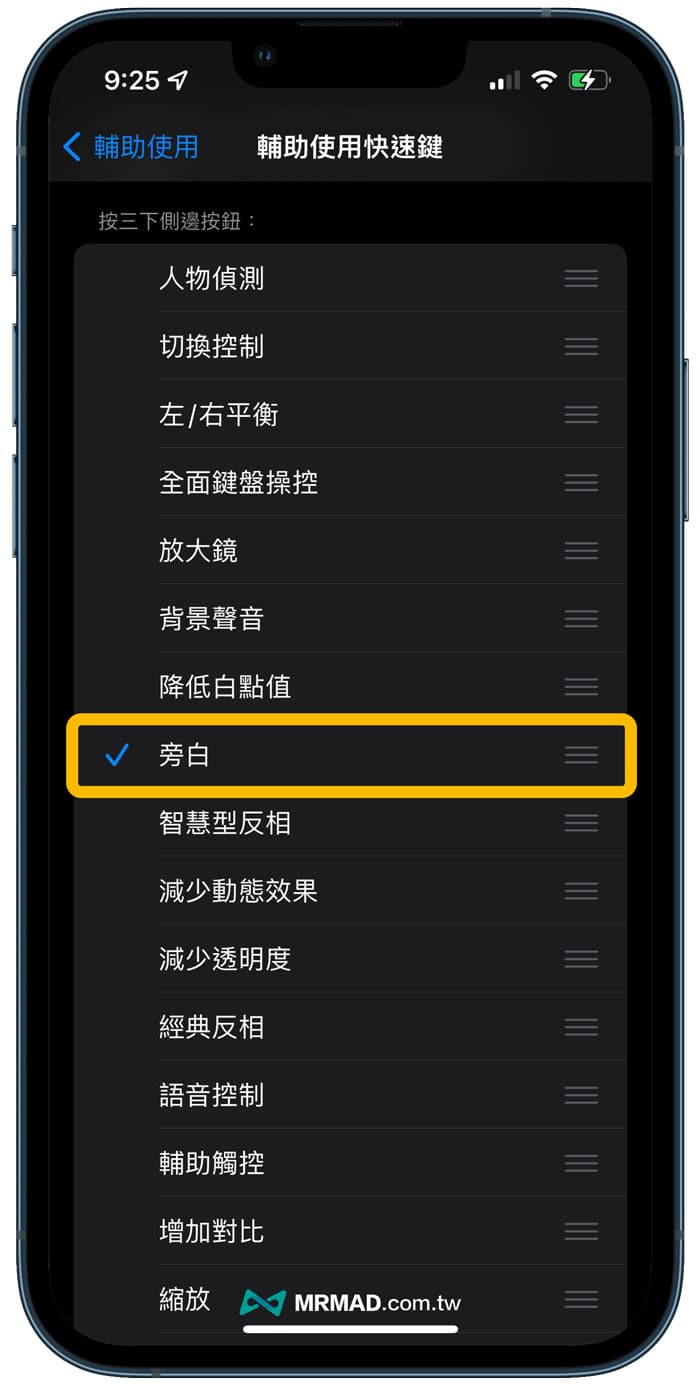
And change the iPhone to press the side button three times to use the shortcut key to “Voice”.
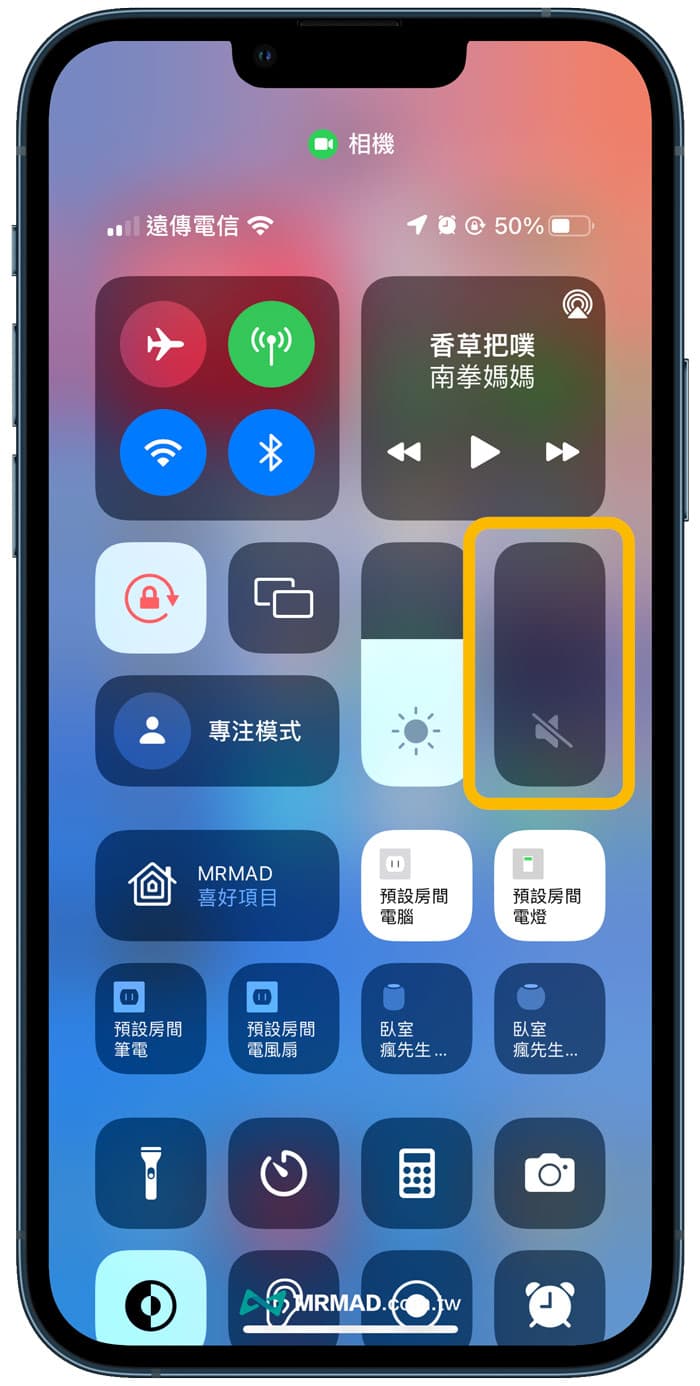
When the iPhone screen is turned off to steal the video, a narration voice will sound. You can first slide out the iPhone control center screen, and slide the “Volume” all the way to “Mute”.
How to enable iPhone standby secret recording function?
Next, you can start to implement the iPhone standby recording function through the following steps:
- Open the iPhone’s built-in “Camera” App
- After switching to “Video mode”, press the iPhone video function key to start recording.
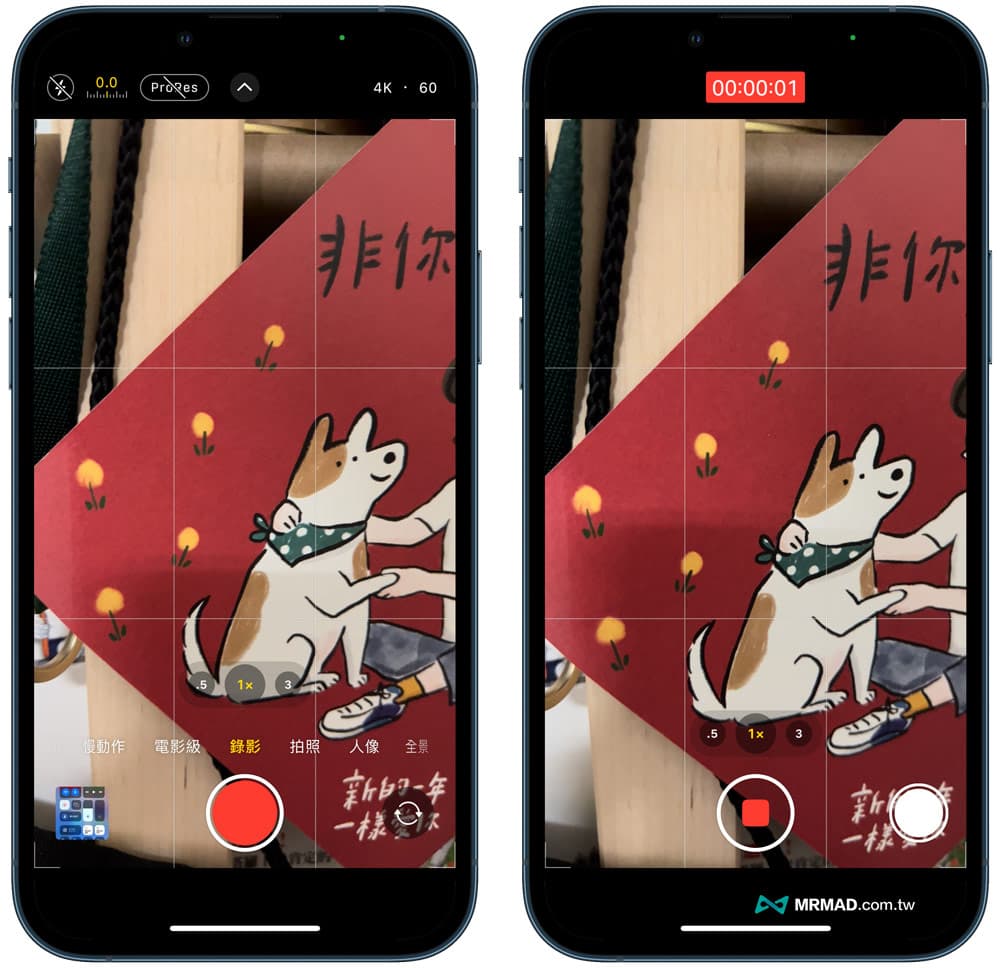
When the iPhone starts recording, press the “side power button” three times, and the iPhone screen will be turned off immediately, and the iOS secret recording or iPhone standby/lock screen recording function can be realized.
PS. If you don’t turn off the sound, you will hear Siri say that the narration has been turned on. If you want to turn off the narration voice, in addition to mute, you can also touch the screen twice with three fingers, and the voice prompt sound will be turned off.
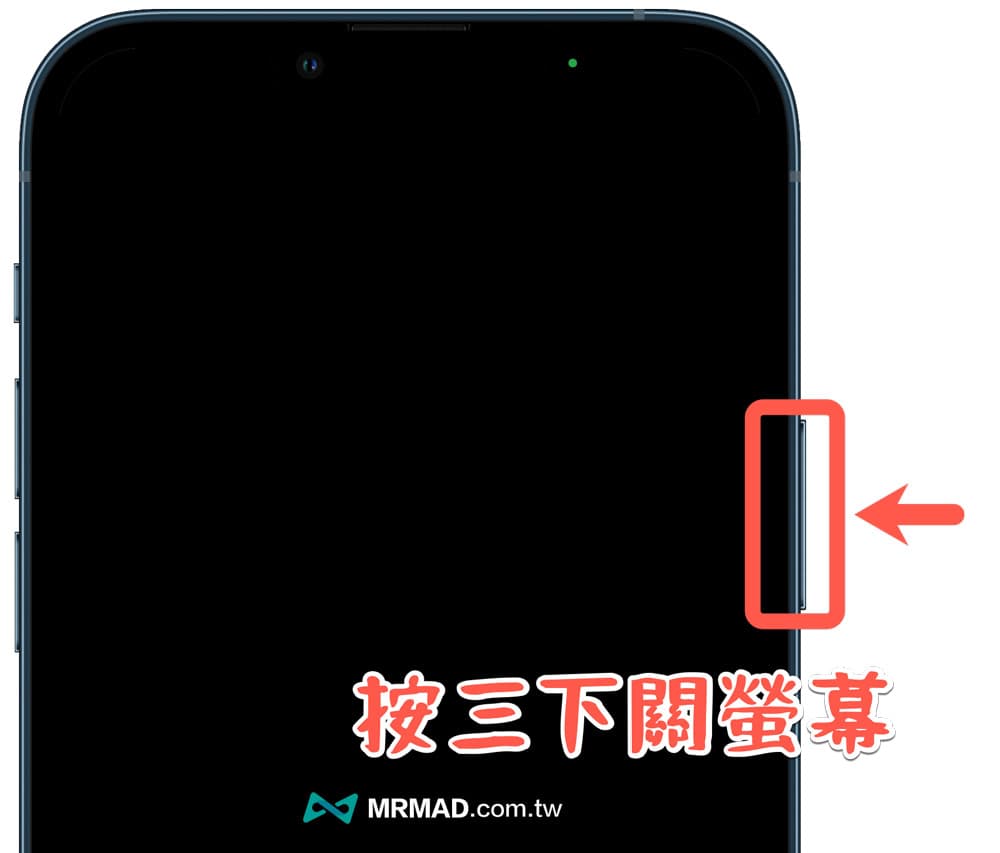
How can I be sure that I have continued to record? If you look closely, there will be a green light at the top of the screen, which means that the iPhone continues to record in the background, but the screen will not display the video screen. (Click me to see the tips and tricks of privacy lights)
Finally, if you want to display the iPhone video recording screen, press the “side power button” three times as well, and the original iPhone video recording screen will be displayed.
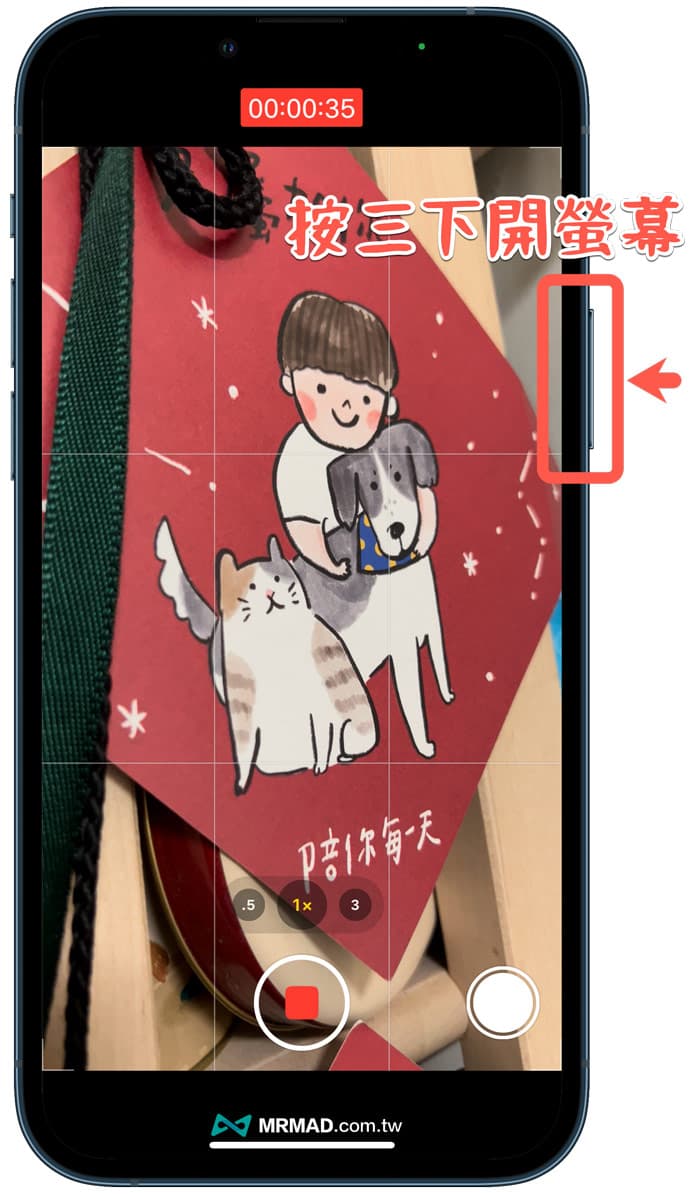
The actual iPhone stealing video function is mainly realized through the narration auxiliary function, not relying on system errors (Bug) to achieve, regardless of the old and new iOS versions can be used.
It is possible to turn off the iPhone screen during video recording, mainly because visually impaired friends use their hearing to control the video recording. Therefore, when the iPhone video recording is started, the screen can be automatically turned off, and the background recording will continue to save power.
Summary of iPhone Secret Recording Features
After learning this trick iPhone secret recording, you can easily realize the iOS standby lock screen recording function without jailbreaking or installing third-party apps. The recording process will not be interrupted suddenly, and the iPhone black screen will not be noticed by others. .
However, it should be reminded that this function is not intended to be used to secretly take pictures of crimes, mainly because some users want to use their iPhone to record for a long time, such as shooting records of clouds, activities or fishing, which require long-term recording. This method can be used to turn off the iPhone. Continuing to record video on the screen will be very convenient and save power.
More practical tips: