How do I know if a friend or customer in the phone address book is using an iPhone or Android phone? This article teaches you how to use the iPhone to check the mobile phone system (Android or iPhone) used by the other party in seconds through two hidden techniques. The advantage is that you don’t need to use LINE to add friends in the future. You can also send free messages and files directly through iMessage, and even more directly. Use FaceTime for free video call communication.
How to check if your friend’s phone is iPhone or Android with iPhone in seconds
Recognize the other party’s mobile phone through iMessage
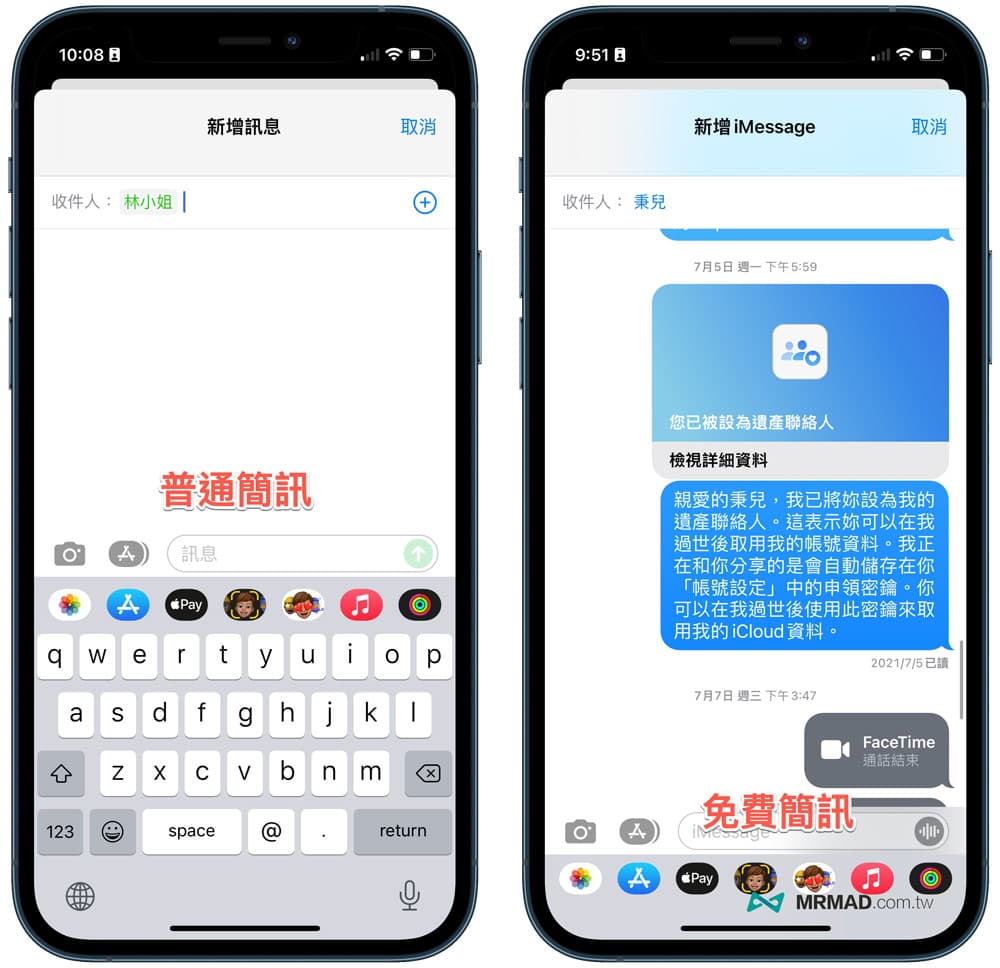
Step 1. Open “Message App” (iMessage App) via iPhone, and click “Write Message” in the upper right corner.
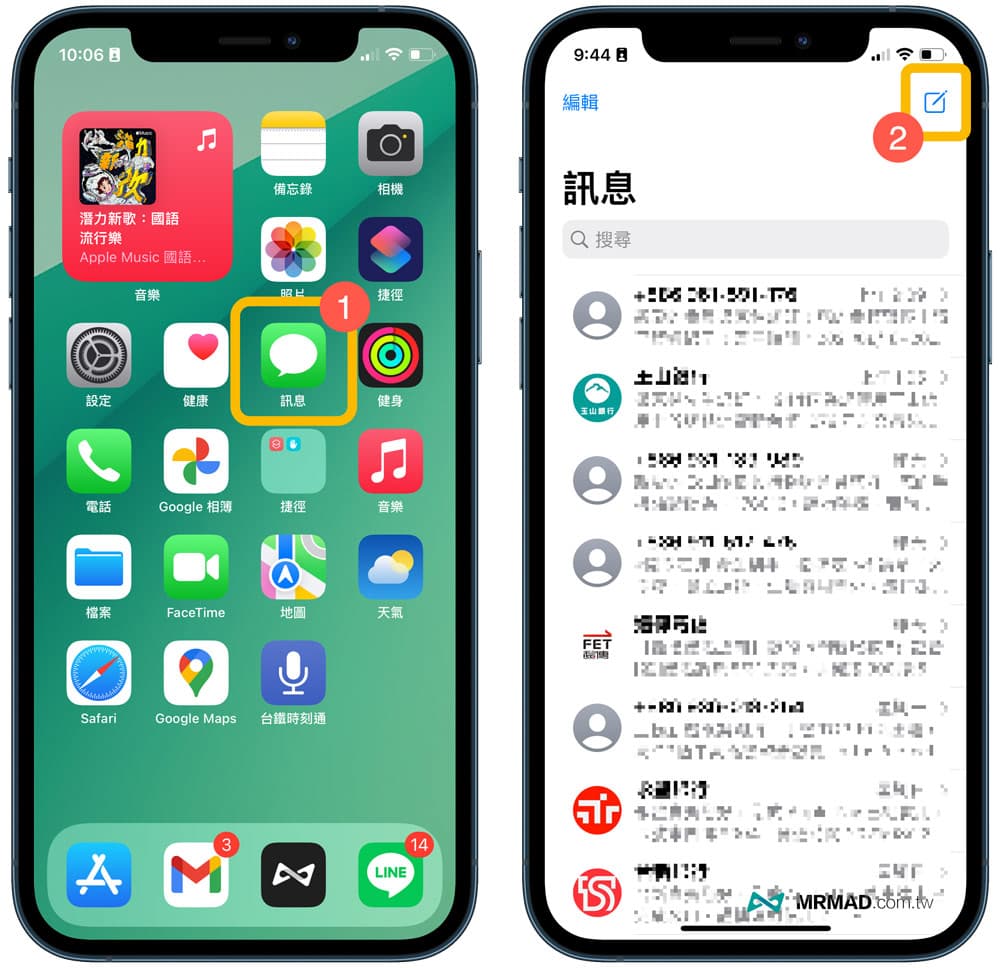
Step 2. In the “Recipient box”, enter “inquiry phone number or name”, or directly enter “09” to list all the contact phone numbers, which can be identified by the color of the phone number below, and you can instantly know your friends in seconds Or the customer is using an iPhone or Android phone.
- The phone is blue: iPhone
- Phone display green: Android phones (non-iOS phones)
- The phone is grayed out: the format is wrong, the phone is disabled, or is being detected and judged
In fact, this is considered to be the built-in detection mechanism of iMessage in iOS, but you will find that some contacts will be displayed in gray when you scroll down, and it will take a few seconds to display the color.
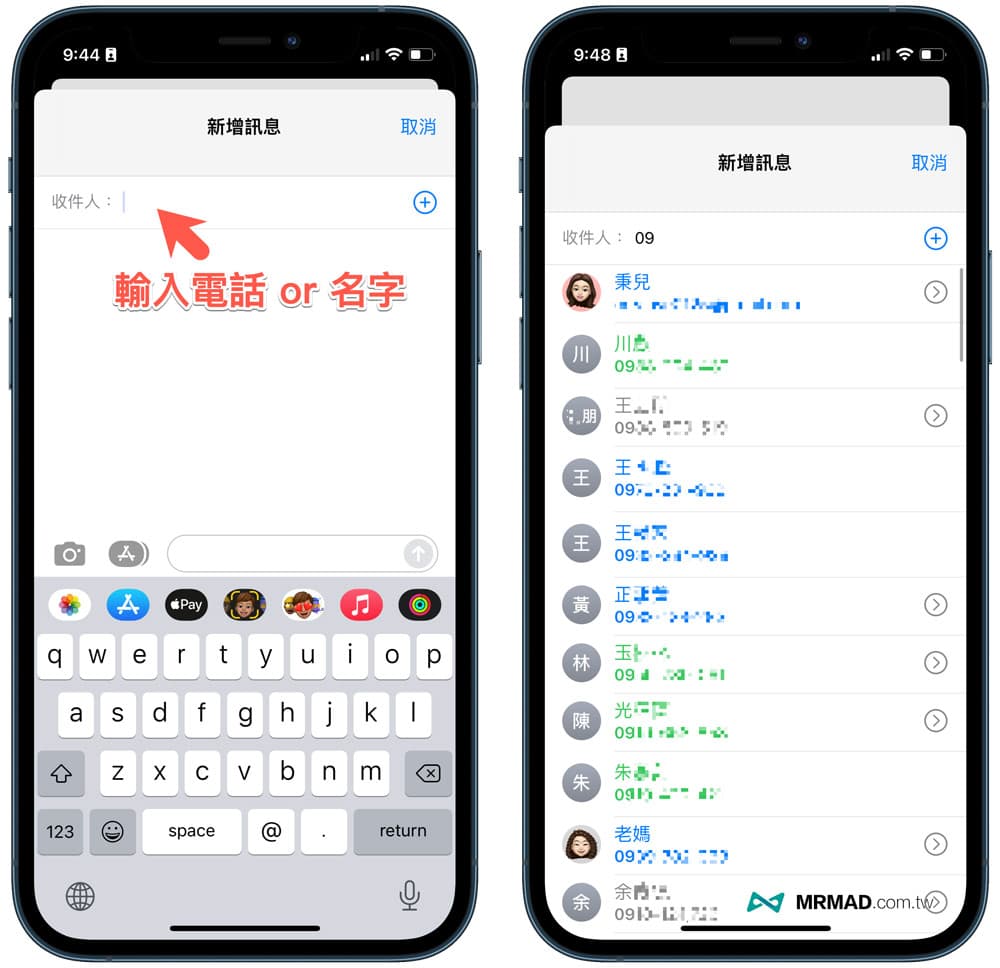
What if some phone numbers are in the correct format, and they are also confirmed to be calls from friends or customers, or are grayed out?
You can click on the name of the correspondent, and the system will immediately read the judgment again. If the green is displayed, it means that the other party is using an Android phone. If the blue is displayed, it means that the phone is an iPhone. The latter can send messages, pictures, recordings or various attachments for free Does the file feel convenient?
Recognize the other party’s mobile phone through the message FaceTime
In addition, you can also directly open the “FaceTime App”, click the “Add FaceTime” button.
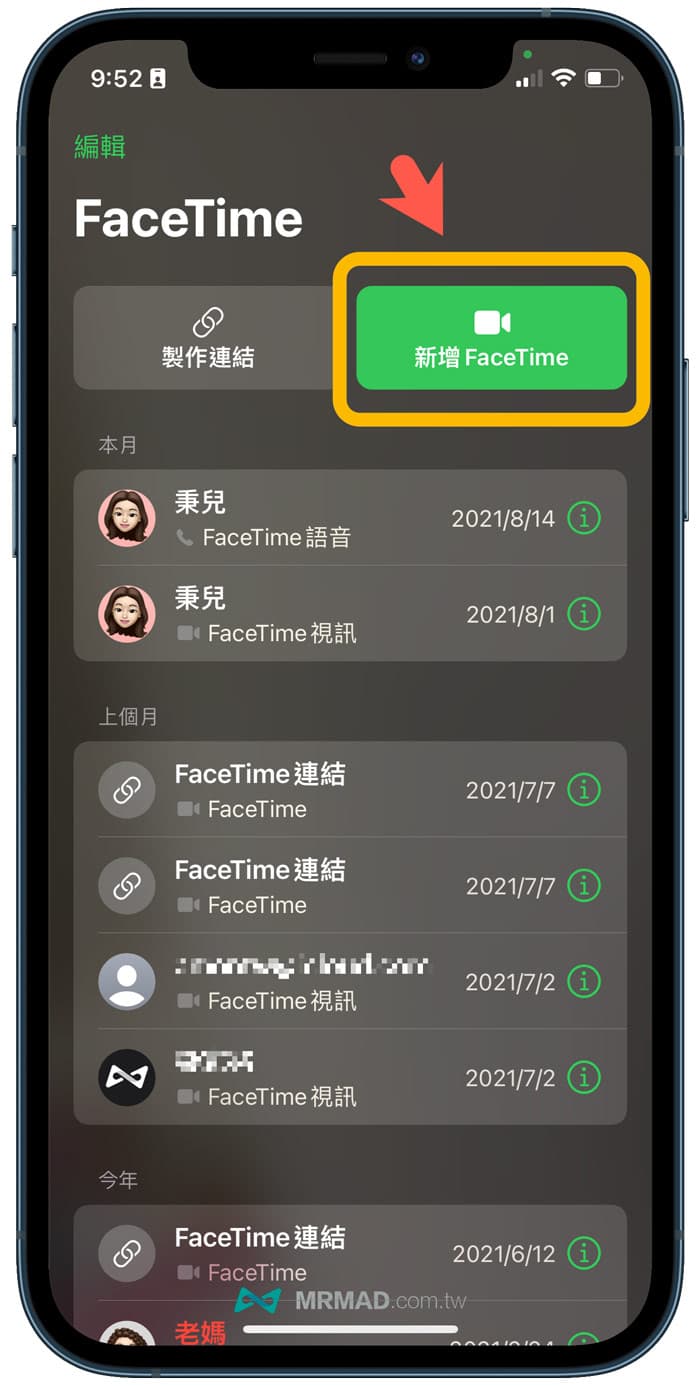
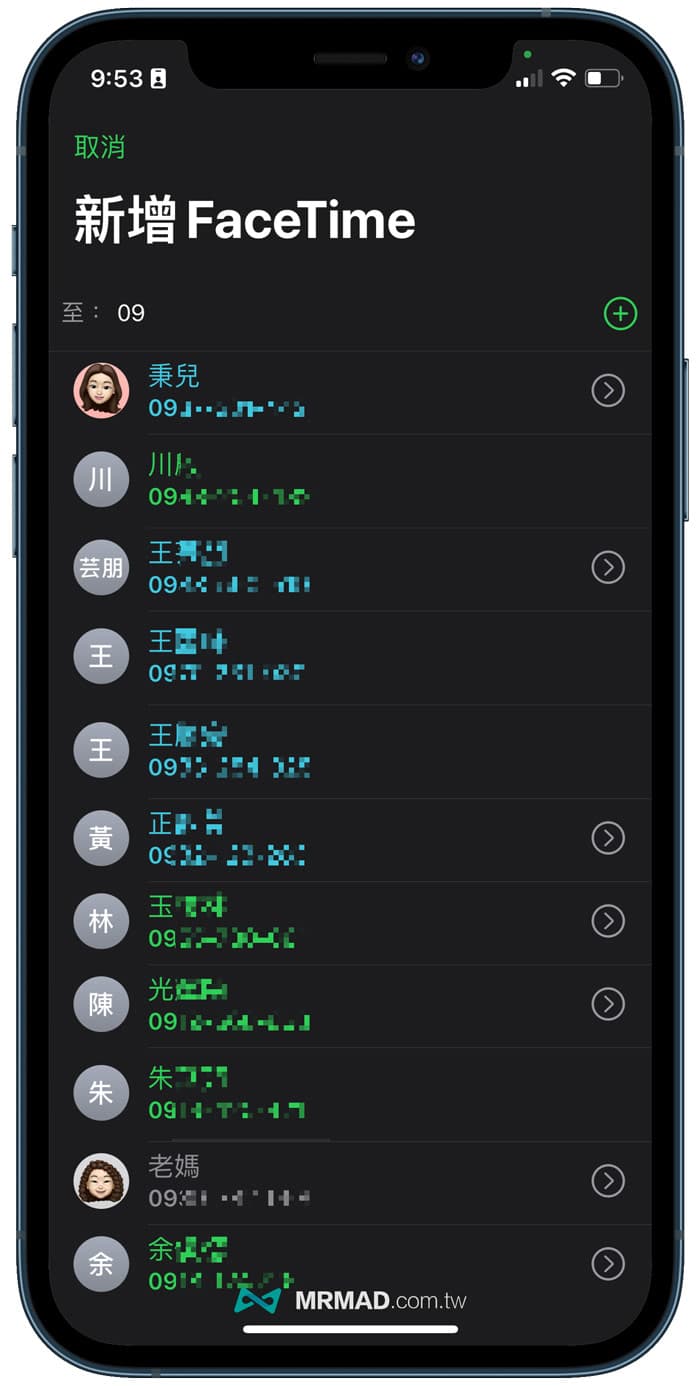
Similarly, enter “09” to query, and the phone list of friends, family, or customer contacts will be immediately displayed below, and you can quickly determine whether the other party is using an iPhone or Android phone through the color.
- The phone is blue: iPhone
- Phone display green: Android phones (non-iOS phones)
- Phone is grayed out: scanning
Summarize
After learning the above two tricks to quickly judge the other party’s mobile phone with the iPhone, now you don’t need to ask the other party whether they are using an iPhone or an Android phone, as long as you can quickly check it through this hidden method.
Further reading:
If you like the teaching of this article, I would like to learn more about Apple information, iPhone and Mac hidden 3C techniques in the follow-up, welcome to follow up Mr. Crazy FB Fan Group,Telegram,MeWe,Instagramas well as Subscribe to YouTube channel, There will be more practical skills teaching to share with everyone.