After Apple released the first beta test version of iOS 26.2 this week, in addition to adjustments to functions such as Apple News, Apple Podcasts, and Liquid Glass, it also ushered in the official debut of the Apple Music offline lyrics feature that many people have been anticipating. But how to enable it? This time, I will teach you how to experience Apple Music offline lyrics even when there is no Internet connection.
Since Apple introduced Apple Music lyrics display in 2016, this feature has been enhanced many times, and advanced features such as lyrics search, real-time synchronization, KTV mode, and lyrics translation have been added, making the Apple Music streaming music experience more and more complete. The only difference is that in the past, to view any type of music lyrics information, you had to be connected to the Internet to access it.
Now in iOS 26.2, Apple has finally enabled the offline lyrics function for Apple Music. Even if there is no Internet connection, you can still enjoy the complete lyrics function of Apple Music. For listening to songs on a plane or in an area without Internet access, the lyrics can also be displayed offline.
How to use Apple Music offline lyrics function?
Reminder: Currently, the offline lyrics function of Apple Music is only released in iOS 26.2 Beta and is expected to be fully opened after the official version of iOS 26 is launched.
Step 1: Add music to playlist
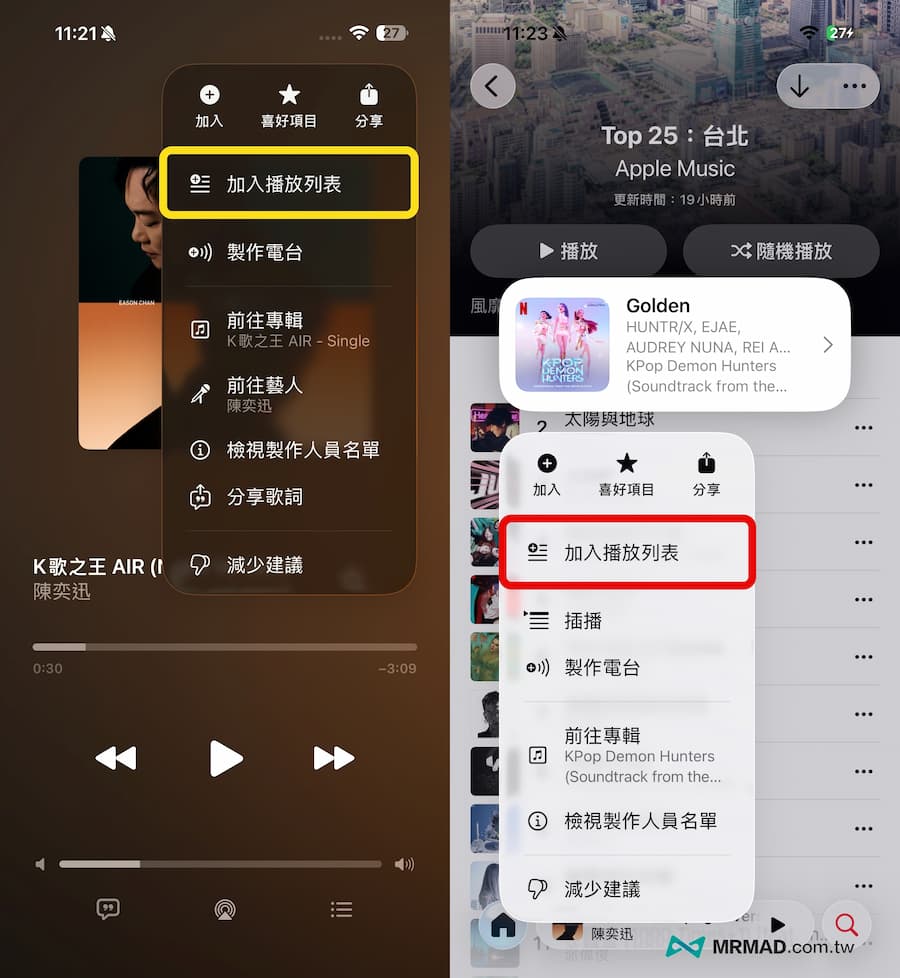
First, find the Apple Music music you want to listen to offline, click the “three dots” in the upper right corner and select “Add to Playlist”, or directly long-press the music item in the album, and you can also add it to your personal playlist.
Step 2: Download offline music
Click the “Library” menu at the bottom and click on “Playlist” to find the music playlist you want to download.
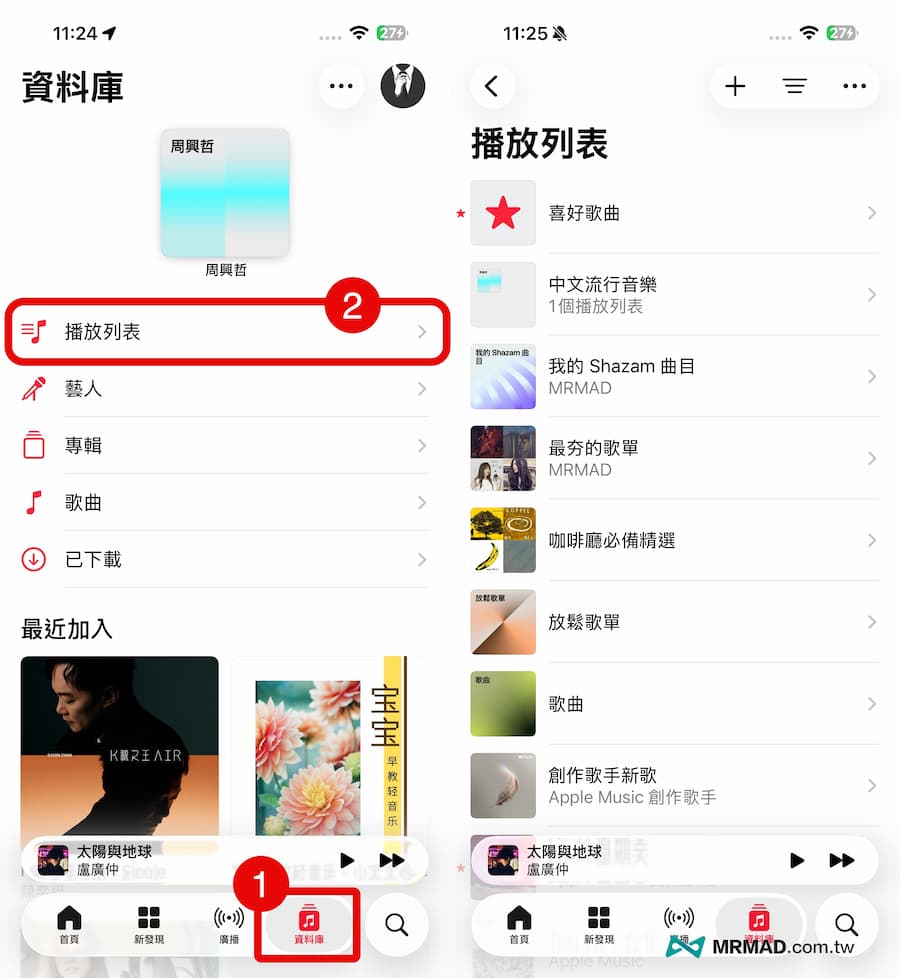
After clicking on the playlist, directly press the “download icon” in the upper right corner to download all the music in the playlist to the device, or you can individually download several Apple Music songs that you want to play offline.

Step 3: Enable offline lyrics
As long as there is no Internet connection, click to play the music downloaded offline and click “Song List” in the lower left corner to display the offline words.

Function summary
Through this method of using Apple Music offline lyrics, you can open Apple Music to listen to songs offline and view lyrics at the same time, whether you are on a plane, a boat, or when there is no mobile network signal. This function is also relatively more powerful than Spotify. The main reason is that currently Spotify can only support online connections to view lyrics.
If you want to know more Apple information, iPhone teaching and 3C information skills, please follow us
Crazy Mr. FB fan group,
Subscribe to Mr. Crazy Google News,
Telegram,
Instagramas well as
Subscribe to Mr. Crazy YouTube.