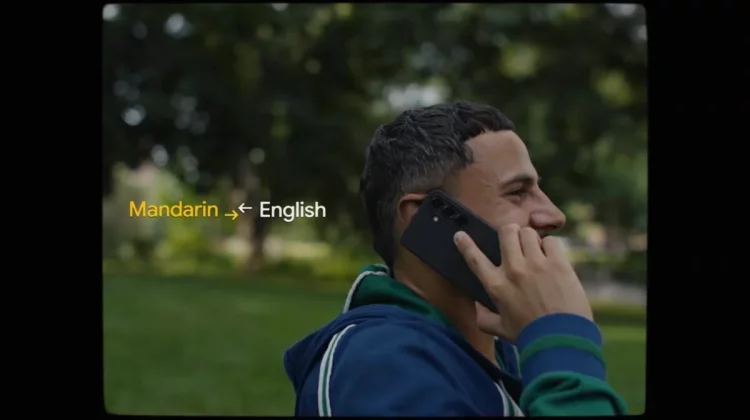
The Google Translate iOS app now has a feature that allows you to listen to real-time translated audio by holding your iPhone to your ear without using earphones. You can hear the translation in your ears even in noisy surroundings. It has also been announced that real-time translation will be supported in the background (a feature will be added to the iOS version at a later date), allowing you to use other apps or lock the screen while translation is running.
You can listen to real-time translation by holding your iPhone to your ear.
Google announced on September 4, local time, that it has added a feature to the Google Translate app (iOS version) that allows you to listen to real-time live translation audio by holding your iPhone to your ear.
Until now, you had to use earphones or a speakerphone to listen to the live translation audio, but now you can easily check the translation content with audio even if you don’t have earphones and there are people around you.
Google says this feature is useful when you want to check announcements at a noisy airport or when you’re taking a guided tour at a tourist spot.
This feature was previously available in the Android version.

Background operation will also be supported at a later date.
Another new feature coming to the Google Translate app is live translation background functionality.
Live translation will continue to work even if you use other apps or lock the screen.
Google explains that more than a third of live translation sessions last more than five minutes, making background operation ideal for longer sessions.
Background live translation will first be available on the Android version, and will be added to the iOS version at a later date.
I actually tried it! Impressive natural translation
Until a few years ago, I often used Google Translate to translate between various languages, but recently I have been using generative AI such as Gemini and ChatGPT. Also, I had never used the real-time voice translation feature.
When you open the Google Translate app for the first time in a while, you will notice how simple and easy it is to use because the functions have been narrowed down to make translation easier.
When I translated the English audio into Japanese and listened to it, I was able to hear relatively natural Japanese audio. It’s easier to understand than reading text, and it’s convenient to use it even without earphones.
However, to those around you, it looks like you are listening to a conversation on the phone, so if you use it when there is someone talking in front of you, you need to be careful not to mislead the other person, so I think it is better to use earphones, but it seems to be useful when listening to announcements at airports etc.
Google Translate’s live translation is compatible with over 70 languages other than English, so I feel that it can be used in many situations, such as when traveling, business trips, and for those who have to deal with visitors from overseas.
Source: Google
Source: iPhone Mania