In iOS 27/iPadOS 27, which Apple is expected to release officially this month, the way the Notification Center opens will change. When the new feature Siri AI is enabled, the “swipe down from the center of the top edge of the screen” that has been used for 15 years since iOS 5 in 2011 will be assigned to invoking Siri AI, and the notification center will be opened by swiping from the top left corner, US media 9to5Mac reported.
To avoid being confused about not being able to open notifications after updating, be sure to check the changes before releasing the official version.
Regarding this change, iPhone Mania also reported that notifications may be changed to a slide display from the left in the beta version in July 2026. It is expected that the official version will also be provided with this specification.
Swipe in the center of the top edge changes to Siri AI
According to 9to5Mac, the default setting for iOS 27/iPadOS 27 is to open the Notification Center as usual. This changes when you enable Siri AI, and swiping down from the center of the top edge of the screen will call up Siri AI instead of the notification center.
This specification has been maintained in all eight developer betas distributed so far, and the official version this month is expected to remain unchanged, the media reports. Most of the top edge is allocated to Siri AI, indicating that Apple is prioritizing access to Siri AI.
iPhone Mania also announced changes to the Notification Center operation in July 2026.
Open Notification Center by swiping on the top left
The top edge swipe assignments when Siri AI is enabled are as follows.
- Swipe down from the top left corner: Notification Center
- Swipe down from the top center: Siri AI
- Swipe down from the top right corner: Control Center
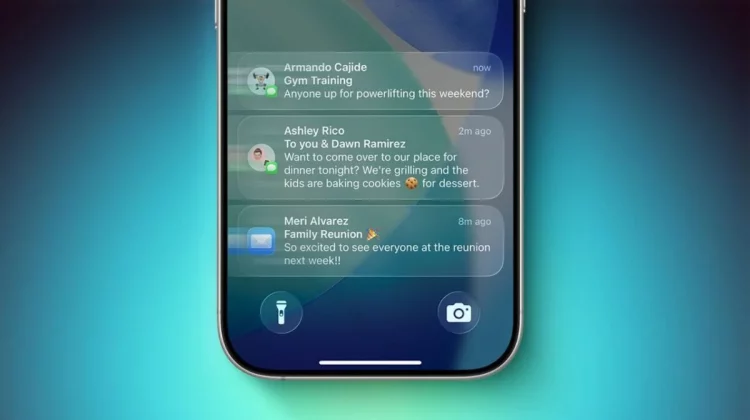
At the same time, new notifications will also be animated starting from the top left corner. This is to indicate to the user that the Notification Center entrance has been moved to a small area in the top left.
This is the first major change in how you access notifications since the iPhone X moved Control Center from a swipe from the bottom of the screen to a swipe from the top right corner. This time, the notification center is located in the upper left corner, in a complementary form.
 Control Center remains a swipe from the top right corner
iPad top edge assignment adjusted in beta 2
In Beta 1 of iPadOS 27, almost the entire area above the icons on the home screen was used to invoke Siri AI, and when the time AM/PM and date display were turned off, the area to open the Notification Center became even smaller.
This has been improved in Beta 2, with an equal area of approximately two rows of app icons on each side. The left side is the notification center, the right side is the control center, and the remaining center part is for Siri AI.
There is no setting to disable it
What I would like to note is that there is no setting to undo only the central swipe assignment while Siri AI is enabled. 9to5Mac’s Zac Hall says that even after using it for several months, he still turns it off if there’s a setting, and it seems like it will take some time to shake off 15 years of operating habits.
On the other hand, he also reported that early reviews of Siri AI itself have been very positive. If you want to use the new Siri, it seems that you have no choice but to get used to the operation of avoiding the center and swiping at the top left.
The official version is expected to be released this month, so get ready now
iOS 27/iPadOS 27 is currently available in beta versions for developers and the general public, and the official version is expected to be released within this month. Compatible iPhones and iPads can be updated for free in Japan, and if you enable Siri AI, they will be subject to the same operational changes.
If you want to keep the previous operation, you have the option of not enabling Siri AI, but if you do enable it, remembering that “notifications are in the top left” will make the transition smoother. Other changes related to iOS 27 will be announced on the iOS latest information summary page.
Source: 9to5Mac
Source: iPhone Mania