Even if you forget your new number immediately after changing your iPhone’s passcode, you can reset it using the old passcode within 72 hours if the conditions are met. On the other hand, if you suspect someone has seen your old number, you can deactivate it without waiting for this grace period. Why not decide whether to prioritize relief or crime prevention based on the reason for the change?
Old passcodes are usually used to reset rather than cancel.
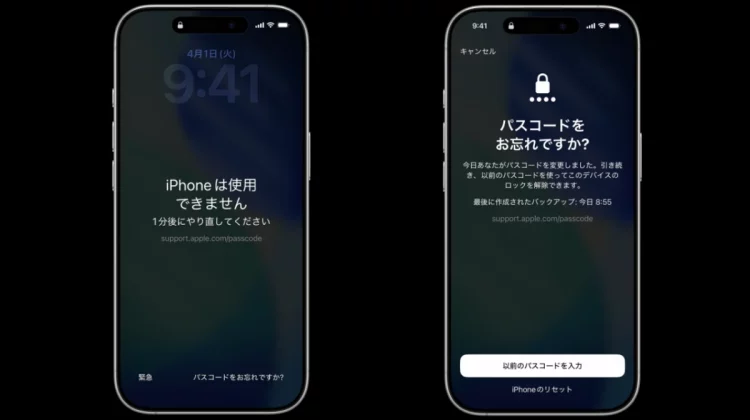
iOS17 and later has a mechanism that allows you to regain access with your previous passcode within 72 hours of changing your passcode. When you can’t remember your new number, this is a remedy that saves you from having to initialize your iPhone right away.
However, once you enter your old number into the lock screen, it will not open as before. After entering incorrectly several times and getting locked out, proceed with the dedicated reset procedure. If your previous passcode is accepted, you will need to continue setting up a new number.
The old passcode is not a normal unlock key, but a reset key that can only be used for 72 hours.
Conditions and Procedures for Using 72 Hour Remedies
According to Apple’s instructions, the following conditions must be met for the “Forgot your passcode?” prompt to appear:
- Equipped with iOS17 or later
- iPhone is connected to mobile data or Wi-Fi
- Signed into your Apple Account
- Find is enabled
Steps to take if you forget your new passcode
- Enter the wrong passcode 5 times and the “iPhone is disabled” screen will appear.
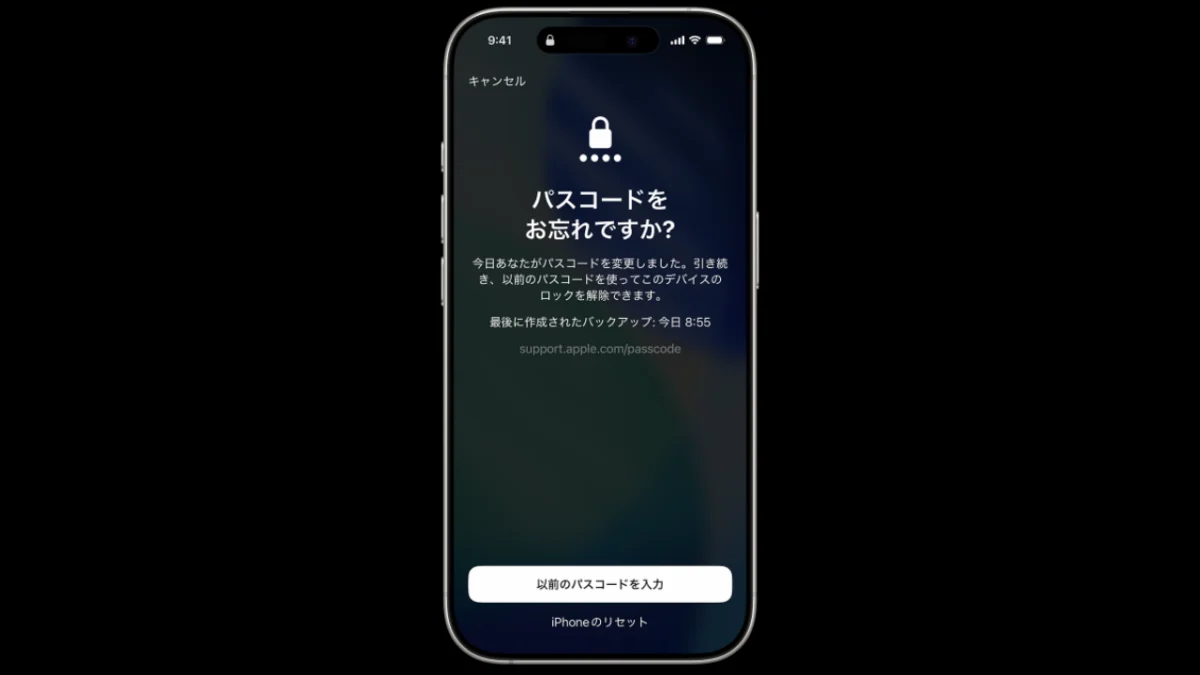
- Tap “Forgot your passcode?” at the bottom of the screen.
- Select “Enter old passcode” and enter your old number.
- Follow the on-screen instructions to set a new passcode again.
This option will not be displayed if communication is not possible or if “Search” is turned off. If you forget your number immediately after changing it, please check the communication status and the display at the bottom of the screen before proceeding to initialization.
Those who keep old passcodes and those who disable them immediately
The 72-hour grace period is useful, but not everyone needs to leave it. The deciding factor is “Why did you change the number?”
| Reason for change | suitable response |
|---|---|
| Regular changes and memorability improvements | Leave 72 hours relief |
| I’m worried about whether I’ll be able to remember my new number. | Leave 72 hours relief |
| The number I was entering was intercepted. | Immediately deactivate previous passcode |
| I gave my number to family and friends. | Immediately deactivate previous passcode |
| There are signs of speculation or suspicious operations. | Immediately deactivate previous passcode |
Steps to disable without waiting 72 hours
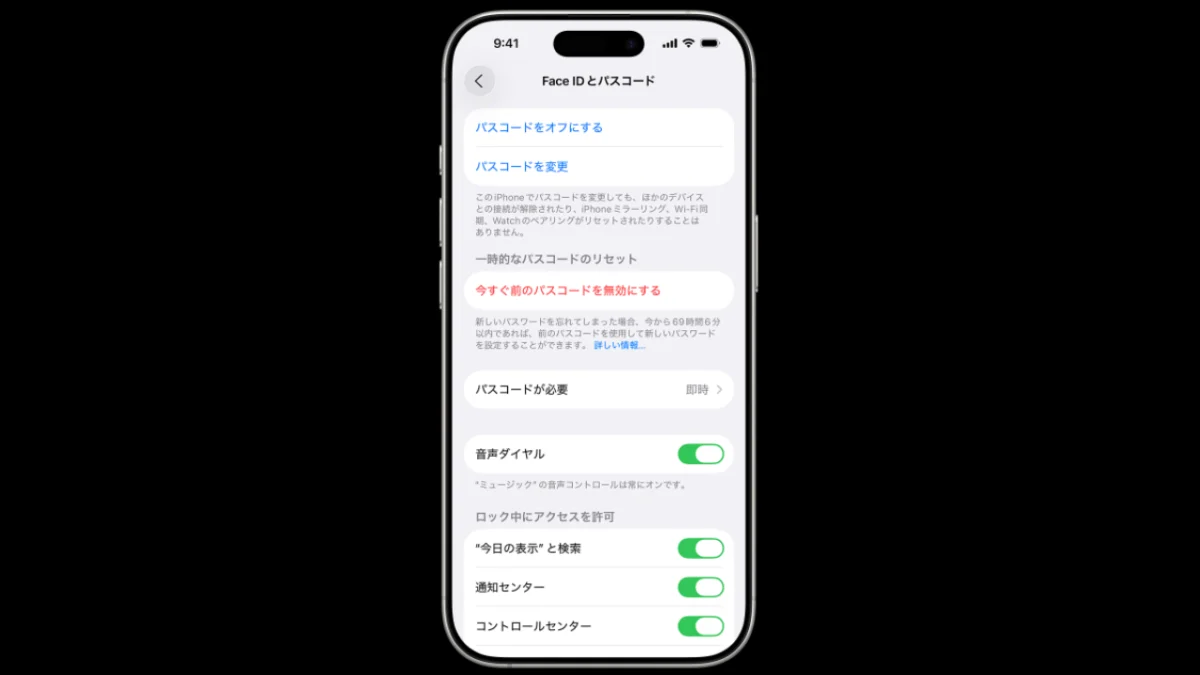
- Open “Face ID & Passcode” in the “Settings” app. For models equipped with a home button, it is “Touch ID and passcode”.
- Use Face ID or enter your current passcode.
- Tap “Revoke previous passcode now.”
Especially if you changed your number in response to a breach, keeping the old number is the opposite of the purpose of the change. Verify your new passcode in a safe place, then disable your old number on the spot.
If you’re worried about your phone being stolen or lost, take other measures as well.
Disabling the old passcode is a measure that closes the reset path immediately after the change. If your device is lost or stolen, we don’t stop there; we can quickly mark it as lost from another device or from the web.
Additionally, “Stolen Device Protection” is a feature that protects you in case your current passcode is known.
Requires Face ID or Touch ID for important operations and adds a wait time depending on settings.
What is the meaning of the mechanism and settings, and what is the importance of the anti-theft function scheduled to be implemented in iOS 26.4? It is explained in detail.
There have also been reports of people having their devices stolen after their input was seen while they were out. Be careful when entering your iPhone passcode in public! Taking into account the frequent theft and lockout incidents in the US, it is important to prioritize facial recognition and hide the screen from those around you when entering numbers.
Decide whether to leave 72 hours for the change reason
If you’re simply updating your passcode, the 72-hour remedy protects you from inadvertence immediately after the change. Once you are sure you have your new number memorized, there is no harm in waiting for the deadline to pass.
On the other hand, if you suspect that your old number has been seen, shared, or guessed, prioritize crime prevention and deactivate it immediately. In other words, you can choose based on the criteria of keeping changes for refresher purposes and deleting changes for leak prevention.
Source: iPhone Mania