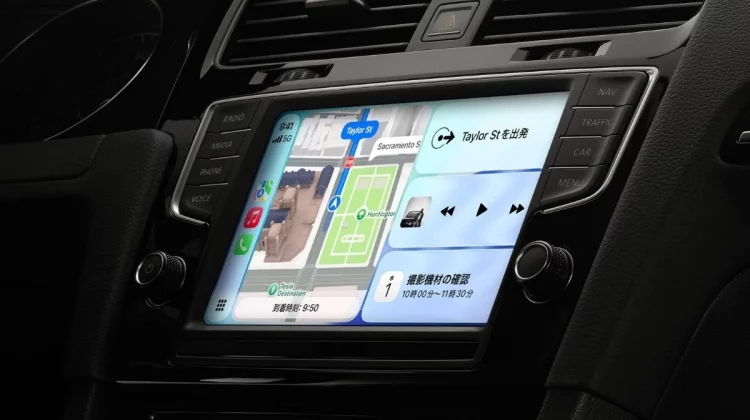
CarPlay, which handles iPhone apps on the car screen, is increasing the number of apps that allow you to have voice conversations with AI chatbots. The main focus is on three major apps: ChatGPT, Perplexity, and Grok, and currently Meta AI is also joining in a limited form. Furthermore, Siri AI, which will be updated in iOS27, is expected to be widely available, but it will be available in beta in English by the end of the year, and it is not yet clear when it will be available in Japanese.
More and more AI assistants can talk with CarPlay
CarPlay has become popular as a function to handle maps, music, and messages on the car screen, but from iOS 26.4, a new category has been added as a conversational app that interacts with AI by voice, making it possible to talk to AI in the car.
The feature is that you can ask questions without having your hands occupied while driving, and you can listen to the answers by voice. Its use is gradually expanding, such as asking for the meaning of a word you’re curious about, or solving a small question on the spot using just your voice.
3 AI chatbots you can use right now
Currently, the main AI chatbots that can have voice conversations with CarPlay are as follows.
| app | Conversation with voice | Price conditions | Features |
|---|---|---|---|
| ChatGPT | ○ | Also available for free | Compatible at the end of March / Select and resume recent conversations |
| Perplexity | ○ | Free tier available – Pro for practical use ($20/month) | Strong in web search and source display |
| Grok | ○ | Available for free (with restrictions) | Supported in voice mode/Added in May |
You can try voice communication with all three for free, but the number of times you can use Perplexity for free is limited, and if you want to continue using it, you’ll need a paid plan of about $20 a month, so ChatGPT and Grok are the two that are easiest to start without spending a lot of money.
ChatGPT was the first to respond at the end of March, allowing users to select and resume recent conversations, while Grok was designed to handle responses in voice mode.The reality is that even though they support the same voice, the situations in which they are good at and the feel of their operations are slightly different.
The lineup has changed within a few months of adapting to conversational apps.
The face of this field has changed significantly in recent months. When CarPlay first became compatible with conversational apps in iOS 26.4, the only two that could be used with voice were ChatGPT and Perplexity, and the number of apps to choose from was still limited.
Grok then joined in voice mode in May, followed by Meta AI as the fourth addition in August. However, this is in the experimental stage and can only be used with some accounts, and it is not clear whether it can be used in Japan.
In addition, Google’s Gemini and Microsoft’s Copilot can call the voice mode from a widget placed in CarPlay. On the other hand, it has been reported that Anthropic’s Claude does not work properly even after adding widgets, and the current situation is that support differs depending on the app.
How will the new Siri AI change in iOS27?
It was announced in June that Siri itself, which has been used as a voice assistant for CarPlay, will be significantly revamped to Siri AI in iOS 27, and will be able to respond with more natural verbal exchanges.
However, this updated version of Siri is expected to be available only on iPhone 15 Pro, iPhone 16 and later that support Apple Intelligence, and the first requirement is whether you have a compatible model.
As for when it will be available, Siri AI is expected to be available in English first, and then expanded to other languages. Therefore, not everyone will be able to use it as soon as iOS27 is released, and it is not yet clear when it will be possible to use it naturally in Japanese.
How to use AI safely in cars
There are some restrictions for safety when using it in a car. To avoid distracting the driver, communication with the AI is primarily voice-based. The text and images of answers to questions will not be displayed on the screen while driving.
Basically, the call is initiated by tapping the screen rather than using a unique wake word. Some apps, such as ChatGPT, have a setting that automatically starts audio when connecting, but it is safe to start by saying a few words while the car is stopped, rather than forcing it while driving.
For example, when you are driving, when your hands and eyes are often occupied, such as asking for the name of a store and approximate opening hours, AI that can be heard by voice becomes more reliable. However, it does not know your current location, traffic jams, or the route you are driving. It’s best to check the route and latest business information on the map app.
Which one you choose depends on how you will use it. If you want to try it out for free, you can choose ChatGPT or Grok, and if you want to focus on web search and displaying sources, choose Perplexity. It’s a good idea to start by choosing one that suits you and try out the voice exchanges.
Photo:Apple
Source: iPhone Mania