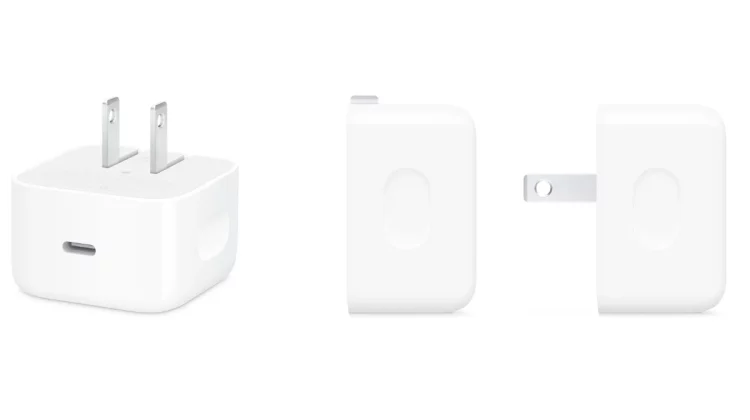
If I upgrade to iPhone 17 or iPhone Air, do I need to change the charger to 40W? According to Apple’s official website, the output required for fast charging varies depending on the model. We have organized models that can utilize 20W and models that can charge up to 50% in about 20 minutes at 40W or more. Consider whether to replace the product while comparing the price of the genuine product.
The output required for fast charging varies depending on the model.
Even if you buy a new iPhone, you don’t have to buy a new charger all at once. The wired high-speed charging conditions provided by Apple vary depending on the model.
| Model | Required power adapter | Nominal time up to 50% |
|---|---|---|
| iPhone17/iPhone17 Pro/iPhone17 Pro Max | 40W or more | Approximately 20 minutes |
| iPhone17e | 20W or more | half an hour |
| iPhone Air | 20W or more | half an hour |
For iPhone 17e and iPhone Air, Apple’s official high-speed charging condition is 20W or higher. If you have a 20W USB-C power adapter that supports USB Power Delivery (USB-PD), you can start using it right away.
On the other hand, 40W or more is required to charge iPhone17, iPhone17 Pro, and iPhone17 Pro Max up to 50% in about 20 minutes.
However, the time it takes to reach 50% when charging iPhone 17 at 20W has not been announced. The 20 minutes and 30 minutes in the table are values for each model, and do not mean that changing from 20W to 40W will save you 10 minutes.
iPhone 17e and iPhone Air can utilize 20W
People who charge their iPhone 17e or iPhone Air wired do not need to buy a new 20W charger. Even if you can take a long time to charge, such as while sleeping or at work, you can first check to see if the 20W you have will not cause any problems.
The following people are likely to continue using 20W.
- Charge at night and connect until morning
- Can be charged frequently at home or at work
- I already have a 20W charger that supports USB-PD
- There are few opportunities to charge quickly before going out.
The wired high-speed charging conditions specified by Apple for the iPhone 17e and iPhone Air are 20W or higher. Rather than switching to 40W just by looking at the output numbers, let’s check to see if there are any situations where you would have trouble using the 20W you have.
Those who want to consider 40W or higher are those who use short-time charging.
If you use iPhone 17, iPhone 17 Pro, or iPhone 17 Pro Max and often charge them in a short period of time, a battery of 40W or higher is a good option. This is because 40W or more is required to meet Apple’s condition of “up to 50% in about 20 minutes”.
For example, people who often use the following situations can take advantage of 40W.
- Charge it in the morning after you realize you forgot to charge it and before you go out.
- Use electrical outlets for short periods at stations, airports, cafes, etc.
- Shooting and playing games consume a lot of battery power, so you need to charge it during the day.
- Use the same charger for your iPad and MacBook Air
On the other hand, people who can charge at night or who don’t have to worry about battery power during the day don’t need to rush to buy a 40W battery.
The price difference between genuine 20W and 40W is 3,700 yen
As of July 21, 2026, the genuine Apple 20W USB-C power adapter costs 2,780 yen, and the 40W dynamic power adapter (supports up to 60W) costs 6,480 yen.
If you are going to buy a genuine product, the price difference between 20W and 40W is 3,700 yen. If you already have a 20W charger and want to buy a 40W one, there will be an additional cost of 6,480 yen. In both cases, charging cables are sold separately.
The 40W dynamic power adapter supports up to 60W and can also be used for MacBook Air, etc. For those who want to share a charger with devices other than iPhone, this is a point to check along with the price difference.
If you frequently use short-term charging, you can reduce the waiting time before going out by choosing 40W. If you rarely have the opportunity to charge in a short time, it’s not too late to use 20W first and buy a new one after experiencing the inconvenience.
Review the charging situations over the past week and check the necessity
If you’re not sure whether 20W or 40W is right for you, take a look back at when you usually charge for just one week. What you want to check is not the small changes in the remaining battery level, but the situations in which you have changed your plans or actions to charge the battery.
- Have you ever waited to charge your phone before going out?
- Did you need to charge your phone for a short time at a station, airport, or cafe?
- Did you have enough time to charge the battery while shooting or playing games?
- Did you have any trouble just charging from night to morning?
- Have you ever wanted to use the same charger for devices other than your iPhone?
If you find yourself repeatedly needing to charge your phone for short periods of time before going out or on the go, it becomes clear why you should consider 40W or higher. If charging overnight is sufficient, you can also choose to use 20W as is. Don’t just decide based on the output of the charger; you can look back at situations in which you actually had problems and choose the one that best suits your usage.
If charging is slow, check other things besides the wattage
If you are unable to charge the battery as expected, check not only the wattage of the power adapter, but also the following items:
- Does a third-party charger support USB-PD?
- Can the required output be obtained when using 1 port?
- Is the output not distributed when connecting multiple devices?
- Is the USB-C cable damaged?
- Is the iPhone body getting hot?
If “Slow Charging” is displayed in “Battery” in the “Settings” app, you may also want to check how to check the slow charging display on your iPhone.
Apple’s official time is a test result using a prototype device with a drained battery. Actual charging time will vary depending on settings, usage, ambient temperature, etc. When watching videos or playing games while charging, the results may not be the same as the nominal values.
First, use 20W and if the inconvenience continues, consider replacing it.
For the iPhone 17e and iPhone Air, a 20W charger that supports USB-PD meets Apple’s official high-speed charging requirements. Even with the iPhone 17, iPhone 17 Pro, and iPhone 17 Pro Max, if you can take a long time to charge, you can first check the situation with the 20W you have.
The criterion for choosing 40W or higher is whether or not you use short-term charging on a daily basis. If you continue to have trouble charging before going out or while traveling, consider upgrading to a 40W or higher. If you try 20W first, you can decide if you want to spend extra money for a shorter charging time or decide based on your usage.
Source: iPhone Mania