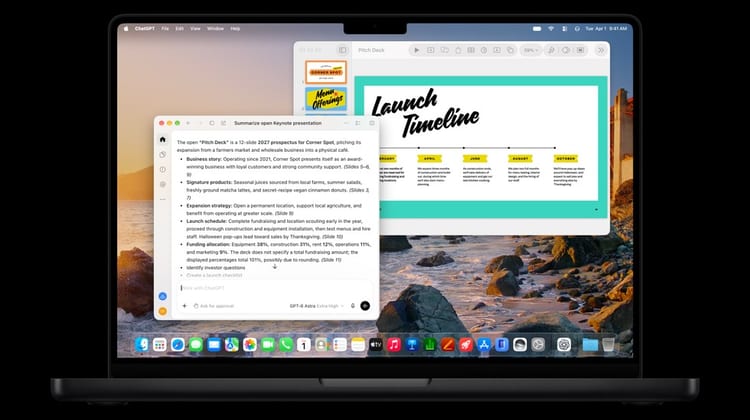
Apple's fall Creator Studio updates reached the App Store on November 18, 2026, and Pages, Keynote, and Numbers were part of the wave. 9to5Mac reported the iWork updates rolling out alongside Final Cut Pro 13.0 and Pixelmator Pro 5.0. If you subscribe to Creator Studio, the three apps now carry an Intelligent Assistant (beta): type what you want in plain language and it drafts text, builds slides or tables, or explains how to do something in the app. Here is the Mac path.
Assistant requirements: Apple silicon, macOS 27, Creator Studio
Apple's support page 127888, published November 18, 2026, lists the hard requirements. The assistants in Keynote, Pages, and Numbers need a Mac with Apple silicon running macOS 27 or later, plus an Apple Account with iCloud set up and active. Managed accounts can affect availability. The page states it plainly: "The assistant is available in U.S. English only." The assistants are powered by OpenAI and work only in regions OpenAI supports where Creator Studio is also sold. They do not integrate with personal ChatGPT and Google accounts. Note the two floors differ: Pages 16.0 installs on macOS 26 or later, but the assistant demands macOS 27. Price is the standard Creator Studio card, $12.99 a month or $129 a year after a one-month free trial ($2.99 a month for education). The three apps stay free without the subscription. The assistant does not.
Open the assistant in Pages 16.0 and send the first prompt
The click path is the same in Keynote and Numbers. Apple's Pages user guide spells it out:
- Open a document, then click the assistant control in the toolbar to open the Assistant sidebar.
- Click a suggested prompt in the sidebar, or click in the text field at the bottom and type what you want.
- To attach images or text files, click the attachment control, then Files or Photos.
- Click the send control.
First run asks you to share your age range onscreen; a parent or guardian enables the assistant for children and teens in the family group. Responses come as text, as suggestions, or as buttons that apply a change to the file. Read those buttons before clicking. When the assistant cannot do a task it points to instructions for doing it yourself.
What each assistant does in Pages, Keynote, and Numbers
Pages builds a document: outline, drafted sections, suggested structure. It researches a topic and cites sources in the conversation plus a list at the end, rewrites text, generates images and shapes, adds tables, and adjusts layout, margins, and typography. Keynote drafts slides and presenter notes and suggests theme changes, animations, and transitions. Numbers sets up tables, writes formulas, creates charts, and summarizes a table to spot trends. All three explain their own steps when you ask how. Apple previewed the wave in its October 27 Newsroom post, and our earlier look at Keynote with Creator Studio covers the slide workflow in more depth.
Turn off "Show assistant by default" and clear the chat
The sidebar opens by itself when you open or create a file. Closing it keeps it closed for that file only. To stop the auto-open in new files, go to Pages > Settings > General and deselect "Show assistant by default." The option sits low in the list, so scroll. Keynote and Numbers carry the same setting. To wipe a conversation: in the assistant, open the menu, choose Clear Chat History, then Clear.
To report a bad response: hold the pointer over it, open the menu, choose Report a Concern, type in the More Information field, and click Submit Report. A switch also shares the report with the third-party provider. Apple accepts the report only while the response is still shown.
Usage limits, and what else arrived on November 18
Assistant interactions count toward the monthly Creator Studio limit. So do image-generation and follow-up suggestions from the assistant. The limit resets each month. Check what is left under Intelligence Features > Show Usage in the app menu, where Buy More Usage and History live. Our Logic Pro usage pack walkthrough shows the purchase flow. One privacy note: your IP address is not shared with the provider, and providers may not use your content to train their models.
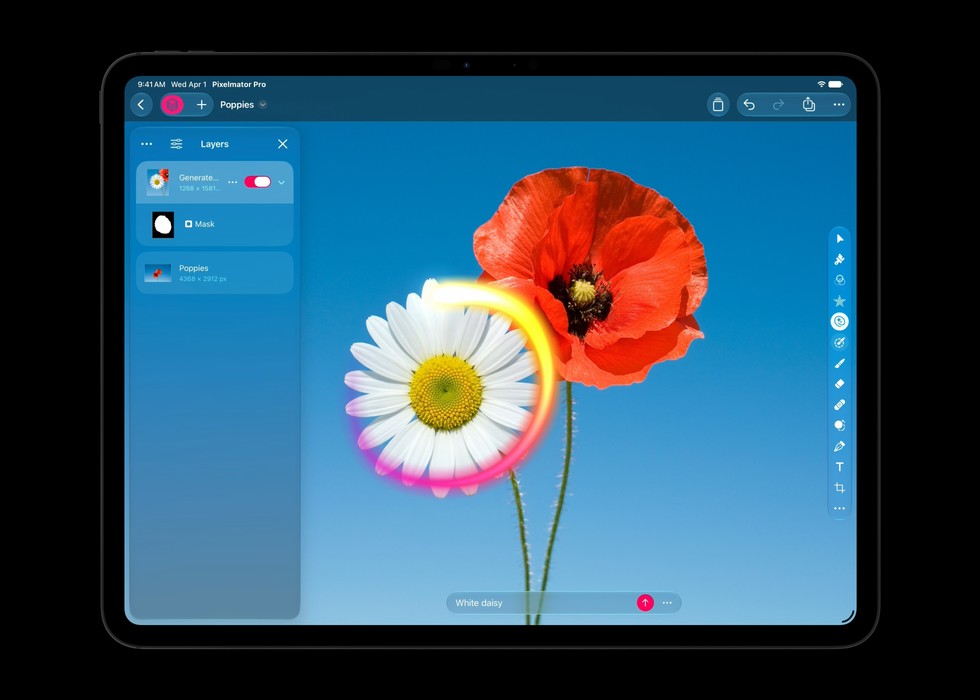
The same drop also put Generate Fill (beta) in Pixelmator Pro 5.0 and built-in MotionVFX in Final Cut Pro 13.0 for Creator Studio subscribers. Different apps, different click paths. For outside automation, Pages > Settings > General has "Allow external assistants to connect to Pages" (beta, macOS 27 or later). Apple warns an external agent gets full access to your open documents, so only allow agents you trust.
Photo: Apple. Source: Apple Support 127888, Apple Pages User Guide, 9to5Mac.