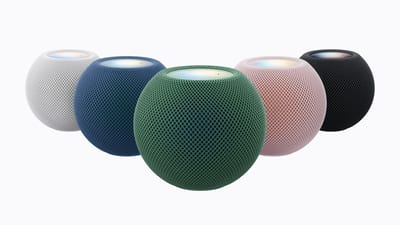
Apple released HomeView Software 27.2.1 on Wednesday, November 18, 2026. The build is 24V553. Five days after the HomeView launch, this is the first software update for the device. The About Apple HomeView software updates page picked up a new top section the same day. The fix list is short. Three items, and all three involve Siri.
What HomeView Software 27.2.1 fixes
Apple writes that the update provides important bug fixes and names the issues. Setting up a Shared Album on the Photos face may stop the device from downloading support for Siri, which leaves Siri unavailable. Pairing HomeView with an iPhone or iPad running the iOS or iPadOS 27.3 beta may cause Siri requests to fail. Connecting another home hub device may unexpectedly remove HomeView from your home.
The first item lines up with one of the loudest launch-week complaints. New owners reported the device would not finish downloading Siri, and we covered Apple's setup and restart checks for HomeView Siri problems before this update existed. Reviewers hit Siri trouble too. Joanna Stern found the HomeView version of Siri could not unlock doors by voice after authenticating, as our review roundup of HomeView Siri basics noted.

HomeView 27.2.1 has no published CVE entries
Apple's security releases page added a row for HomeView Software Version 27.2.1, dated 18 Nov 2026, available for Apple HomeView. The row carries one sentence: "This update has no published CVE entries." There is no separate security advisory page for 27.2.1. The previous update is a different story. HomeView Software 27.2 shipped on November 12 with its own security advisory, and our earlier story has the HomeView 27.2 security fix list in full. If you were waiting on a security patch from 27.2.1, there is none here.
What Apple has not said
The notes stop at those three items. Early HomeView owners also reported failures with alarms, timers, and music commands, plus slow Siri responses. Apple's list does not mention any of that. MacRumors, in its follow-up report, points out the same gap. The Siri fixes may help with some of those problems. Apple does not say they are fixed. Treat alarm, timer, and music complaints as open until Apple or testing says otherwise.
How to install HomeView Software 27.2.1
HomeView installs software updates automatically, so most units should update on their own. Keep the device plugged in and connected until it finishes. For a manual check, open the Home app on a paired iPhone or iPad running iOS 27.2 or iPadOS 27.2 or later. Tap the More button, then Home Settings, then Software Update. On the HomeView itself, the path is Settings > System > Software Update. Apple's Update Apple HomeView page has the full steps. Note where the 27.3 beta fix sits. It is a HomeView update, not a new iPhone or iPad beta build.
Smaller same-day updates: Siri Remote firmware and Safari Technology Preview 257
Two minor updates landed around the same time. The new Siri Remote for Apple TV 4K, hardware A3592, moved to firmware 0001.0061.0000.0000 from 0001.0057.0000.0000. That version comes from AppleDB via MacRumors and 9to5Mac. Apple published no release notes for it. There is no manual install. Keep the remote charged and near the Apple TV, and read the version in tvOS Settings > Remotes and Devices > Remote. Separately, Safari Technology Preview 257 shipped for macOS Golden Gate and macOS Tahoe, per the WebKit blog. It is a browser preview. It is not a new macOS release.
Photo: Apple. Sources: Apple Support 127196, 100100, 149085; MacRumors; 9to5Mac; WebKit.