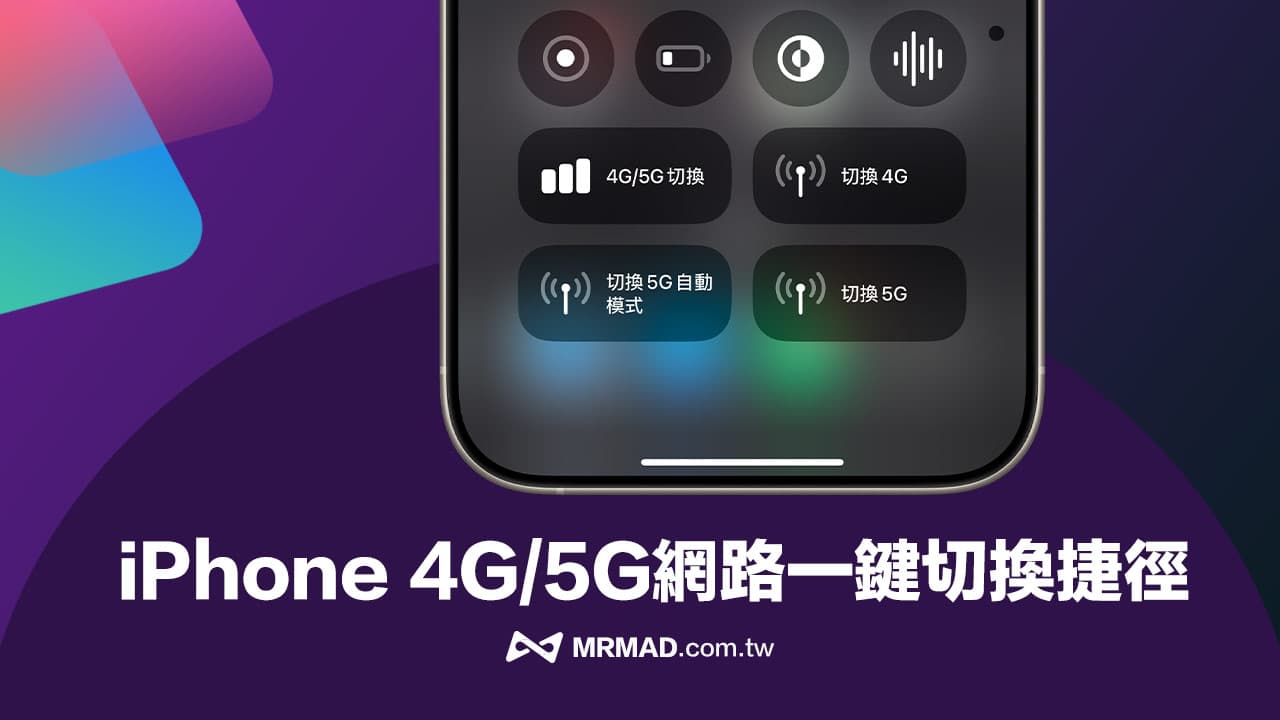
Do you often encounter iPhone mobile networks that want to switch between 4G or 5G networks, but don’t want to turn on 5G networks at any time to avoid power consumption too quickly? In some places, the signal is bad and you want to cut into 4G networks to save power? This article will share the shortcut script for iPhone 4G/5G switching, which can help you get rid of the troubles of mobile networks. You can also switch 4G or 5G network modes as you wish through iOS control center!
Practical Tips for Shortcut Switching Scripts for iPhone 4G5G
If you feel that every time you want to set a 4G mobile network or 5G mobile network, you must enter the settings to modify it, you can now directly use the iPhone shortcut to achieve one-click switching of 4G/5G network. This time, the mobile network shortcuts created and shared by Mr. Crazy this time are divided into four types. They can enable 4G network, 5G network or 5G automatic mode in one click. Each success will be vibrated and notified.
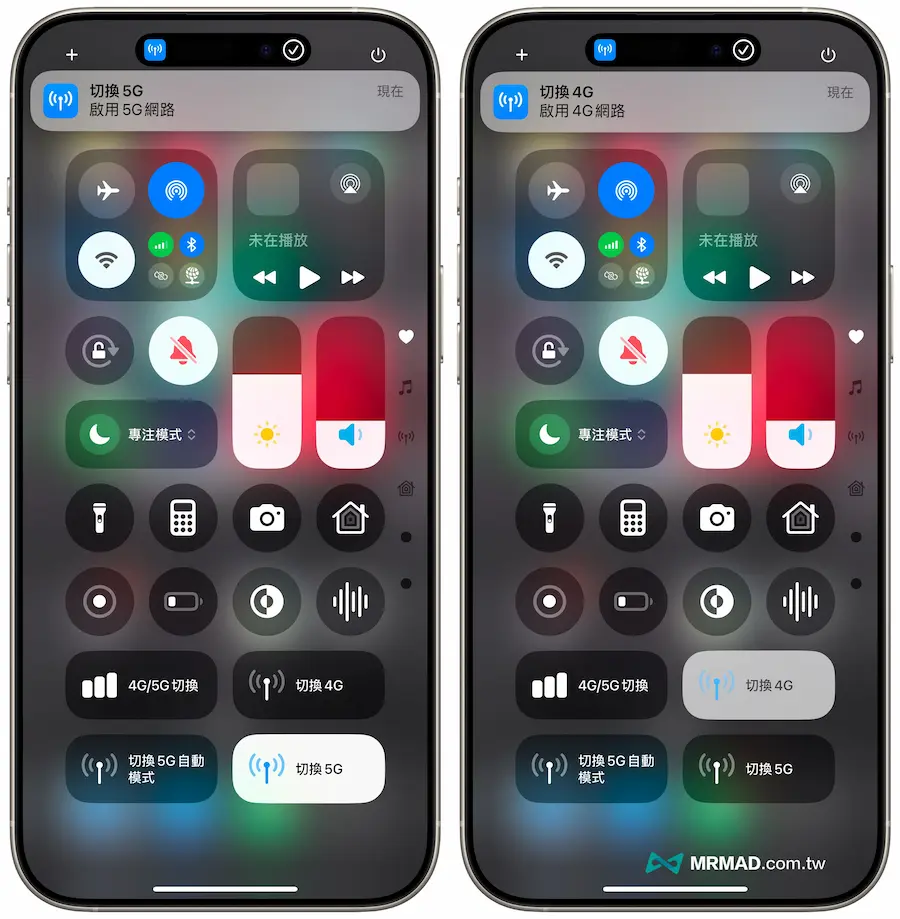
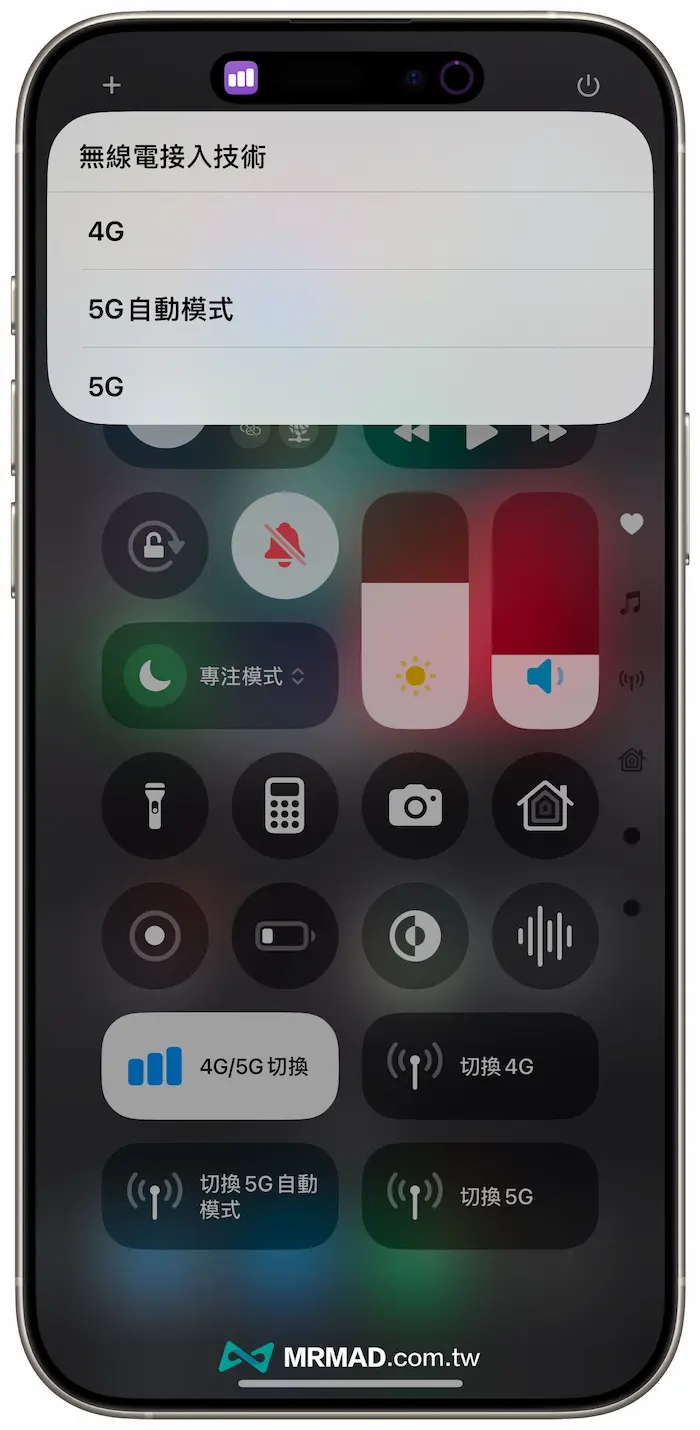
Another type is that you can use iPhone shortcuts to automatically select the mobile network you want to connect to, and can customize the switch between 5G, 4G or 5G automatic modes. You can directly place the shortcut in the control center to quickly change the iPhone network. I will share it later to tell you how to operate it.
iPhone 4G/5G shortcut switch script download
First, through the built-in Safari browser on iPhone, download the 4G/5G script download link below, and then press the “Add Shortcut” button to download and add the shortcut script to the shortcut library. If the iPhone does not have “Shortcut App” installed, you must first download it through the App Store (Click me to download the shortcut app).
⛔️ If you download the iOS shortcut script, “This shortcut cannot be opened because your shortcut security settings do not allow untrusted shortcuts”, you can use “Another method to solve (click me)”; if the shortcut opens the download page and jumps out of the “Unable to connect to the shortcut database”, click the Reorganize button below and display it normally.
Shortcut script download (download according to your preference):
iOS 4G/5G shortcut switch script modification settings
After downloading the iPhone mobile network switching shortcut, adjust the shortcut script to work normally. First click on the “Three Dots” pattern in the upper right corner of the 4G/5G shortcut.
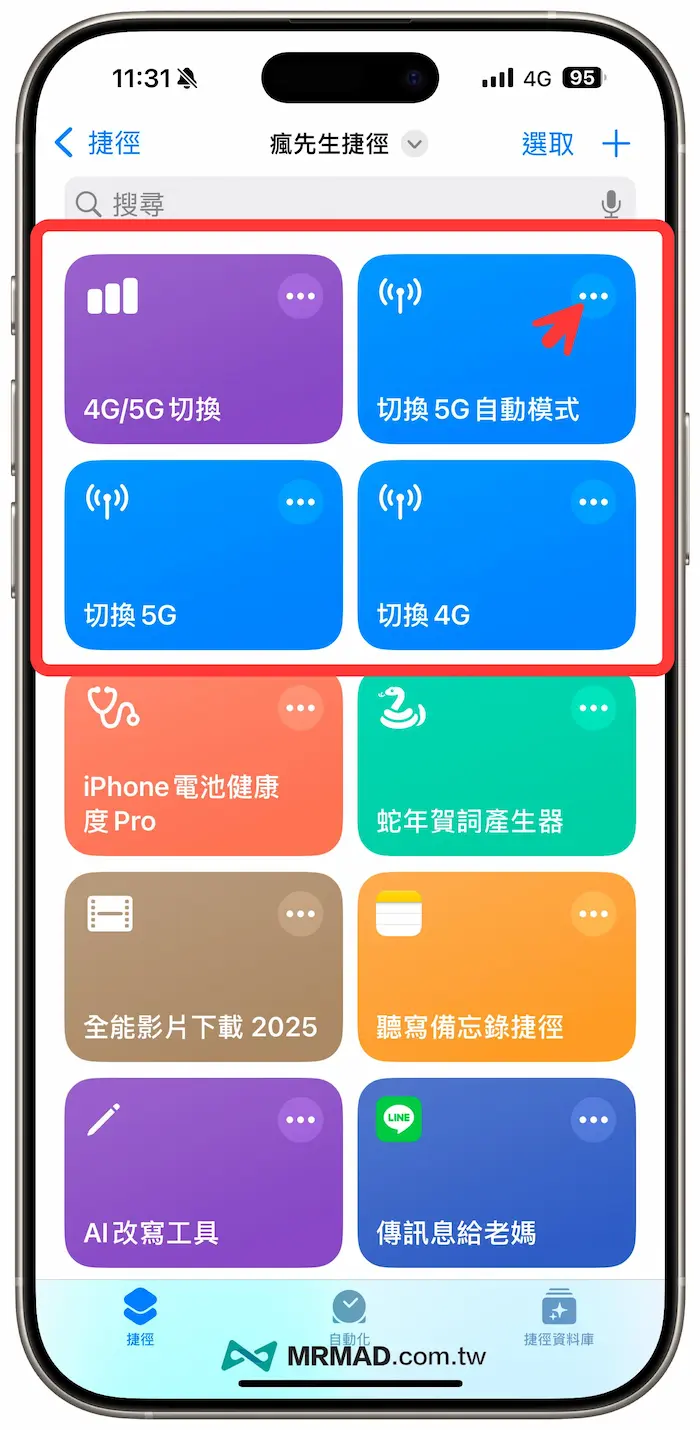
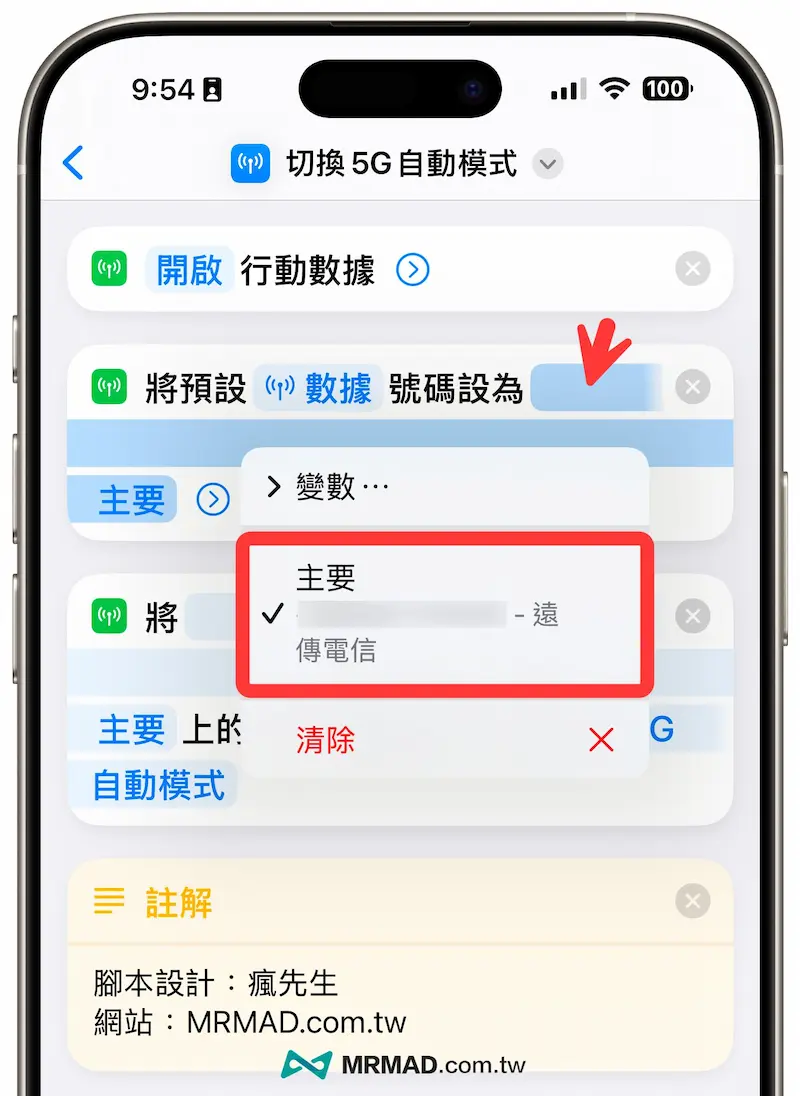
Find the command “Set the preset data number to…”, click the main line on the bottom of the blue strip, and change it to your own “Main (Telecommunication Gate Number)”. After completing the modification, you can click the upper left corner at the end and return to the previous page to save.
iPhone Control Center adds 4G/5G switching shortcut function method
In order to facilitate the quick and one-click switching of 4G/5G mobile network in the future, it is recommended that it will be easier to put it in the iPhone control center. As for the 4G/5G switching function, the method of adding the control center is as follows:
1. Set the control center
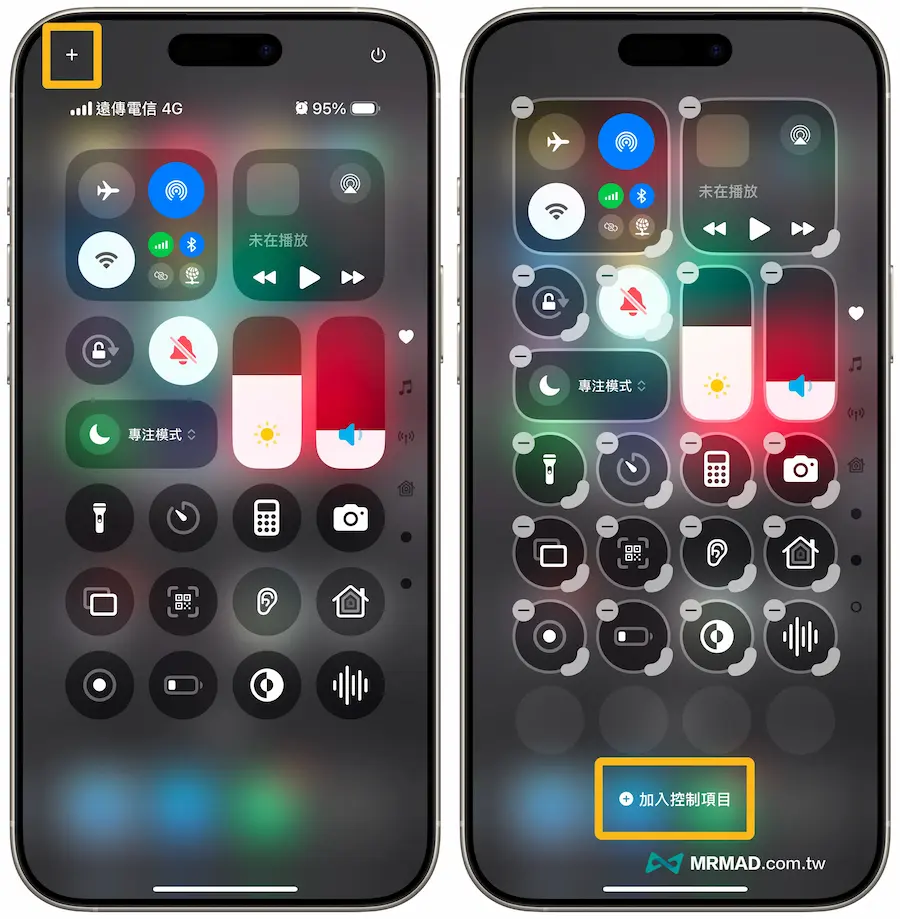
First, pull down the upper right corner of the iPhone to call the Control Center, and click the “+” button in the upper left corner, and select “Add Control Item” at the bottom.
2. Add 4G5G shortcut script
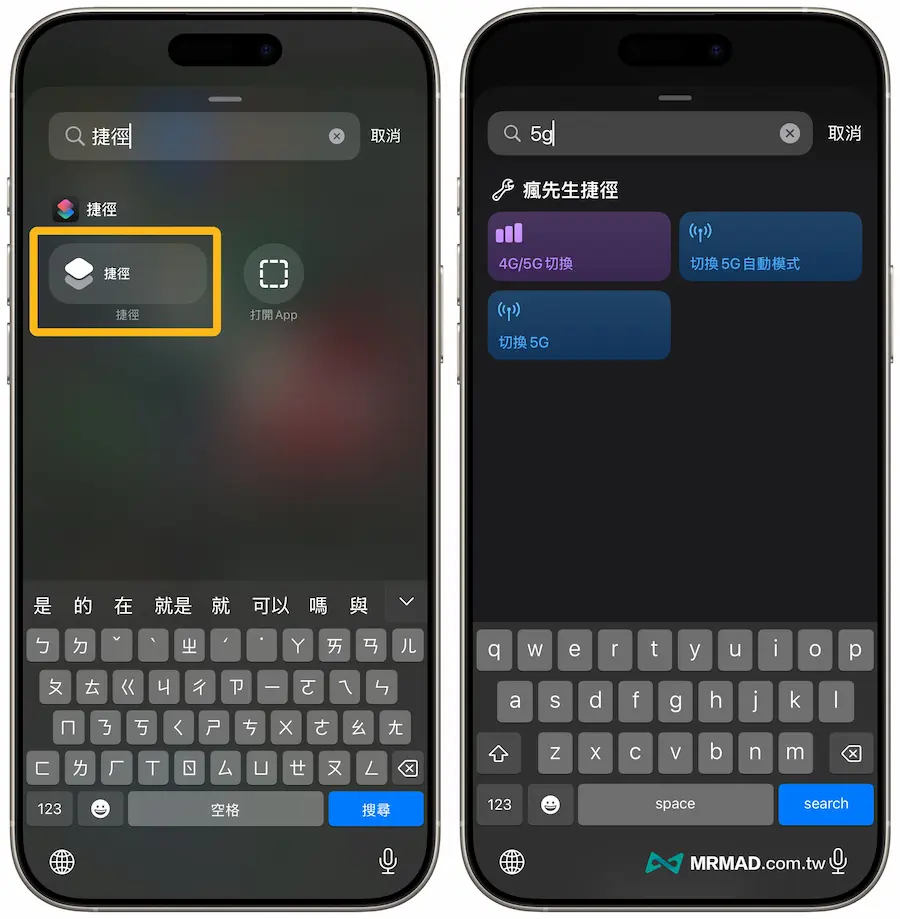
After finding the “shortcut” directly from the search field of the iPhone Control Center, click the same script to search for the 4G/5g switch shortcut script to join.
Independent functions can be added to switch 4G and 5G network buttons, and the desired 4G/5G mobile network can be switched through the iPhone control center.
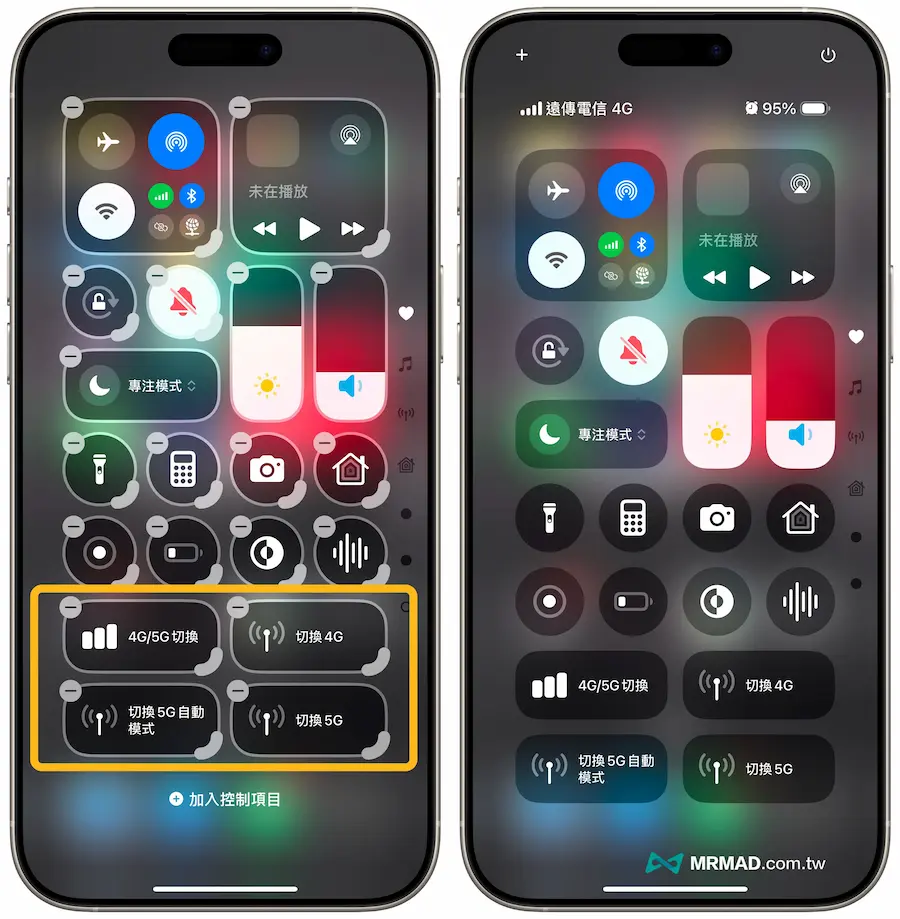
In fact, the effect of quickly switching 4G/5G networks through the iPhone control center is as follows, and it can quickly switch different mobile network modes with one click.
The iPhone 4G/5G network switching shortcut script that most people want is here!
Can be integrated into the control center, allowing you to easily switch 4G or 5G mobile networks with one clickhttps://t.co/QrogoW1K7m pic.twitter.com/XjC5pGWfiz— Mr. Crazy (@MrMadtw) March 3, 2025
Summarize
Through the four 4G/5G network switching shortcut scripts shared above, everyone can easily control the 4G/5G mobile network switching of iPhone with one click. Whether you are pursuing the ultimate 5G network speed or want to change to 4G network power saving, you can use the control center to quickly switch with one click.
More practical tips to share: