Whenever Shazam iPhone recognizes music, it can only be played through Apple Music. If you want to transfer Shazam recognition to other music streaming platforms with one click, it seems that you have to click Share to operate, and it is quite complicated.
This article will introduce a Shazam shortcut that can automatically transfer recognized music to Spotify, YouTube Music, YouTube, TIDAL or other music platforms. Without tedious steps, the shortcut script can be used to convert Shazam to other music with one click. platform, it will not be limited to only opening it with Apple Music.
The main functions and features of Shazam shortcuts
Shazam shortcut is a script tool written and developed by netizens, which can automatically transfer the music recognized by Shazam to the designated music streaming platform. Currently, this Shazam shortcut can support multiple music streaming or video platforms such as Spotify, YouTube Music, Apple Music, Amazon Music, Deezer, Tidal, SoundCloud, and Pandora.
Shazam Shortcut Features
- Supports iOS 15 or above, including the latest iOS 17.
- You can customize the most commonly used music platforms to enable Shazam to identify songs.
- Free, safe, easy to use.
- Supports multiple music streaming platforms and custom transfer platforms.
- The conversion efficiency is faster than the original Shazam App.
- Supports Hey Siri voice recognition and desktop gadget functions.
- Ability to automatically add songs to the Shazam library in iOS 17.
- An evolved version of the two shortcuts Shazam++ and Auto Shazam.
Shazam shortcut supports music platforms
- Spotify
- Apple Music
- iTunes
- Youtube
- YouTube Music
- Pandora
- TIDAL
- Amazon Music
- Amazon Store
- Anghami
- Boomplay
- Deezer
- Napster
- SoundCloud
- Audiomack
- Audience
- Yandex
- Spinrilla
- Song.Link
- Shazam
iPhone Shazam shortcut script download
Download the “Shazam Quick Transfer” shortcut script through the iPhone’s built-in Safari browser (connected at the back), directly click the “Set Shortcut” button, and select “Skip Settings” to download and add the script to the iPhone in the shortcut database; if the iPhone has not installed the “Shortcut App”, you must first download it separately through the App Store (Click here to download Shortcut App).
- Author: ZXXII
- Update: 2024/5/24
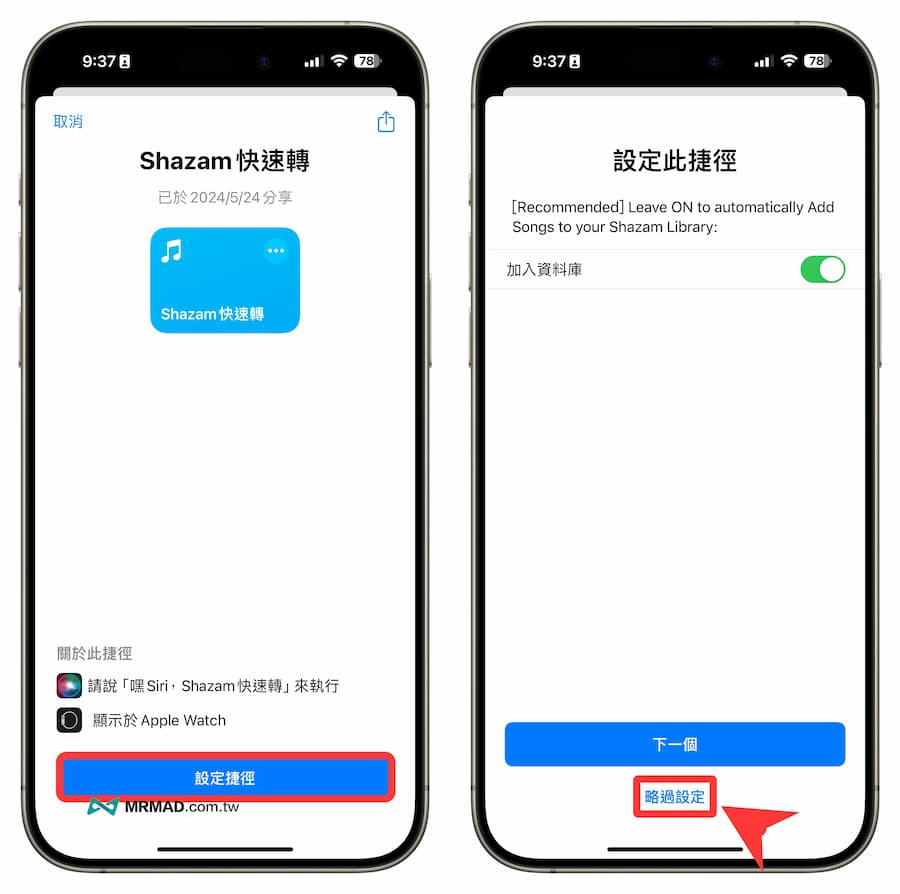
⛔️ If the “This shortcut cannot be opened because your shortcut security settings do not allow untrusted shortcuts” situation appears when downloading the iOS shortcut script, you can solve it through “Another method (click me)”; if the shortcut is open The download page pops up with “Unable to connect to the shortcut database”. Click the refresh button below and it will display normally.
Shortcut script download👉 Shazam quick shortcut script
How to use Shazam shortcut to quickly switch to other music platforms?
1. Create a Shazam shortcut on your desktop
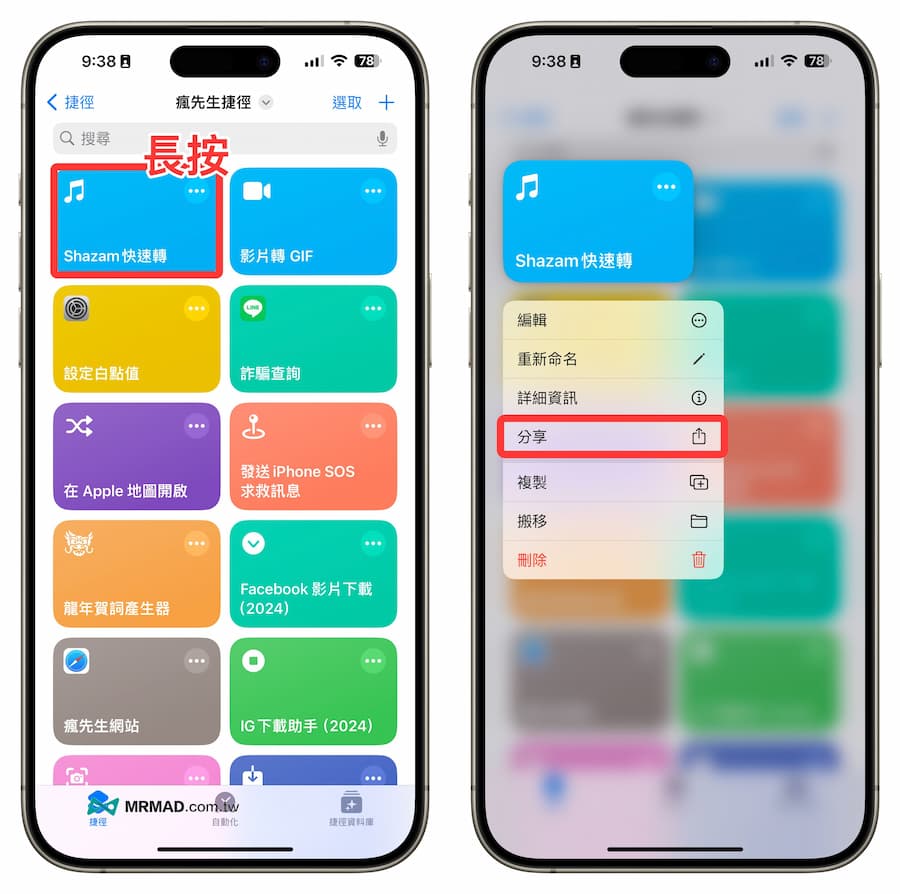
In order to start Shazam to identify music and switch to other audio and video platforms with one click, you can first place the shortcut script on the desktop. After directly opening the “Shortcut App”, long press the “Shazam Quick Transfer” shortcut script and select “Share”.
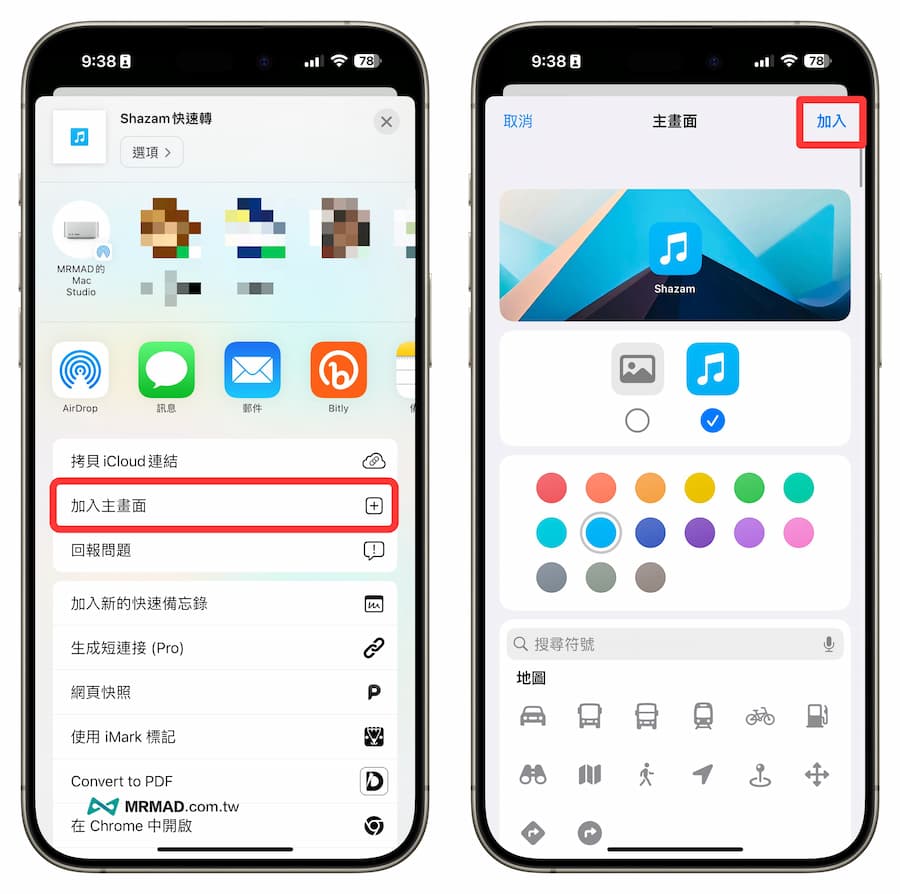
Click “Add to Home Screen” from the share menu and click “Add” directly in the upper right corner to place the Shazam shortcut script on the desktop and it will look like the Shazam App.
2. Execute Shazam music recognition script
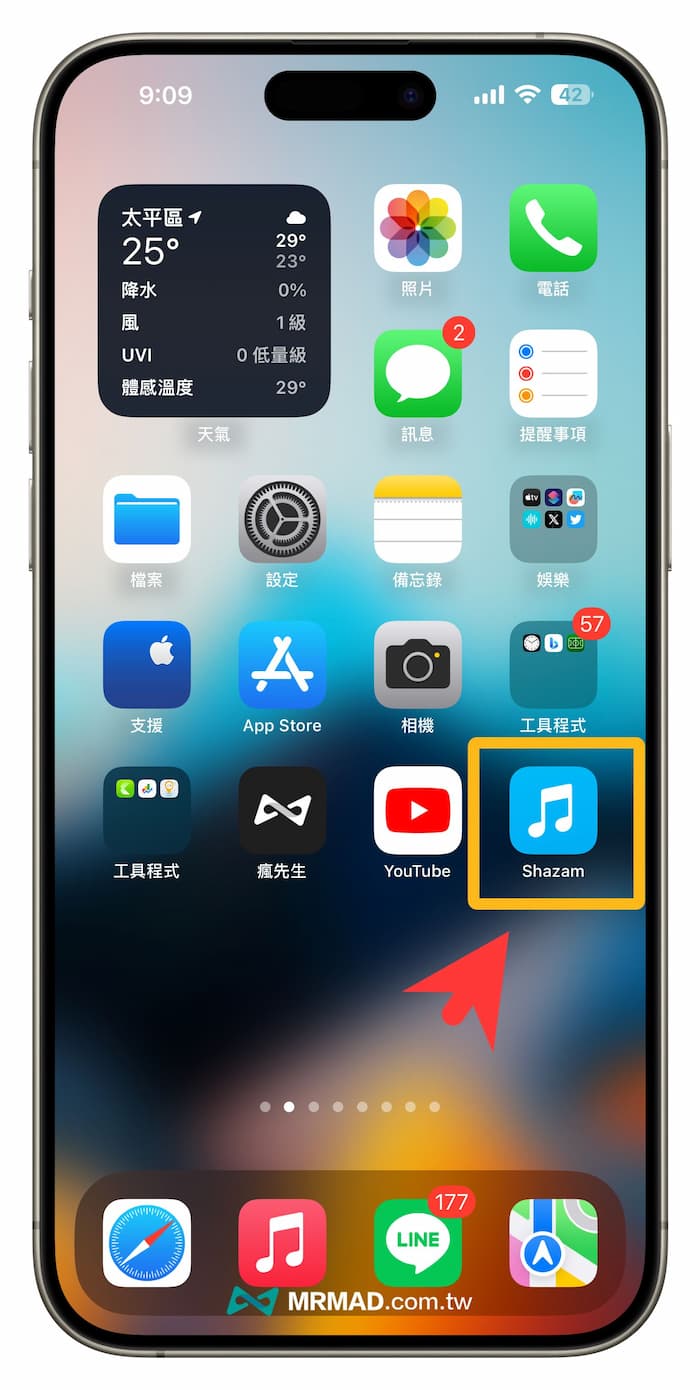
If you later want to use Shazam to identify music songs, you only need to click on the Shazam App on the desktop to execute the shortcut script with one click.
3. Select the music platform you want to switch to
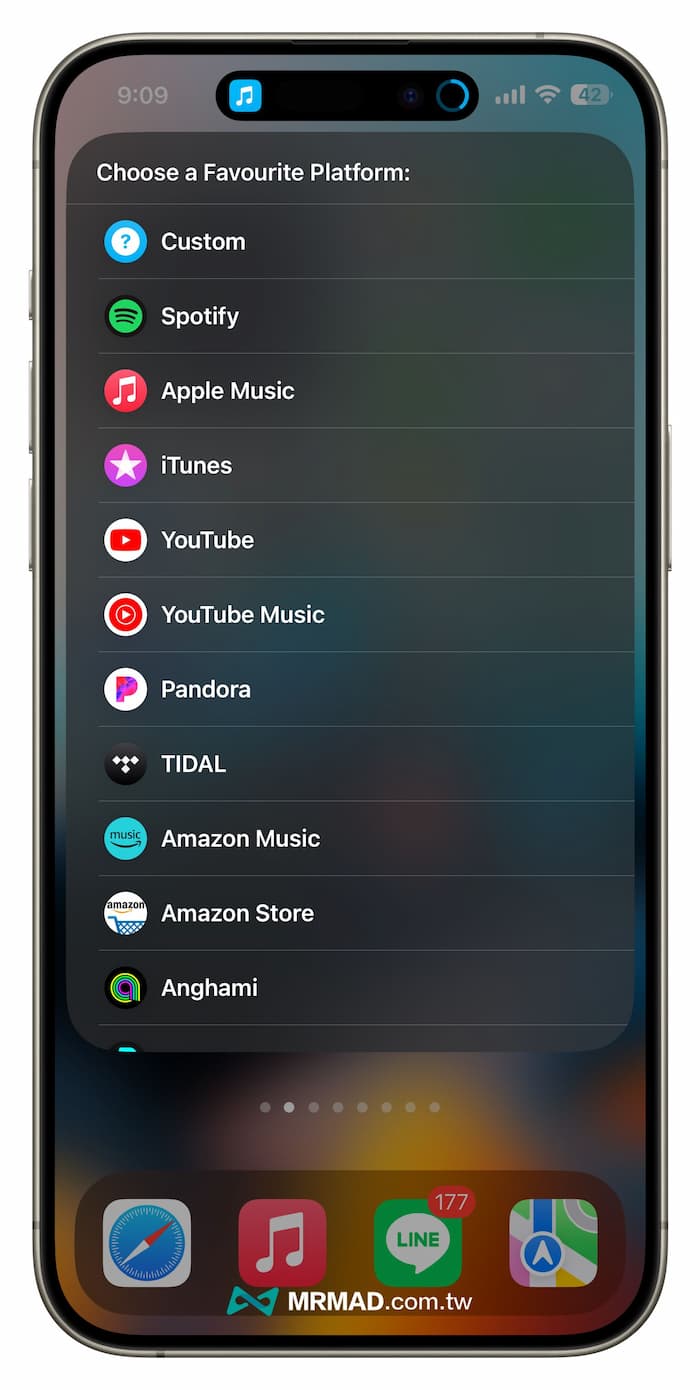
The first time you use it, you will choose which music streaming platform you want to open through Shazam recognition. You can choose your most commonly used Spotify, YouTube Music, YouTube, Apple Music, TIDAL, Amazon Music or other platforms. This article will convert YouTube Music is an example.
[Reminder]After selecting, the shortcut script will be automatically memorized. In the future, Shazam music recognition will be enabled on that platform, so there is no need to click repeatedly.
4. The phone starts listening to the recognized music
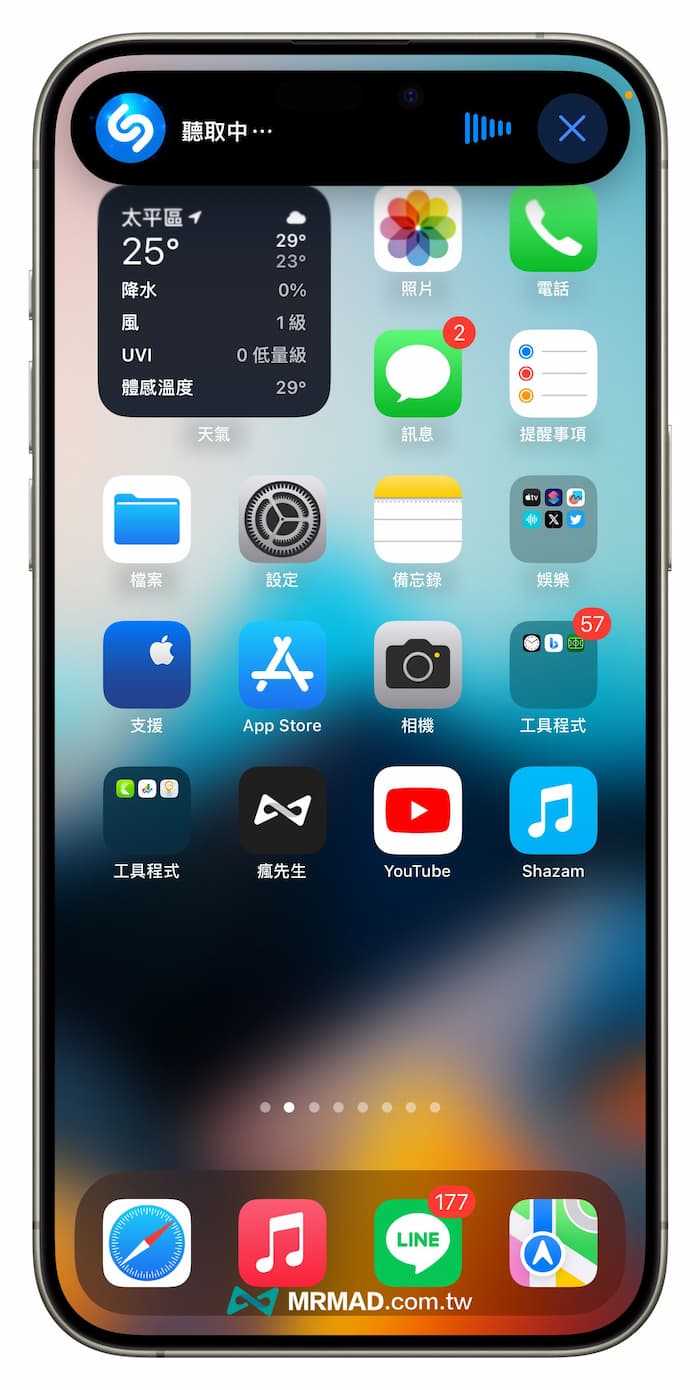
Next, the Shazam listening state will pop up at the top. Just bring your iPhone close to the music listening environment you want to identify.
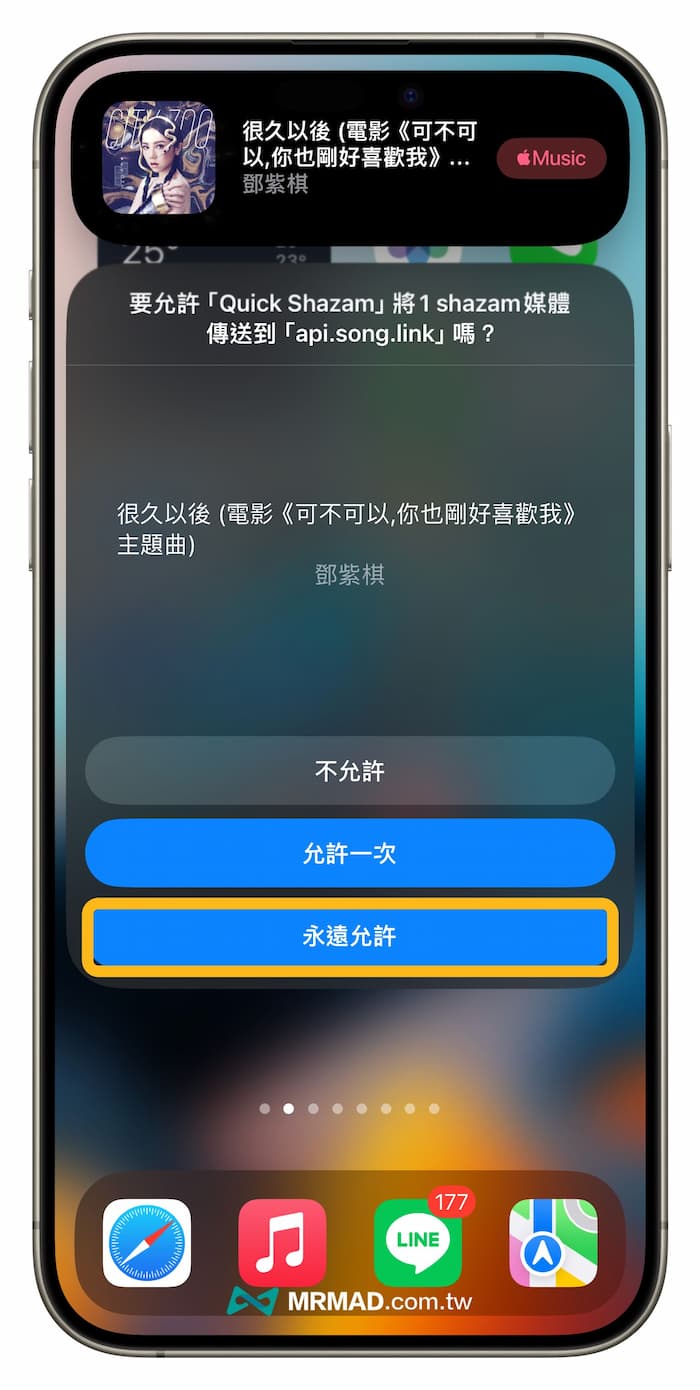
The name of the currently playing music album will be automatically recognized immediately. Since the security of shortcuts is relatively cautious, a warning will pop up as long as there is an external connection. Of course, this “Shazam Quick Transfer” shortcut script is very safe. If you see a prompt that requires permission, click “Always Allow”.
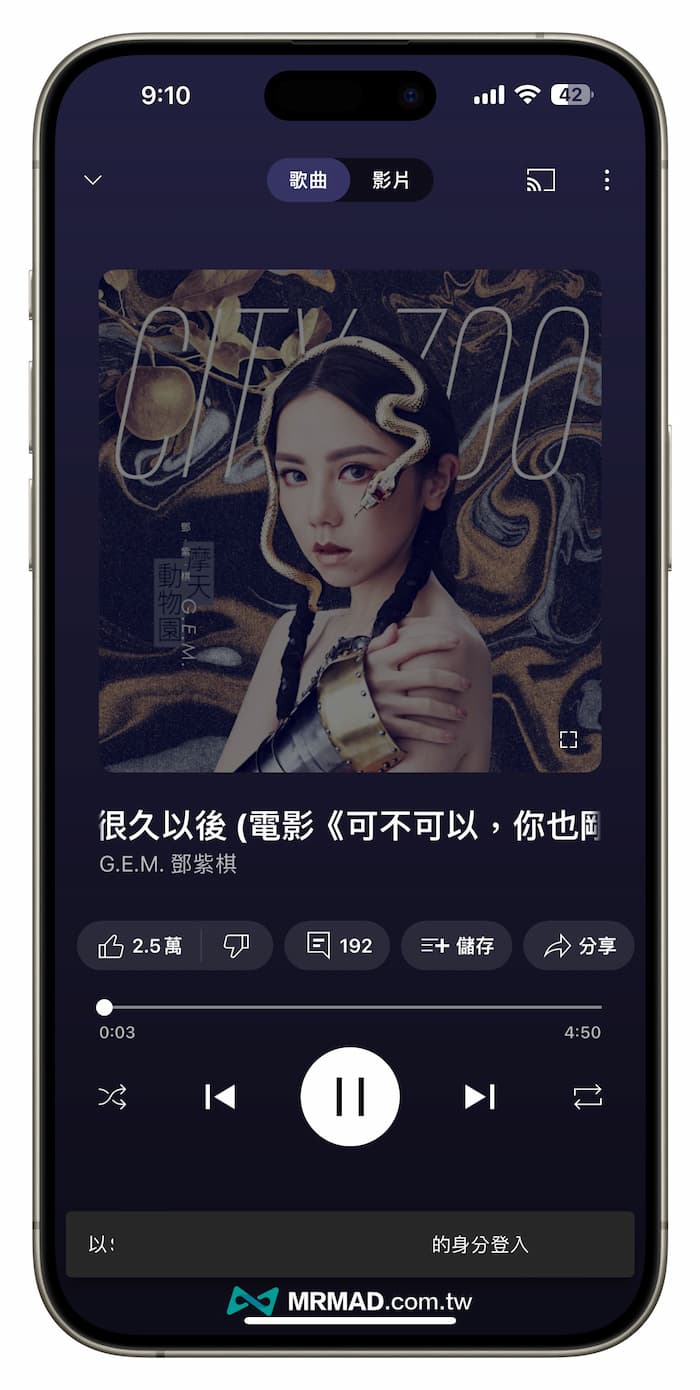
You can use the Shazam shortcut script to quickly open the recognized music directly through the YouTube Music platform. Of course, if you choose to convert Shazam to Spotify, the shortcut will also directly open the same music album using the Spoitfy App.
How to modify the Shazam shortcut to open the music streaming platform?
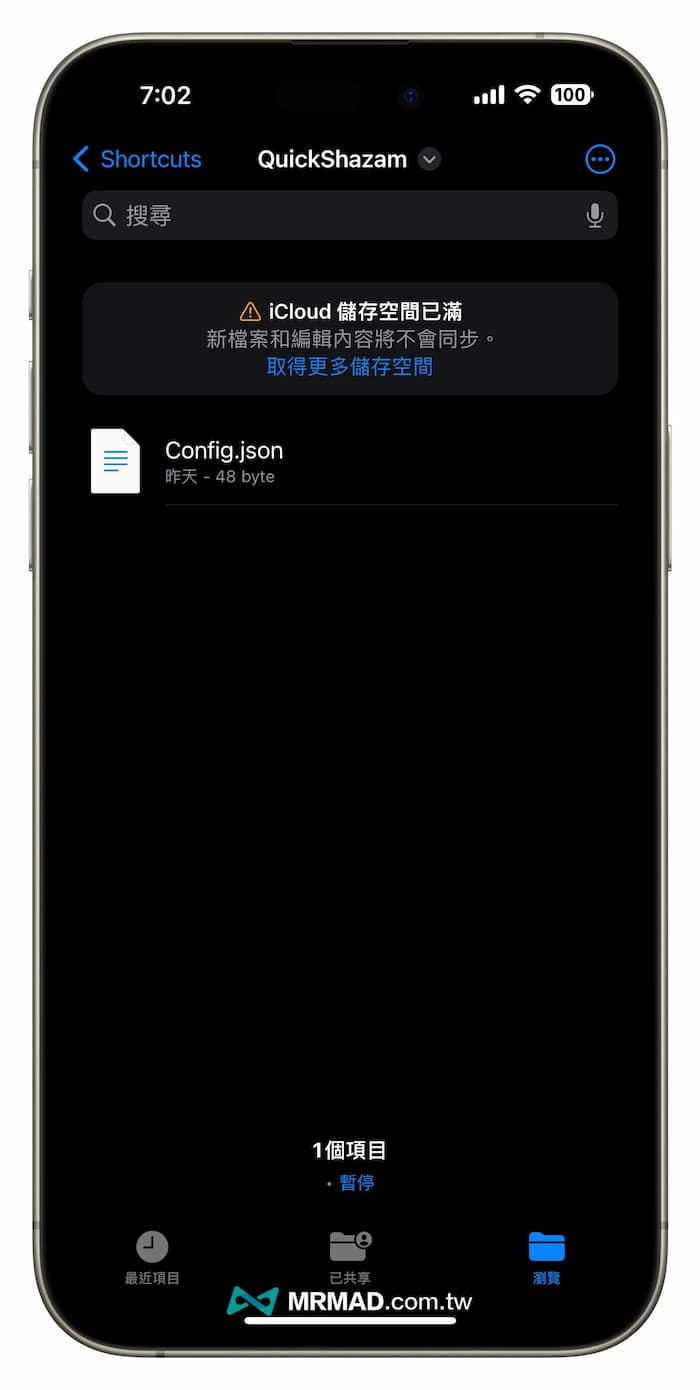
If you accidentally select the wrong one or want to modify the Shazam shortcut to open the converted music streaming platform, you can open the “File App”, enter the “/Shortcuts/QickShazam” folder from “iCloud Drive”, and directly delete the Config.json file , execute the Shazam shortcut script again to reselect.
Function summary
The Shazam shortcut “Shazam Quick Transfer” is a very practical tool that can help Shazam users easily transfer the recognized music to other music streaming platforms. If you are a heavy user of Shazam and often need to transfer the recognized music to other platforms, then this shortcut is worth a try.
More practical tips recommended: