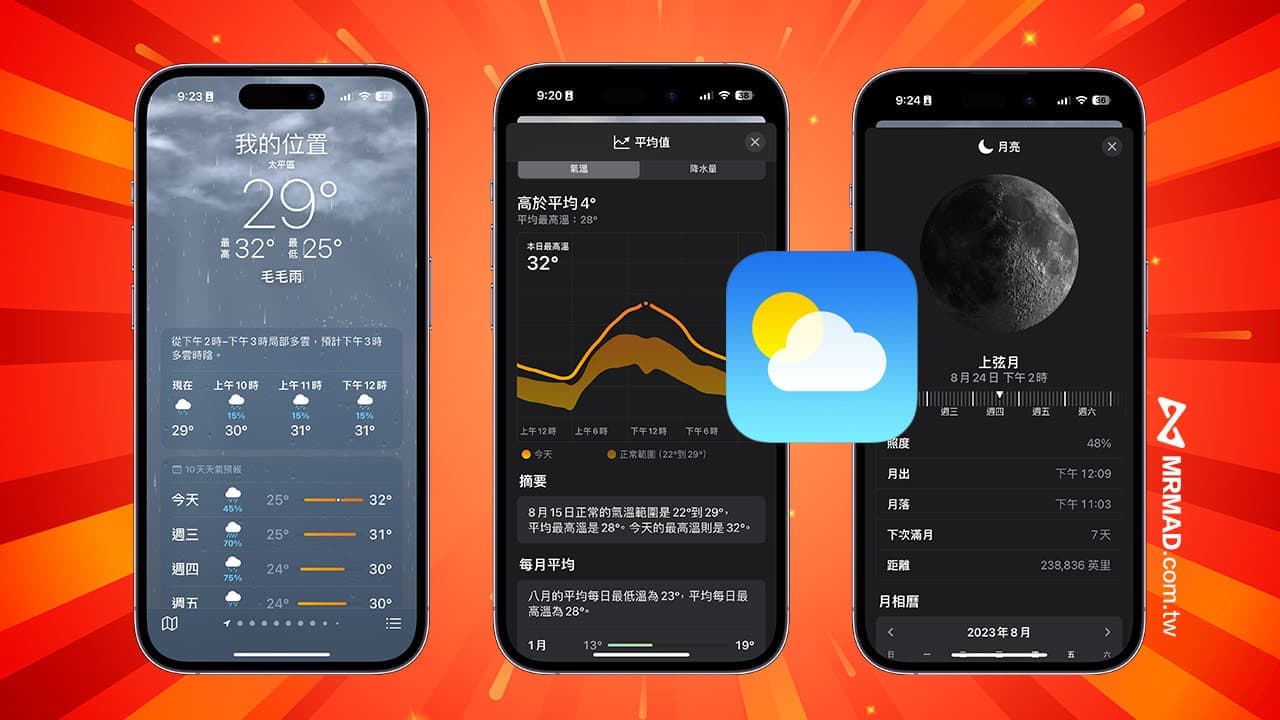
Apple’s built-in “Weather App” for iOS 17 has once again ushered in major updates and adjustments. At the same time, it has also added a lot of useful weather functions and weather information. If you want to know the new features of the latest iPhone Weather App, you can get a comprehensive understanding through this article .
iOS 17 weather vs. iOS 16 weather interface difference comparison
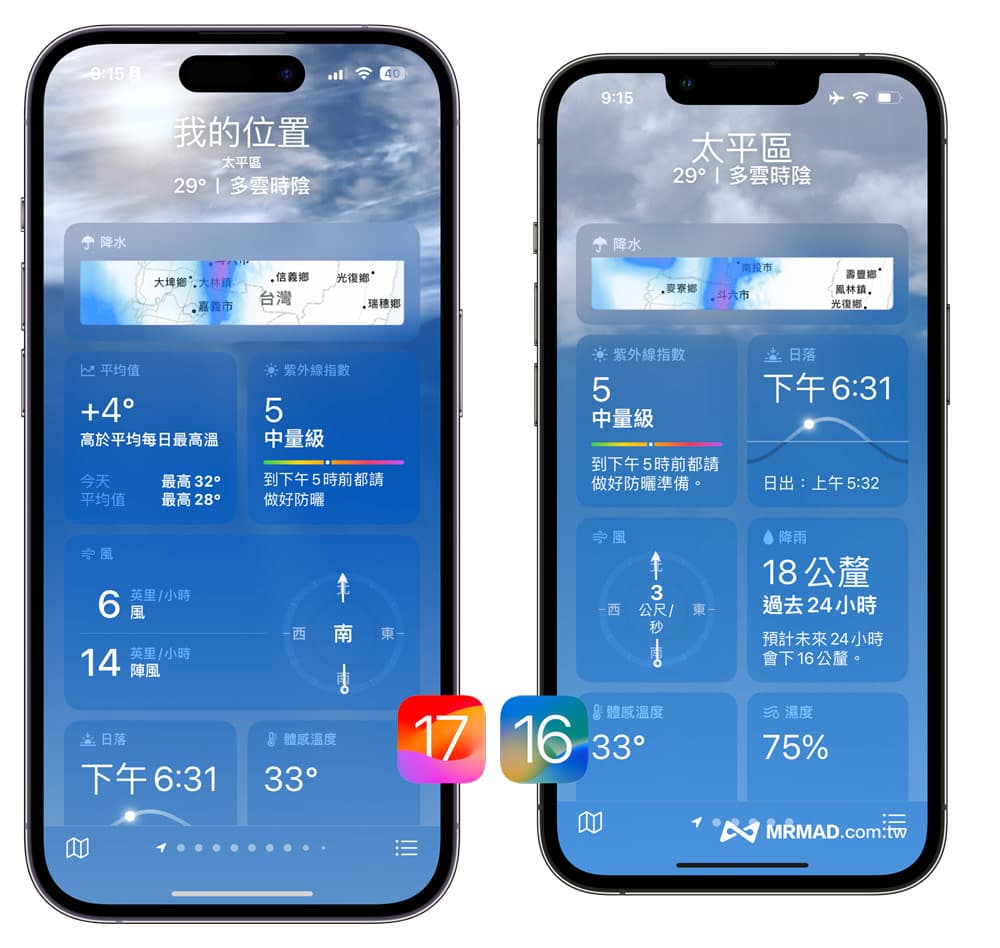
After upgrading your iPhone to iOS 17, you can clearly feel the difference in interface design when you open the weather app. The interface comparison between iOS 17 weather app and iOS 16 weather app will show you the difference:
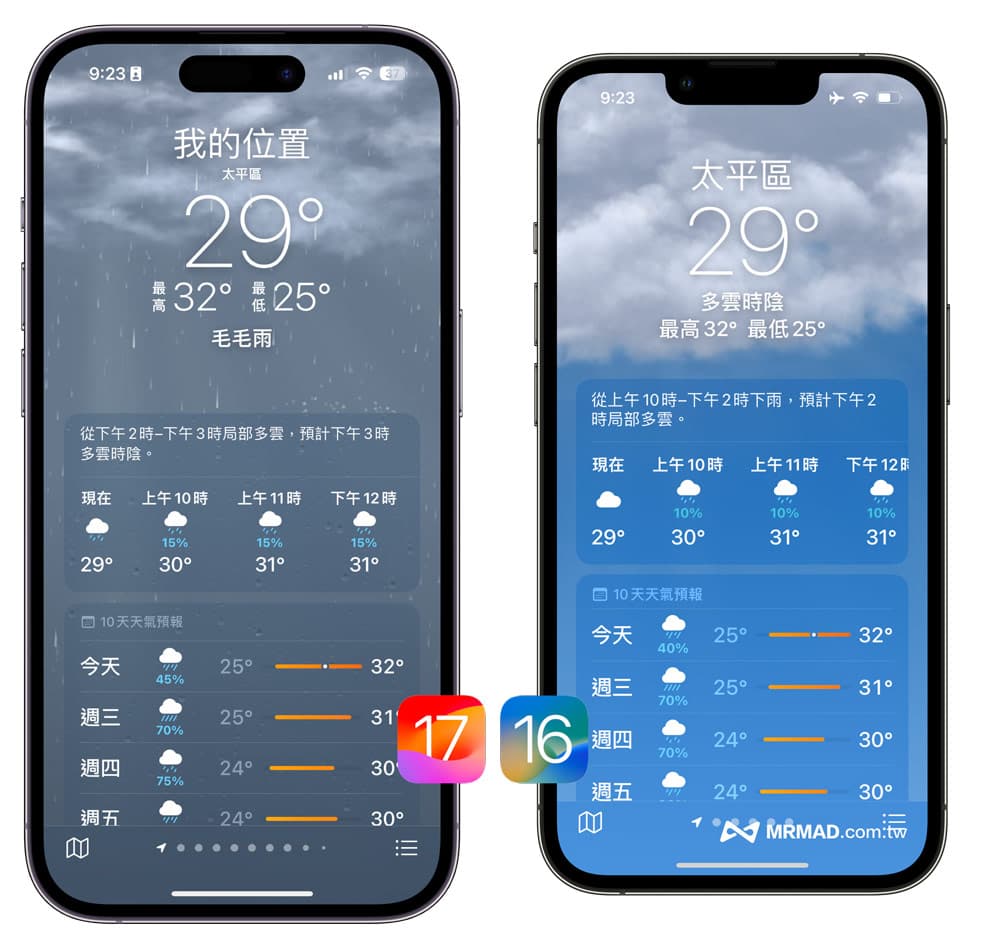
The positioning and weather information at the top of the iOS 17 Weather App have changed significantly, adding my location text, shrinking county and city names, adjusting the current day’s high and low temperature, and real-time temperature information. In addition, the iOS 17 weather animation also has new adjustments. For example, when it is cloudy and overcast, you will see the sun in the clouds, but the iOS 16 weather only shows the clouds.
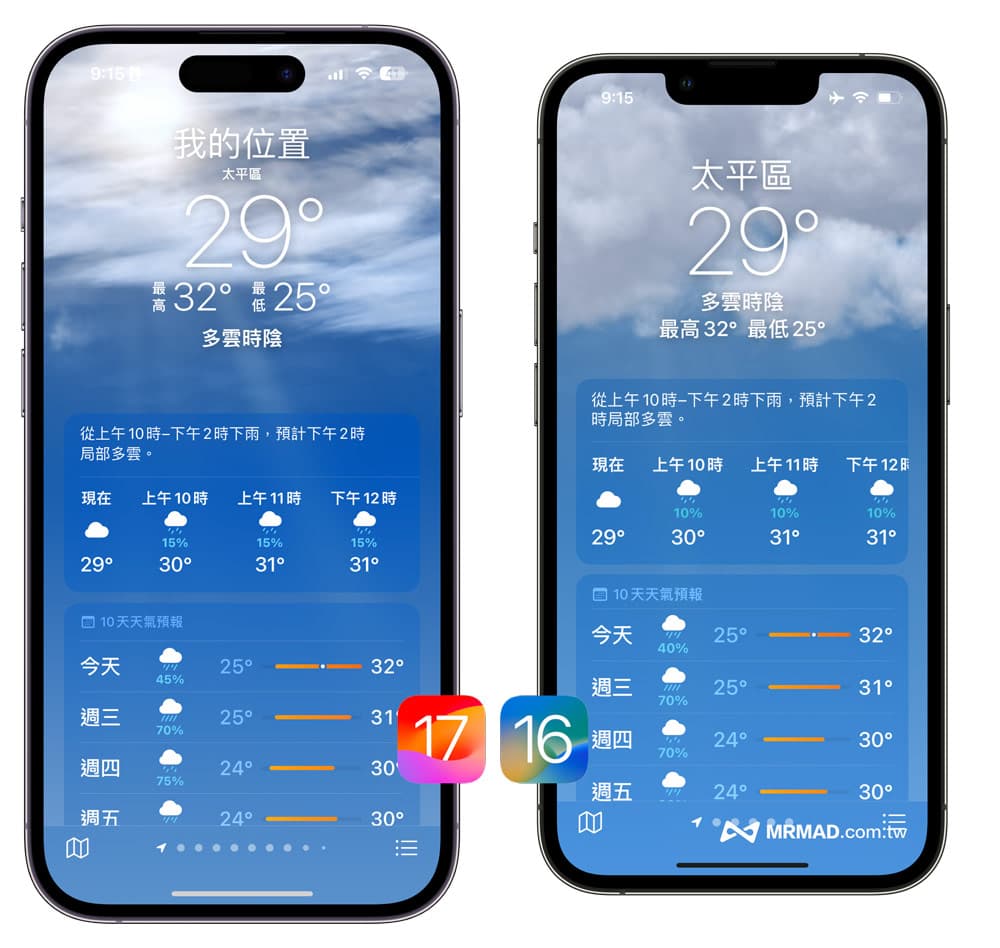
From the comparison chart, it can be found that the real-time weather information block layout of the iOS 16 and iOS 17 weather apps has a new design adjustment, the average value and rainfall are integrated in the same block, and the wind speed information is changed to a long strip. The presentation of information is clearer, and the oppressive feeling of fonts is also reduced a lot.
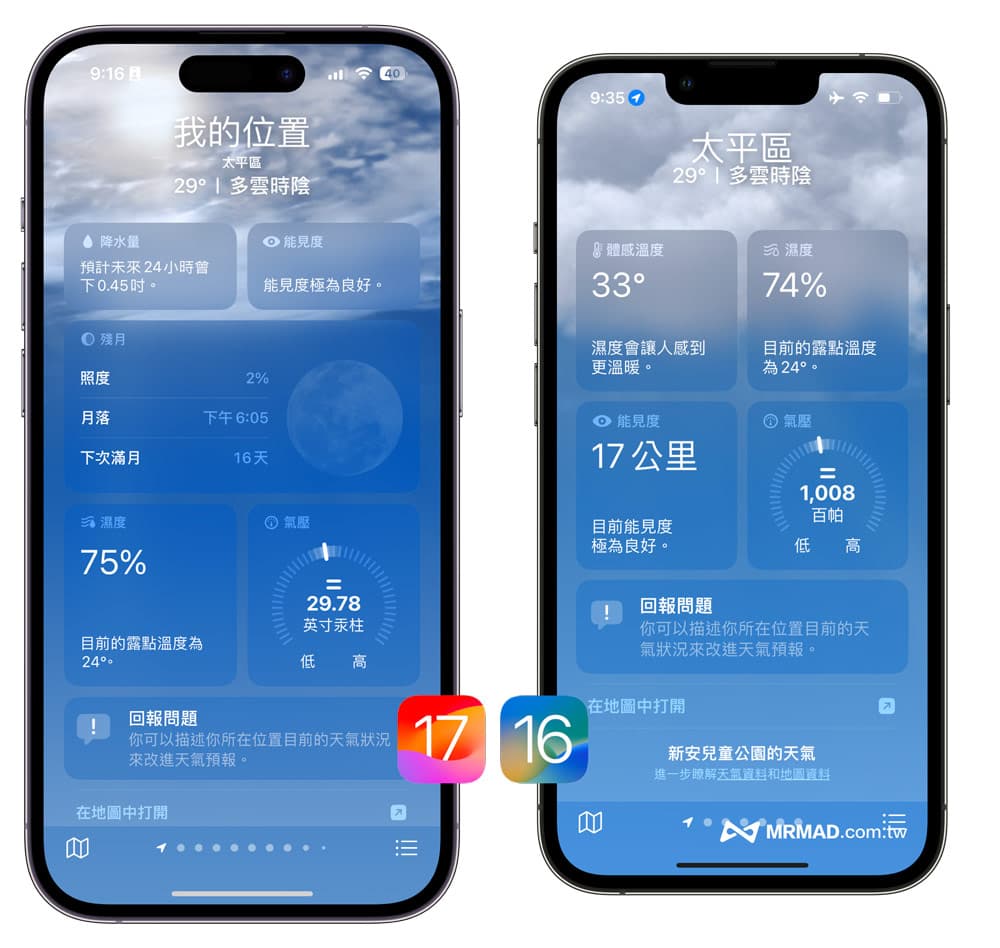
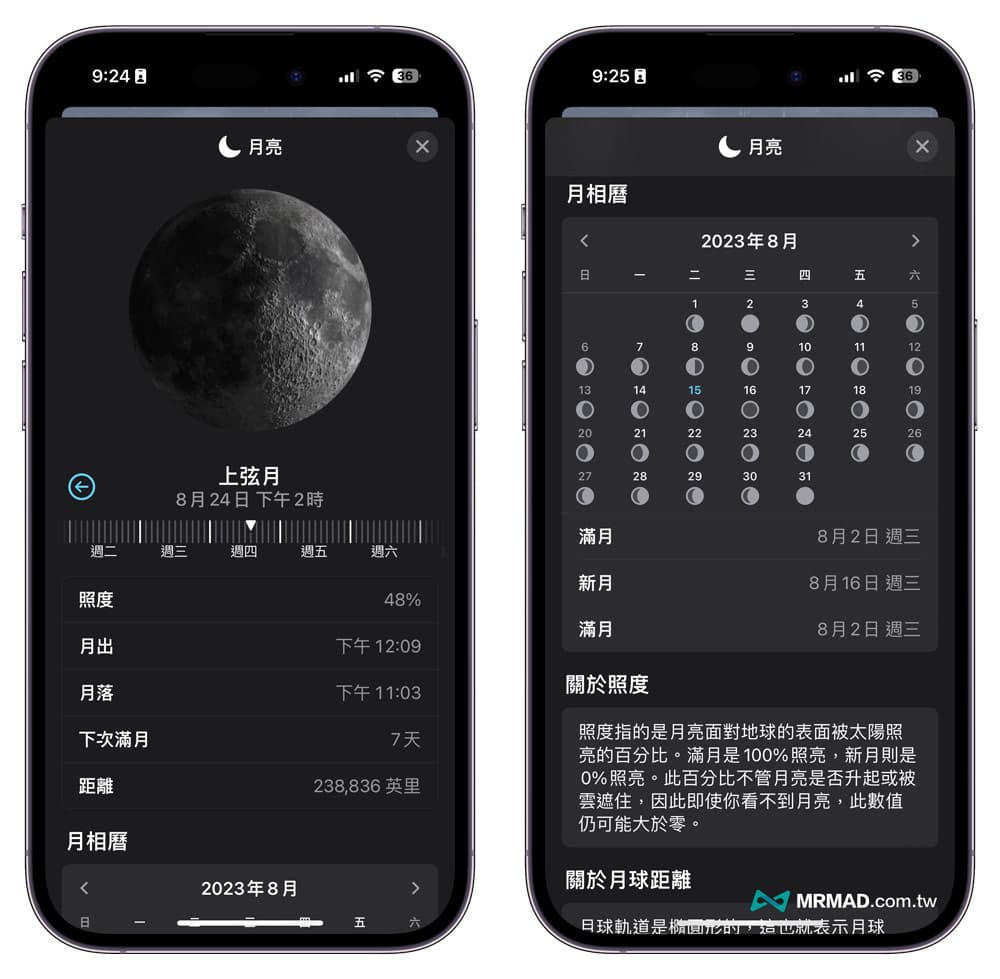
Among them, the sunset has also been changed to the waning moon display. You can also directly query the real-time illuminance, current moonset and next full moon time through the iOS 17 weather. At the same time, the barometric pressure unit information has also been changed from hectopascal to inches of mercury.
A comprehensive understanding of the 8 major changes in iOS 17’s new weather features
In addition to the changes in the weather interface, there are actually many new functions in the weather information function of iOS 17. You can learn about the changes in the new weather functions of iOS 17 through the following:
1. Weather and animation updates are more real-time
The most obvious feeling is the update speed of the iOS 17 weather background animation. When it suddenly rains outside in the northwest, the iOS 17 weather will change to drizzle according to the actual outdoor weather after a while, and the background animation will be updated and changed in real time. It will always stay in the cloudy and overcast weather state, and the real-time weather update speed of iOS 17 has indeed been greatly improved.
2. Check the weather of the day before yesterday
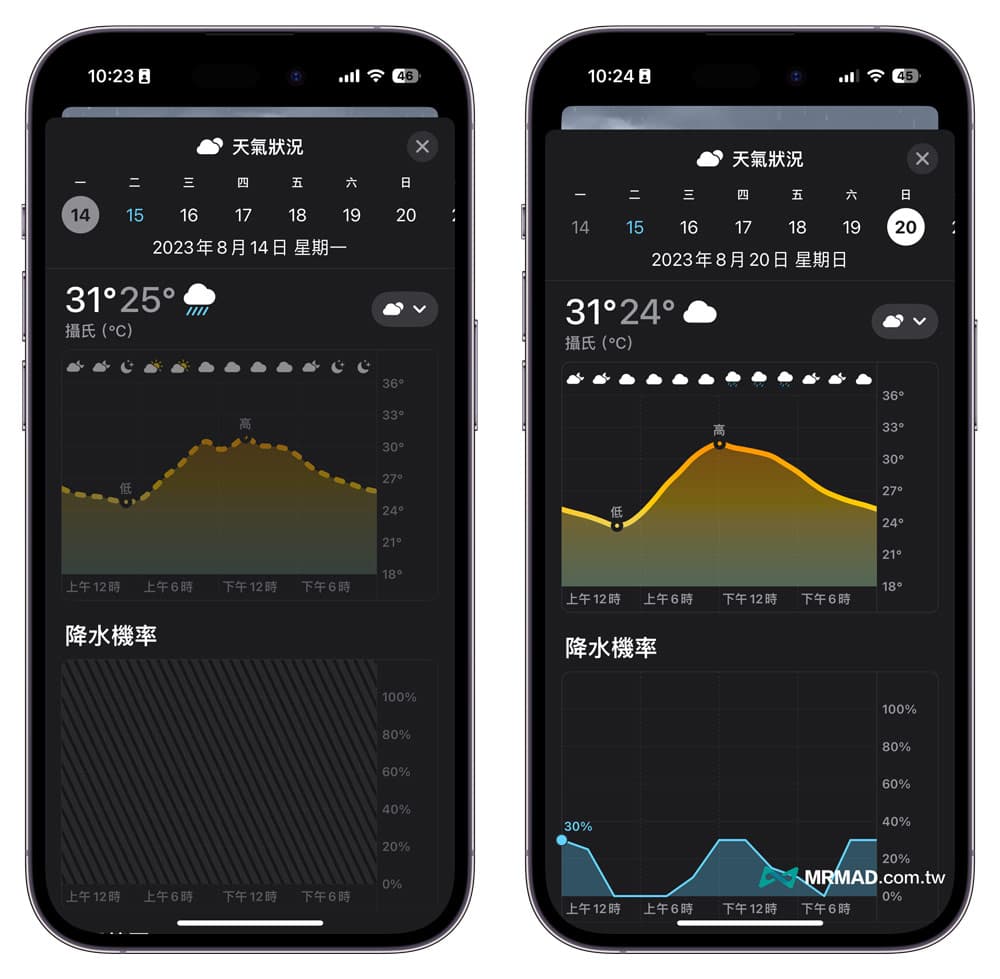
The previous version of iOS weather forecast can only display the weather status in the past 10 days, but iOS 17 weather additionally queries the weather information of the previous day.
3. Comparison of precipitation probability and air temperature
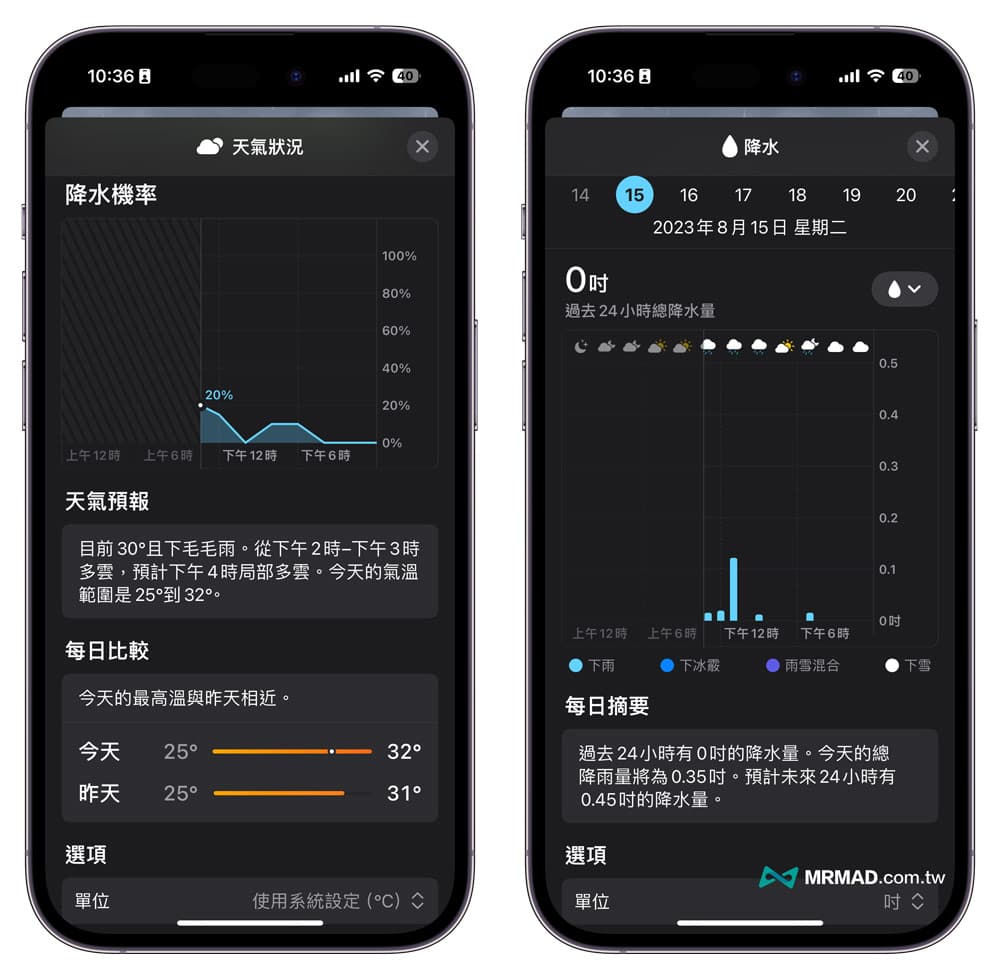
The iOS 17 Weather App also changed the name of “rainfall” to “precipitation” in an all-round way. At the same time, it added additional water probability information, weather forecast text messages and yesterday’s temperature at the bottom of the daily weather forecast page, and can even quickly switch the temperature directly. The unit is displayed.
4. Visualized wind speed information
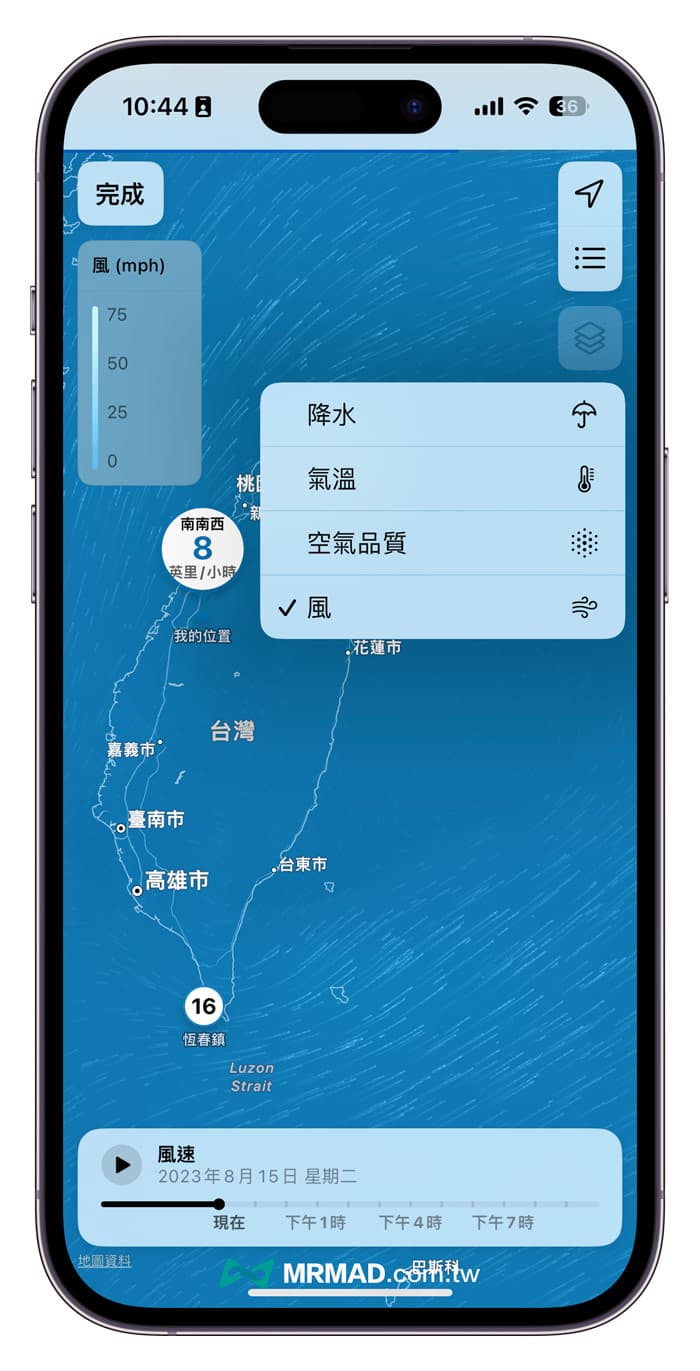
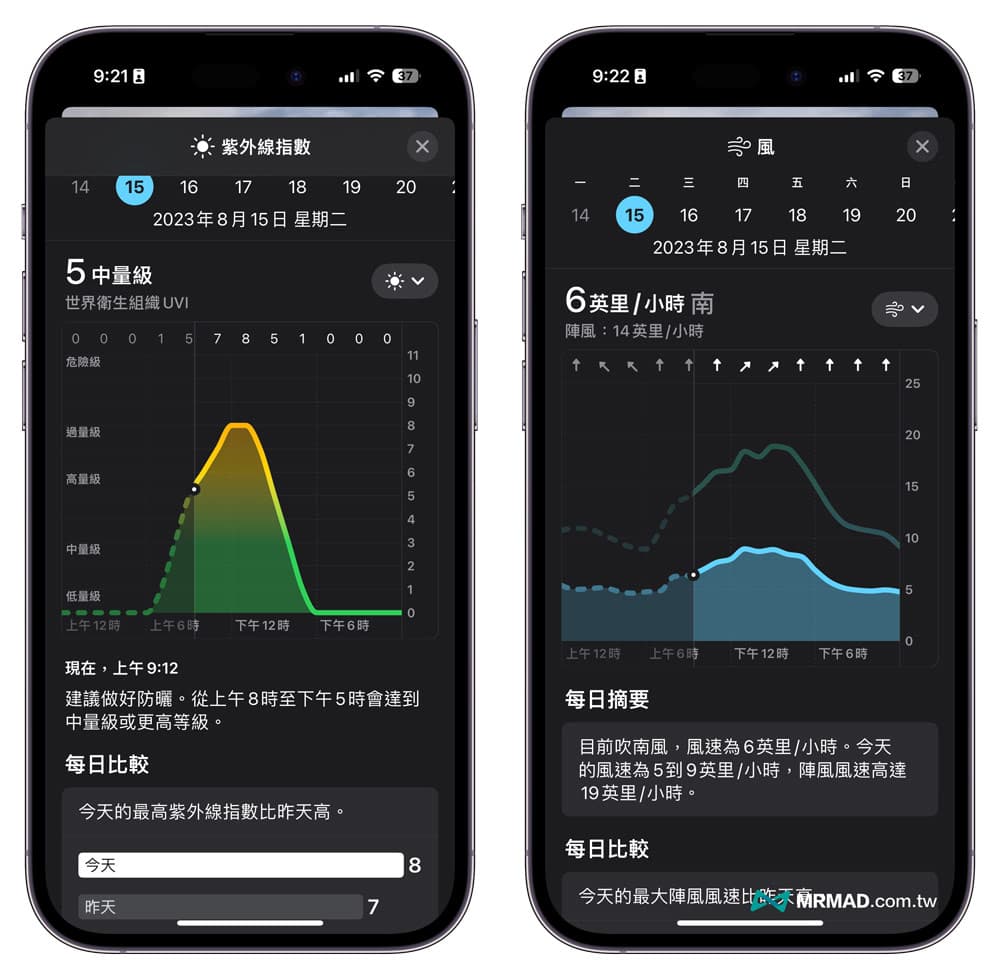
If you click into the iOS 17 precipitation information and switch between different weather information in the upper right corner, there will be an additional “wind” function menu. After switching, you can see the intuitive wind speed observation dynamic map, and you can understand the current county and city For wind speed data, you can also click the play button at the bottom to use the forecast to know the wind speed and direction in the next few hours.
5. Average temperature and precipitation
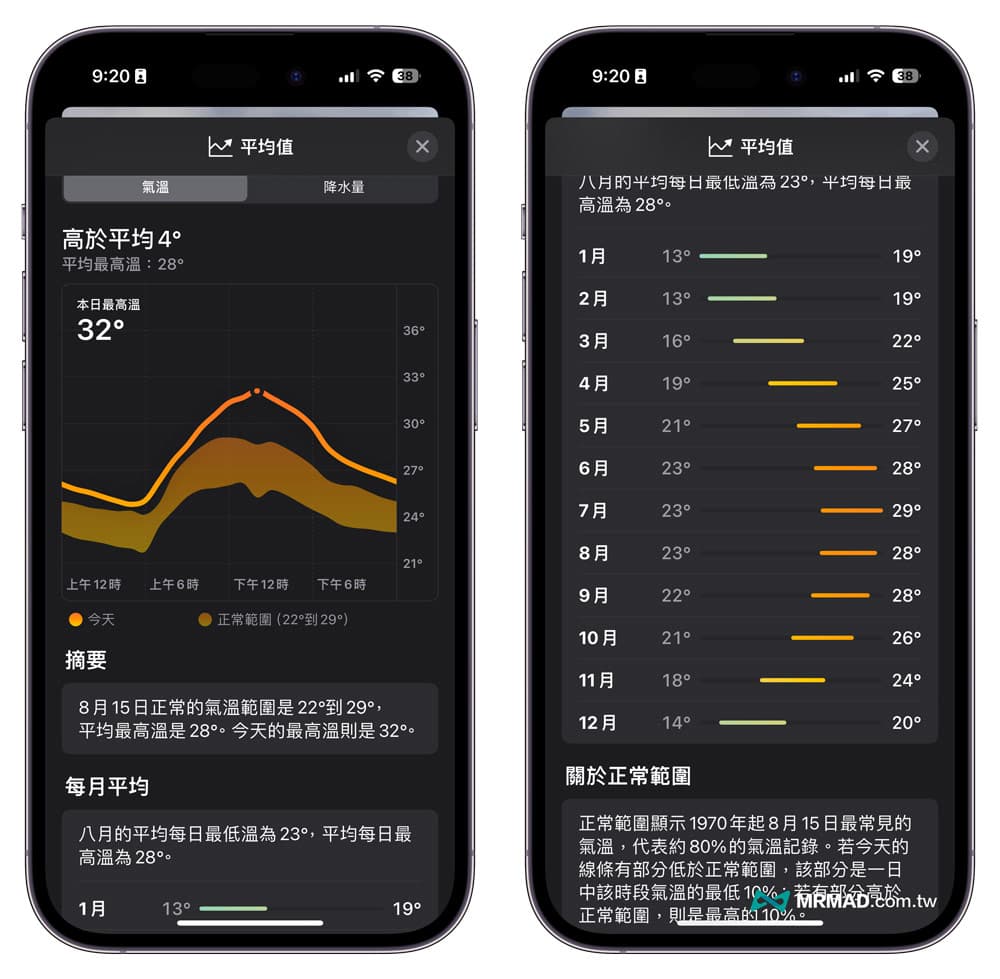
iOS 17 weather adds additional “Average” data, which can display two types of information: “Temperature” and “Precipitation”. Temperature ranges and average high temperatures, along with temperature averages for each month of the year.
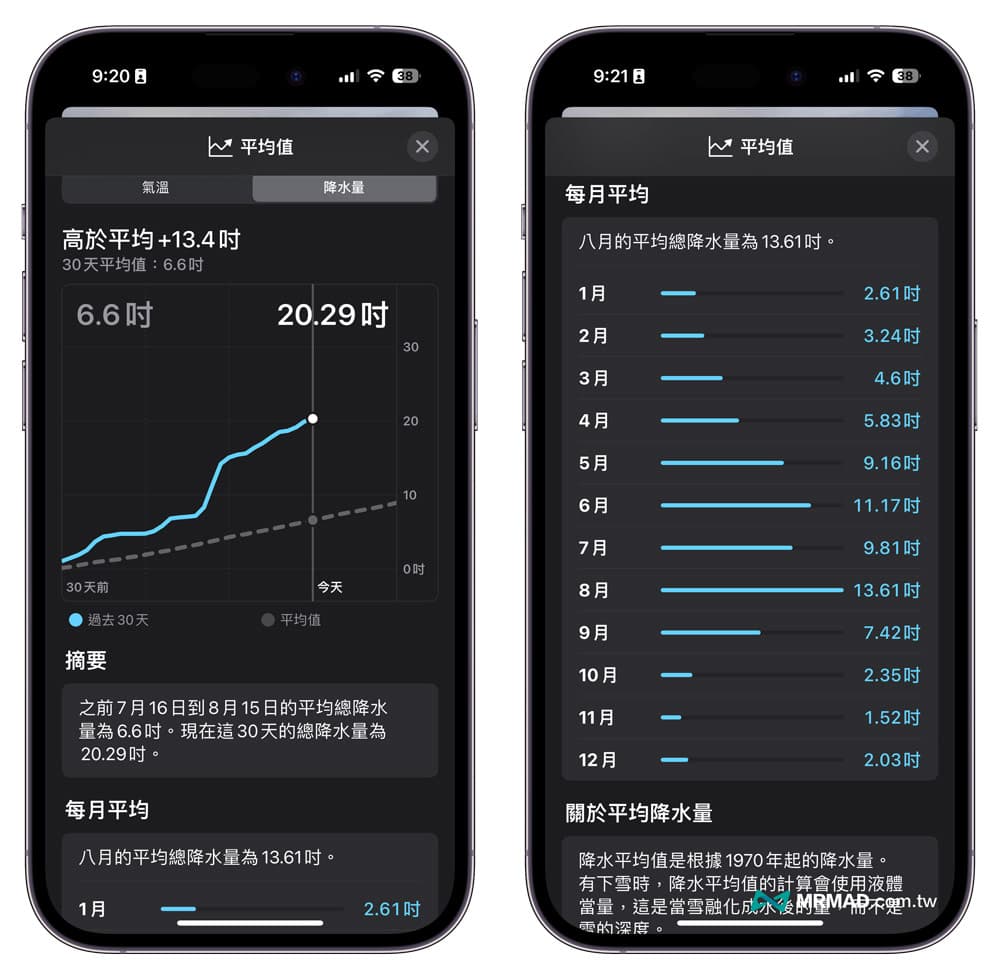
Switching to “Precipitation” can display the average amount of precipitation in the past 30 days, and you can see how much the average precipitation will fall in each month. From the data, it can be seen that the chance of rain usually starts from May to September. high.
6. Daily comparison and old data adjustment
Whether it is UV index, wind direction, body temperature, visibility, or humidity information, additional “Daily Comparison” information will be added to compare today’s data with yesterday’s data, and will be presented in text and charts; in addition, iOS 17 weather charts are presented , change the old data to dotted lines.
7. Observation information of the waning moon
Apple has also added a new “waning moon” observation information to the iOS 17 weather. By sliding the time axis, the moon will also have bright changes in light and shadow. It can display moon information in real time, including illuminance, distance, the time of the first month and the next month. Full moon timing, and even a moon phase calendar, you can observe the timing of the full moon and new moon.
8. Accuracy of weather data
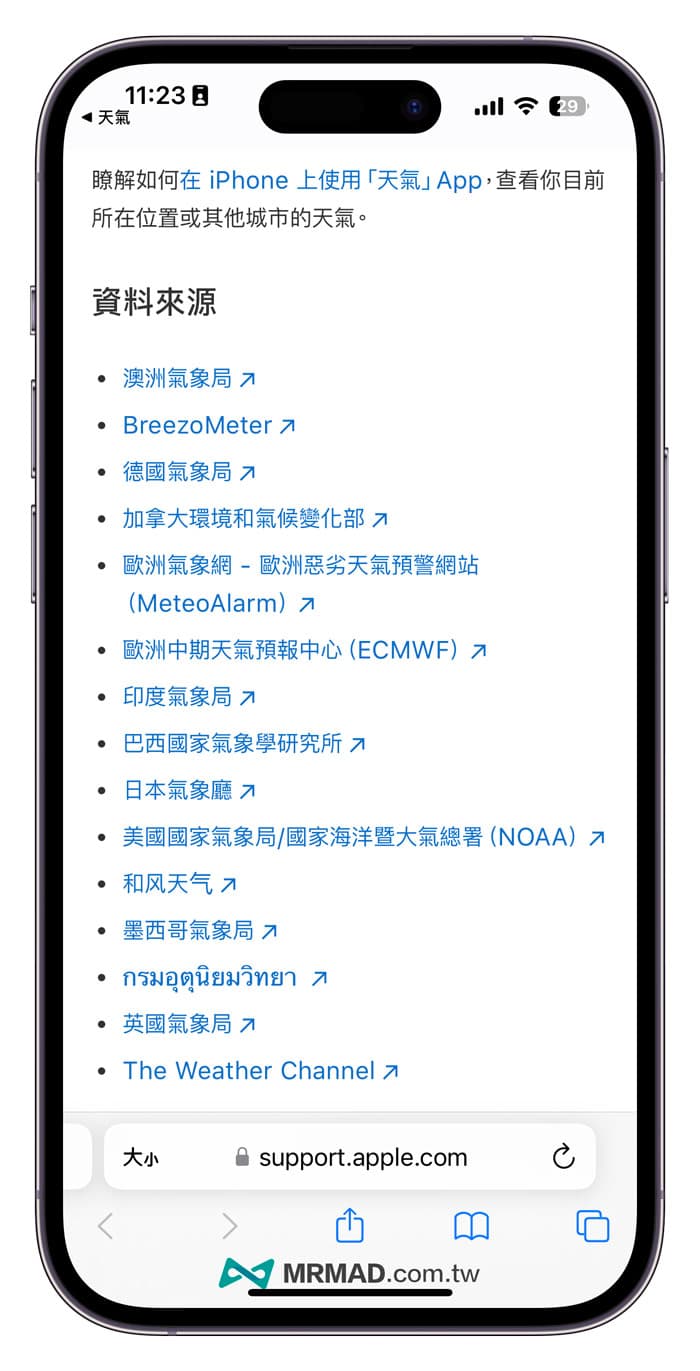
Apple did not add information from the Central Weather Bureau of Taiwan to the data source of the iOS 17 weather app. Most of the weather data also comes from The Weather Channel and national meteorological centers abroad, so the accuracy is basically the same as that of iOS 16 weather.
However, some foreign users found that after Apple acquired and integrated the Dark Sky application, they found that the weather information was obviously inaccurate.
Further reading: Why is the iPhone weather app inaccurate?The real reason Apple didn’t tell you
function summary
Since Apple made major adjustments to the weather app in iOS 15, it has made improvements to the weather app in iOS 17 again. There have been significant changes in the interface, information, functions, and animations. The weather information has also become richer and more wind directions can be obtained. , waning moon, average temperature and average precipitation data.
iOS 17 new features sorting
iOS 17 Tips and Teach